Most materials get thinner when you stretch them. A honeycomb whose cells are bow-ties instead of hexagons (a re-entrant honeycomb) gets wider: its Poisson’s ratio is negative, which makes it auxetic. This example cuts such a lattice from a block, with wall thickness and cell angle on sliders, and shows the Poisson’s ratio predicted by the classic bending model in a Panel.
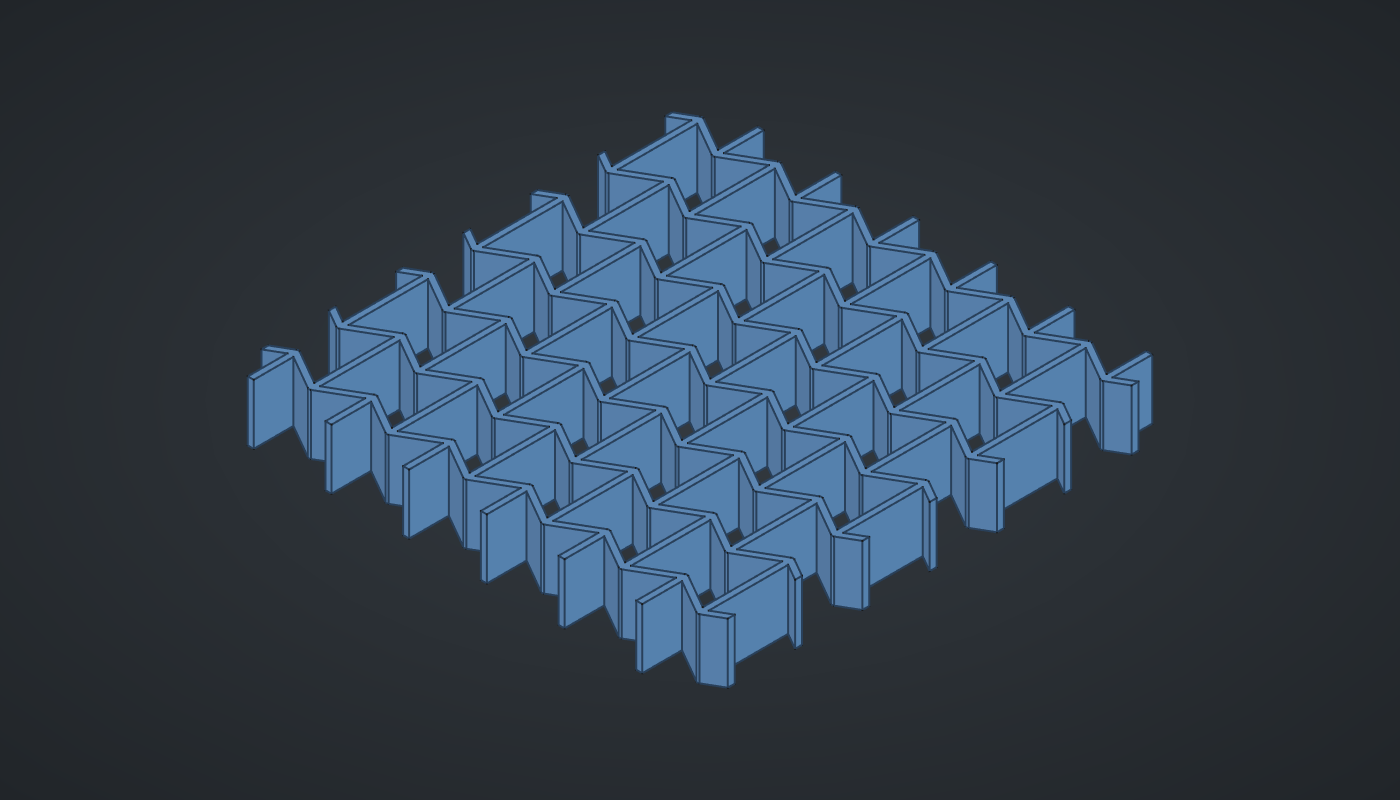
Reference: choose on the canvas toolbar to load the finished definition.
Build it
One cell
-
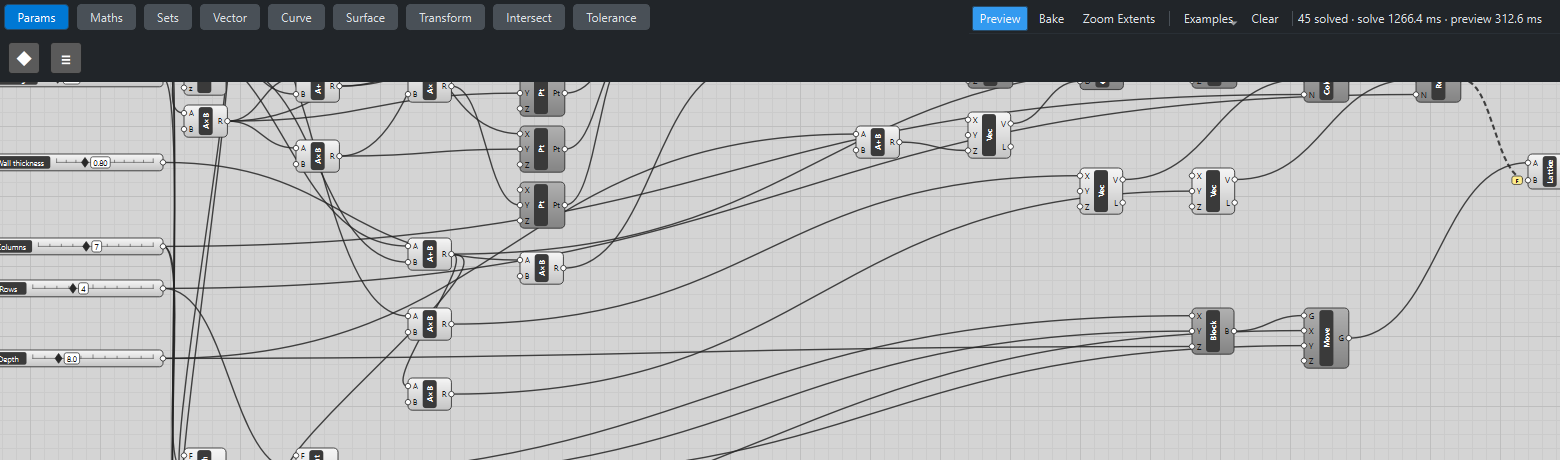
Place seven sliders: Wall length: 6 (3 – 12), Rib length: 12 (4 – 24), Wall angle: -30 (-40 – 40) with Decimals
0, Wall thickness: 0.8 (0.3 – 2) with Decimals2, Columns: 7 (2 – 14) and Rows: 4 (1 – 10) with Decimals0, and Depth: 8 (2 – 30). -
Place two Expression (Maths) components, Wall X
x*cos(radians(y))and Wall Yx*sin(radians(y)), with Wall length → x and Wall angle → y: how far an inclined wall reaches across and up. -
Place a Multiplication (Maths), Rib length ×
0.5, and an Addition (Maths) of that and Wall Y: the height of the cell’s apex. Place three Multiplication components with B-1for the negatives of Wall X, the half rib and the apex. -
Place six Construct Point (Vector) components, the cell’s corners in order: (Wall X, −half rib), (Wall X, half rib), (0, apex), (−Wall X, half rib), (−Wall X, −half rib), (0, −apex).
-
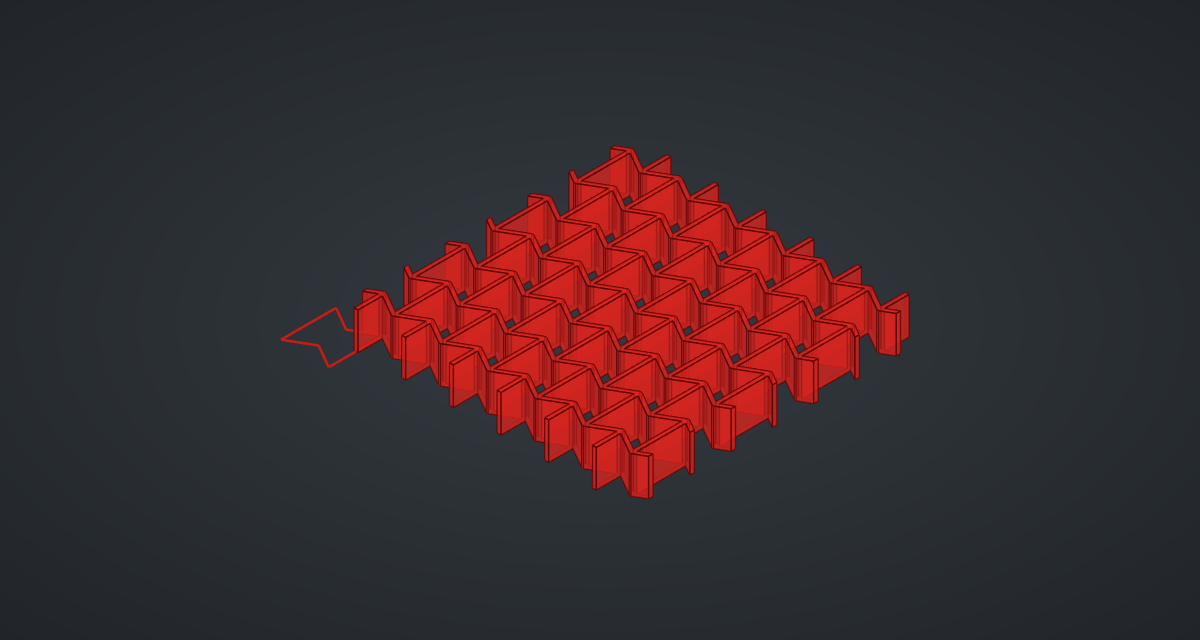
Place a Polyline (Curve), Cell, with C set to True, and wire the six points into its V in order (hold Shift from the second on).
-
Place a Multiplication, Wall thickness ×
-0.5, and an Offset Curve (Curve), Hole, with the cell and that distance: each hole is the cell shrunk by half a wall. -
Place a Planar Surface (Surface), a Move (Transform) with Z
-1, an Addition (Depth +2), a Vector XYZ (Vector) with it as Z, and an Extrude (Surface), Cutter: a prism a little taller than the block.
The lattice
-
Place an Addition, Rib length + Wall Y: the row spacing. Place a Move, Second row, with the cutter, Wall X → X and the row spacing → Y: the cell that interlocks with the first.
-
Place a Linear Array (Transform), Columns, and wire the cutter and the second row into its G, with a step of 2 × Wall X along X and Columns → N. Place another, Rows, on the result, with a step of 2 × row spacing along Y and Rows → N.
-
Place three Expression components: Block width
2*(x - 1)y(*Columns, Wall X), Block height(2*x - 1)y(*Rows, row spacing) and Block X(x - 0.5)y(*Columns, Wall X); and a Multiplication, block height ×0.5. -
Place a Center Box (Surface), Block, with the width, height and Depth, and a Move by Block X and half the height.
-
Place a Solid Difference (Intersect), Lattice, with the block → A and the rows → B, with Flatten on B: all the holes in one cut.
-
For the Poisson’s ratio, place an Expression,
cos(radians(z))*2/x/y + sin(radians(z)*sin(radians(z))), with *Rib length → x, Wall length → y and Wall angle → z, and a Panel (Params). -
Turn Preview off on everything except the Cell and the Lattice.
What is happening
With a negative wall angle the apexes point into the cell, giving a bow-tie. Neighbouring cells share walls, and offsetting each hole by half a wall leaves walls of exactly the chosen thickness; the geometry tests check that gap. The block’s edges cut through cells, not along walls or through corners, which keeps the Boolean reliable.
Pull the lattice along X and the inclined walls bend. If each wall bends by a small amount δ, the cell gets longer by δ·sin θ over a width of l·cos θ, and its height changes by −δ·cos θ over h + l·sin θ. The ratio of the two strains is the Poisson’s ratio for a pull along X:
This is the bending-only model of Gibson and Ashby’s Cellular Solids (chapter 4). With h/l = 2 and θ = −30° it gives exactly −1: stretch the lattice by 1 % and it gets 1 % wider. With θ = +30° it gives +0.6, an ordinary honeycomb. The model counts only the bending of the walls; stretching and shear in real walls change the value. At exactly 0° the walls are flat and the formula has no value, so the Expression turns red.
The lattice updates in about two seconds (1.8 and 2.5 s in two test runs): one Boolean with 56 cutters. Lower Columns and Rows while you experiment.
Things to try
-
Drag Wall angle from −30 to +30 and watch the cells turn from bow-ties into ordinary hexagons and the Panel change sign.
-
Set Rib length to 18: the ratio becomes −0.6.
-
Set Columns to 4 and Rows to 3 for faster updates.
-
Set Rib length to 8: the bow-ties pinch almost shut at their apexes and the ratio reaches −1.8.