Twin arches lean towards each other over a cambered deck, each tied to it by two families of crossing hangers: a network arch, the form engineers use for light, stiff spans. Three-point arcs give the arch and the deck, Evaluate Curve places the hangers, and Mirror makes the twin.
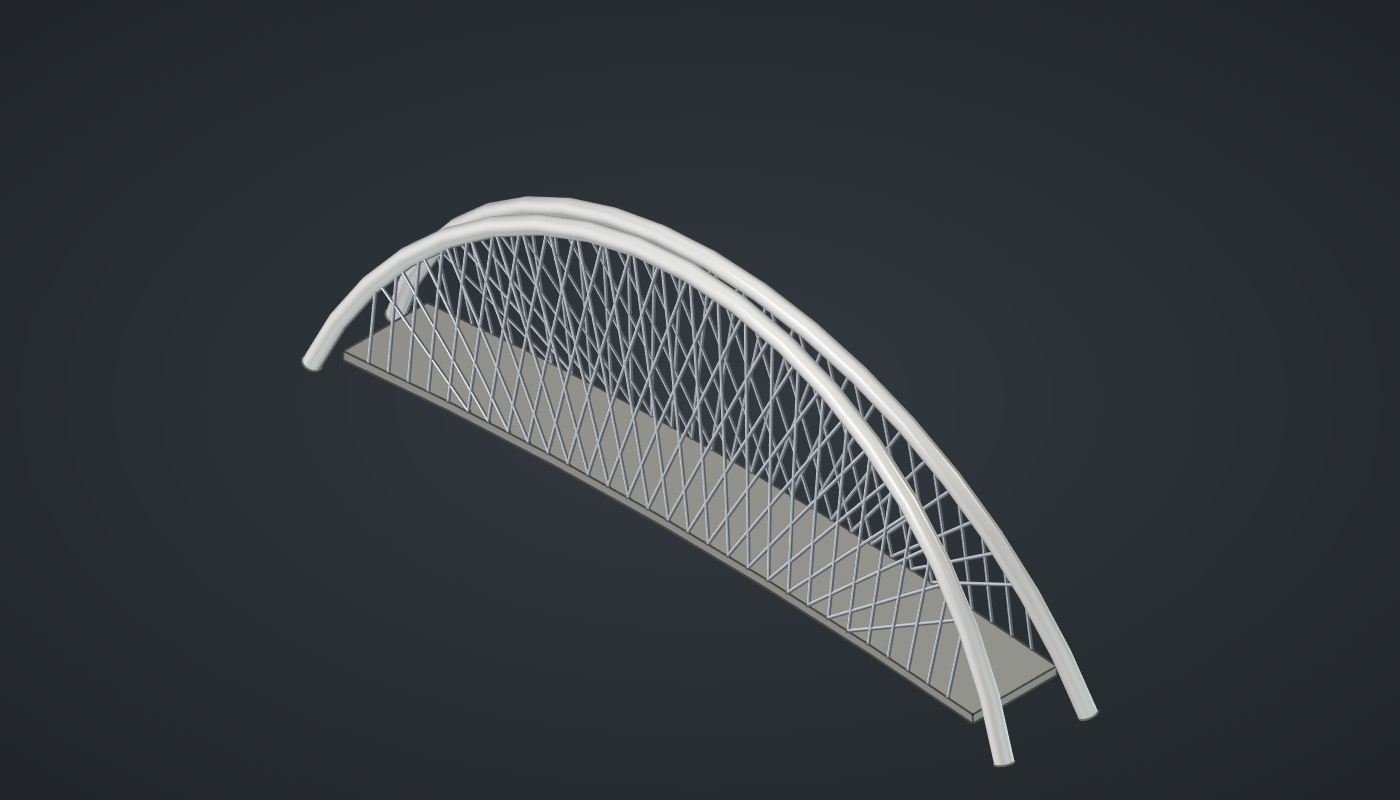
Reference: choose on the canvas toolbar to load the finished definition.
Build it
The arch
-
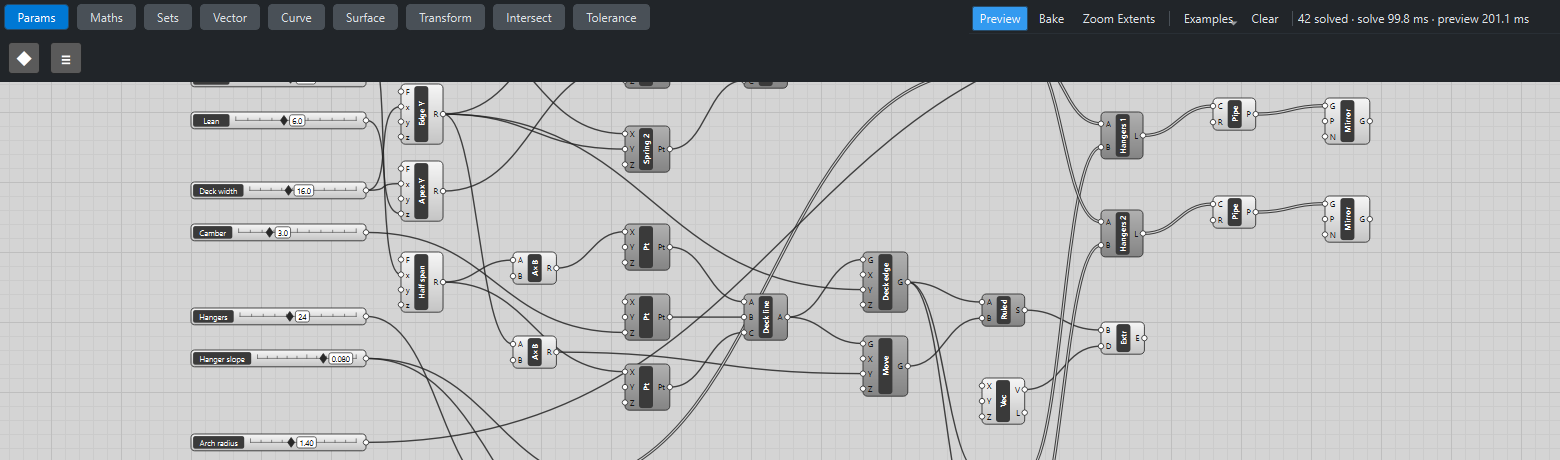
Place eight sliders: Span: 120 (60 – 200), Rise: 40 (15 – 70), Lean: 6 (0 – 15), Deck width: 16 (8 – 30), Camber: 3 (0.5 – 10), Hangers: 24 (6 – 48) with Decimals
0, Hanger slope: 0.08 (0 – 0.12) with Decimals3, and Arch radius: 1.4 (0.4 – 3) with Decimals2. -
Place three Expression (Maths) components:
-
Spring X,
x/2 + 6, with Span → x: the arch springs 6 m beyond each end of the deck. -
Edge Y,
-x/2, with Deck width → x: the deck’s edge. -
Apex Y,
z - x/2, with Deck width → x and Lean → z: the crown leans in by Lean.
-
-
Place a Multiplication (Maths) with B
-1after Spring X. Place three Construct Point (Vector) components with their Z set as given:-
Spring 1 (−Spring X, Edge Y, Z
-5). -
Apex (0, Apex Y, Rise → Z).
-
Spring 2 (Spring X, Edge Y, Z
-5).
-
-
Place an Arc 3Pt (Curve) and wire Spring 1 → A, Apex → B, Spring 2 → C.
The deck
-
Place an Expression, Half span,
x/2with Span → x, and a Multiplication with B-1after it. Place three Construct Point components: (−Half span, 0, 0), (0, 0, Camber) and (Half span, 0, 0), and an Arc 3Pt through them: the deck’s centre line, slightly arched. -
Place two Move (Transform) components that move the centre line by Edge Y and by its negative (a Multiplication with B
-1) in Y: the two deck edges. -
Place a Ruled Surface (Surface) between the two edges, and an Extrude (Surface) with a Vector XYZ of Z
-1.5: the deck slab.
Hangers
-
Place a Range (Maths), Hanger t, with S
0.12, E0.88and Hangers → N. Place an Addition and an Expressionx - ythat add and subtract Hanger slope. -
Place three Evaluate Curve (Curve) components:
-
On arch: Arc → C, Hanger t → t.
-
On deck +: the first deck edge → C, t + slope → t.
-
On deck −: the same edge, t − slope → t.
-
-
Place two Line (Curve) components, Hangers 1 (On arch → A, On deck + → B) and Hangers 2 (On arch → A, On deck − → B). The two families lean opposite ways and cross.
-
Place three Pipe (Surface) components: the arch with Arch radius → R, and each hanger family with R
0.22. -
Place three Mirror (Transform) components with N set to
0, 1, 0and wire the three Pipes into them: the second arch and its hangers, mirrored in the deck’s centre plane. -
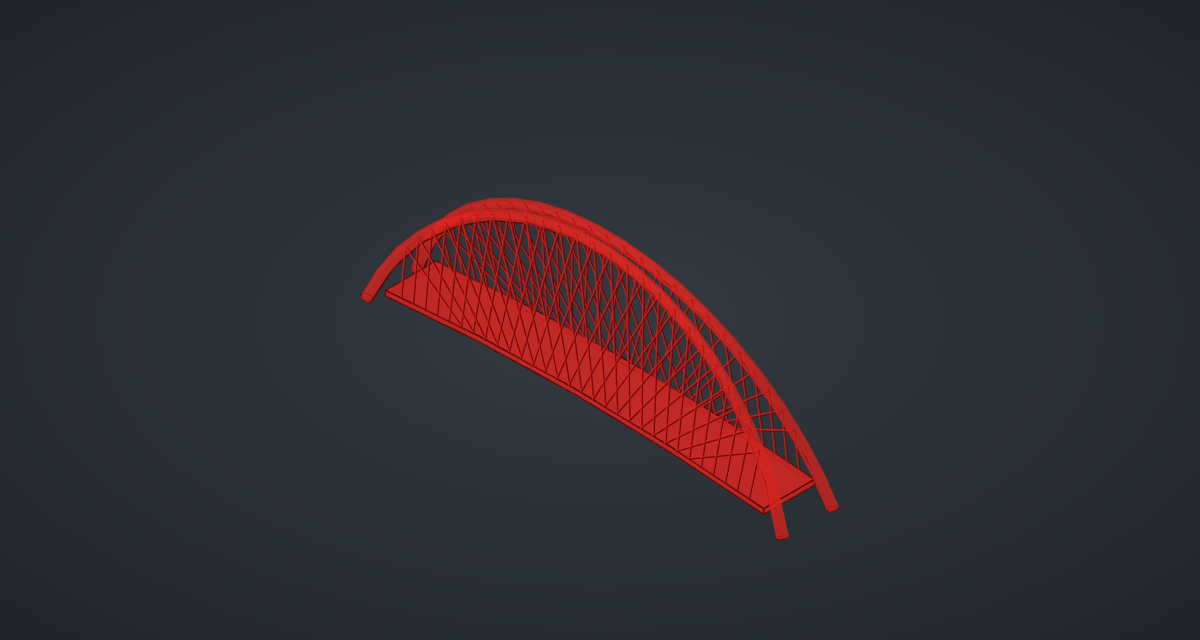
Turn Preview off on the points, curves, deck edges, Ruled Surface, Evaluate Curves and Lines.
What is happening
Evaluate Curve takes a normalised parameter: 0 at a curve’s start, 1 at its end. Evaluating the arch and the deck edge at the same list of values gives matching points along both, whatever their shapes, and offsetting the deck’s values by ± slope tilts each family of hangers. That is how network arches work: crossing hangers turn the arch and deck into a stiff truss.
The geometry tests check that every hanger starts on the arch and ends on the deck edge, and that the mirrored arch is the exact reflection of the first. The whole bridge updates in about a third of a second.
Things to try
-
Set Hanger slope to 0 for vertical hangers (both families then coincide), or to 0.12 for a dense web. It stops at 0.12 so that t ± slope stays between 0 and 1, on the deck.
-
Set Lean to 0 for upright twin arches, or to 8, half the deck width, and the crowns meet over the centre line. Beyond that the arches cross.
-
Raise Rise to 70 for a dramatic arch, or Span to 200 for a long one.
-
Delete the three Mirrors for a single-arch bridge.