In 1896 Vladimir Shukhov built the first hyperboloid tower: a curved lattice made entirely of straight steel bars. Join each point of a lower ring to a point a few places round on an upper ring, and the straight lines sweep out a curved waist. You will make the struts with Shift List, then use a data tree to trace horizontal rings through every strut at once.
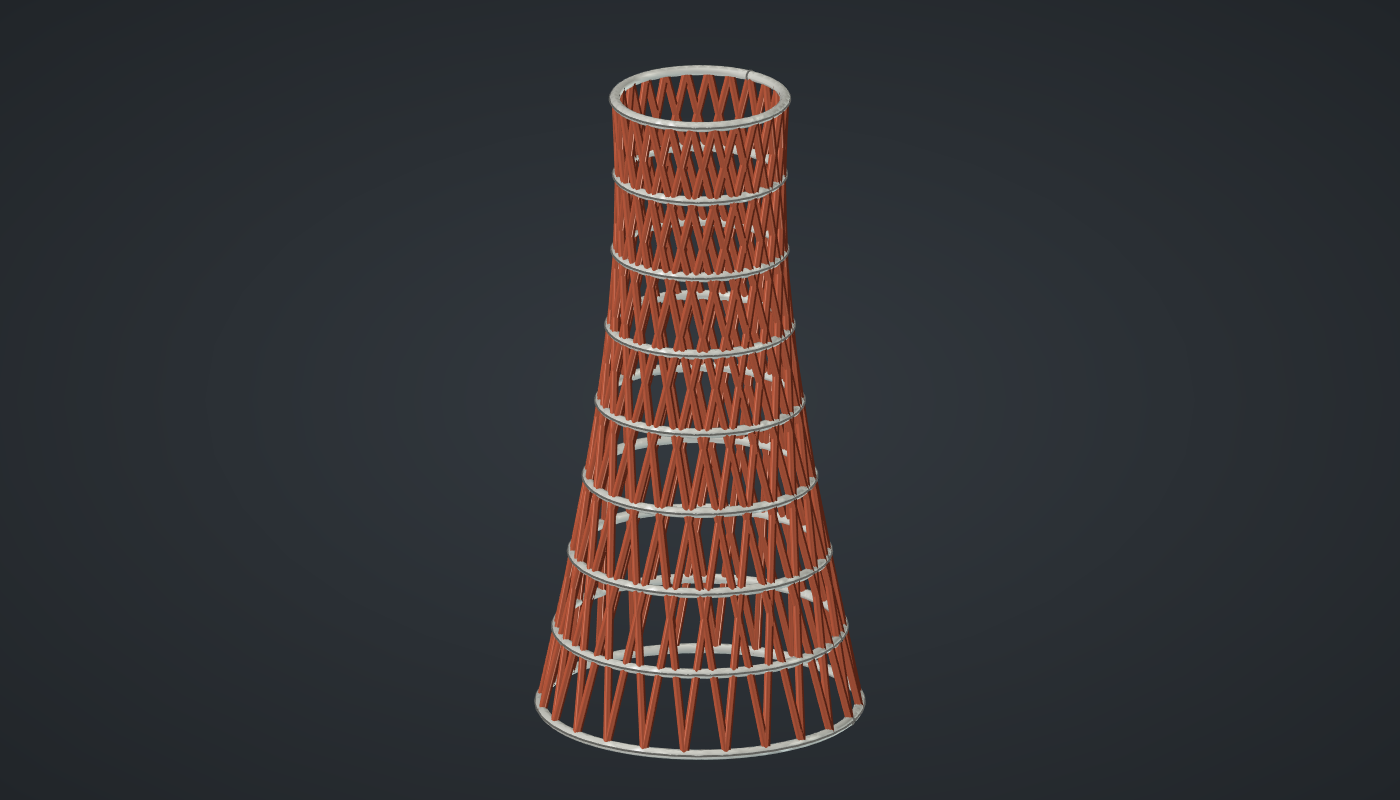
Reference: choose on the canvas toolbar to load the finished definition.
Build it
Two rings of points
-
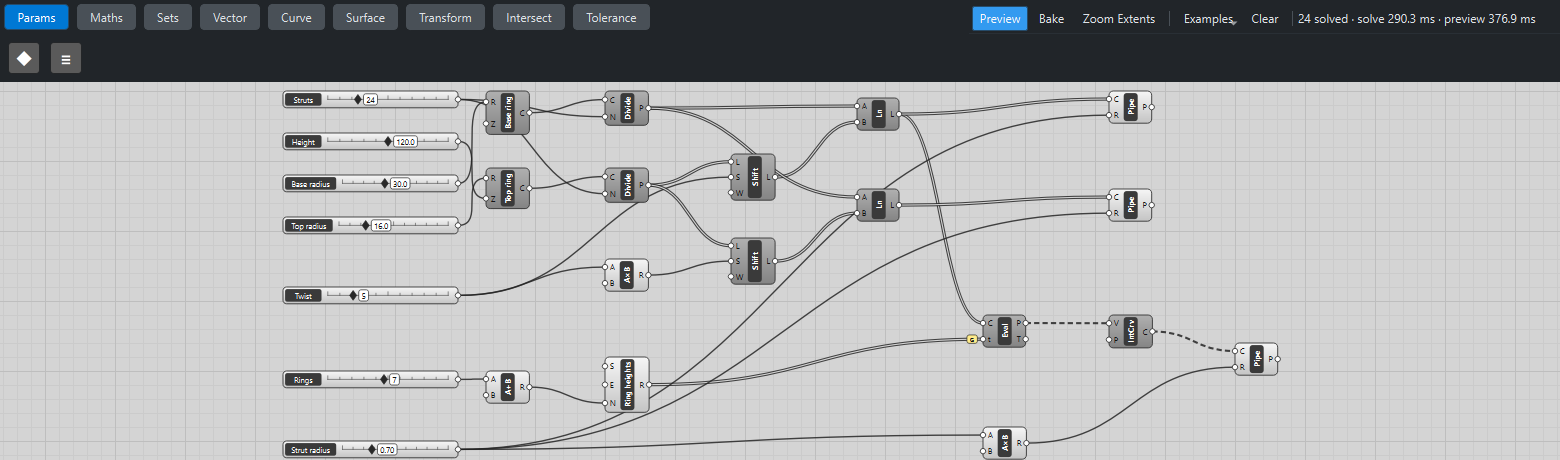
Place seven sliders: Struts: 24 (8 – 72), Twist: 5 (1 – 20) and Rings: 7 (0 – 15) with Decimals
0; Height: 120 (40 – 200), Base radius: 30 (10 – 60), Top radius: 16 (5 – 50), and Strut radius: 0.7 (0.2 – 2) with Decimals2. -
Place two Circle (Curve) components, Base ring and Top ring. Wire Base radius → R on the first; Top radius → R and Height → Z on the second.
-
Place two Divide Curve (Curve) components. Wire each Circle into its own C and Struts → N on both: 24 points round each ring.
Struts
-
Place a Shift List (Sets). Wire the top Divide Curve P → L and Twist → S. The list of top points now starts five places further round.
-
Place a Line (Curve). Wire the bottom Divide Curve P → A and Shift List L → B. Each line climbs from a bottom point to the top point five places round: 24 struts leaning one way.
-
Place a Multiplication (Maths) with B set to
-1and wire Twist → A. Place a second Shift List and a second Line, wired the same way but shifting by the negative twist. These 24 struts lean the other way.
Rings through the struts
-
Place an Addition (Maths) with B set to
1and wire Rings → A. Place a Range (Maths), Ring heights, and wire Addition R → N. It gives 9 values from 0 to 1. -
Place an Evaluate Curve (Curve). Wire the first Line L → C and Range R → t, then tick Graft on t. Every height gets its own branch, and in each branch all 24 struts are evaluated at that height: 9 branches of 24 points.
-
Place an Interpolate (Curve) and set value its P (periodic) to
True. Wire Evaluate Curve P → V: one smooth closed ring per branch.
Steel
-
Place three Pipe (Surface) components: one for each Line and one for the rings. Wire Strut radius → R on the two strut pipes. For the rings, place a Multiplication with B set to
1.4, wire Strut radius → A and its R → R, so the rings are a little heavier. -
Turn Preview off on the Circles, Divide Curves, Shift Lists, Lines, Evaluate Curve and Interpolate.
What is happening
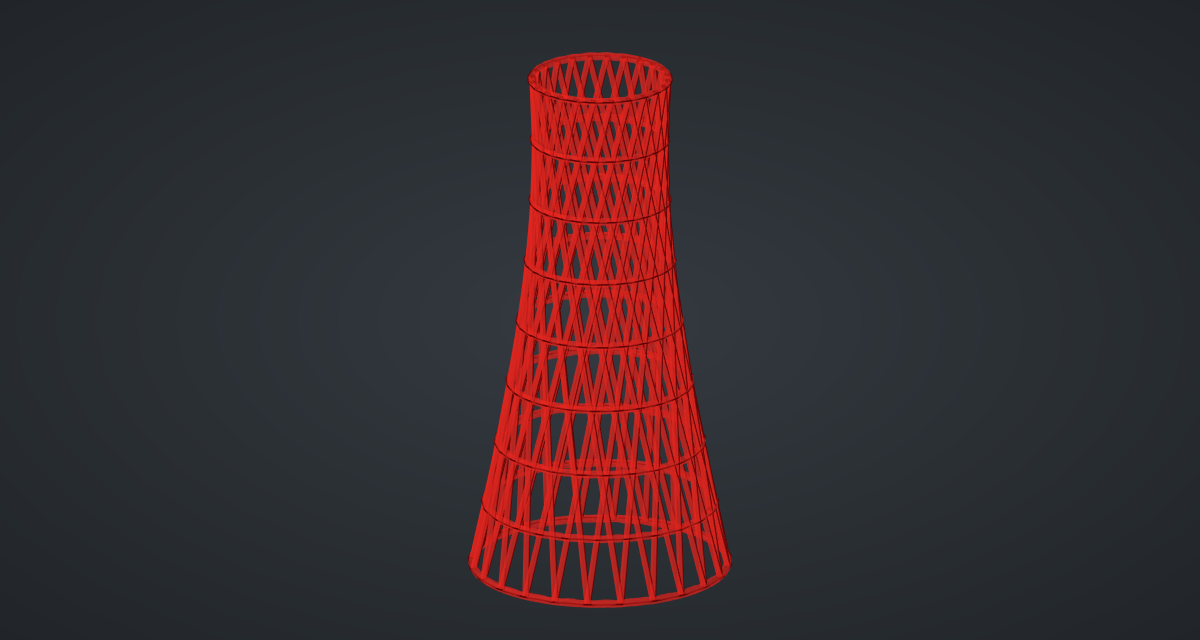
Two lists of 24 points are paired item by item, so shifting one list is all it takes to tilt every strut. With a twist of 5 out of 24 each strut turns 75° on its way up. The struts never bend, yet together they lie on a curved surface, a hyperboloid of one sheet: a doubly ruled surface, which is why the two families of straight lines both fit it exactly.
The rings show the data-tree pattern at its simplest. Without Graft, Evaluate Curve would pair the 24 struts with the 9 heights item by item. With Graft every height is its own branch, and each branch evaluates all 24 struts. Because the tower is a surface of revolution, the points at any one height lie on a circle; the geometry tests check exactly that.
Each update takes about 0.8 s, mostly to mesh the 57 pipes for the preview.
Things to try
-
Drag Twist. At 1 the tower is almost a cone; as the twist grows the waist pulls in. Beyond half the struts (12 here) the struts lean the other way and the waist opens again.
-
Set Top radius equal to Base radius for a symmetric waist, as in Shukhov’s water towers.
-
Set Struts to 48 for a fine mesh, or to 12 for a bold lattice.
-
Stack two towers: place the second on top with a Move by Height, as in Shukhov’s radio tower in Moscow.