One cupped petal, lofted through a row of arcs, is copied round several tiers of a flower. Each tier is smaller, sits a little higher and is turned half a petal against the one outside it. A single Bloom slider opens the whole flower, the outer tiers furthest, so dragging it takes the flower from bud to full bloom.
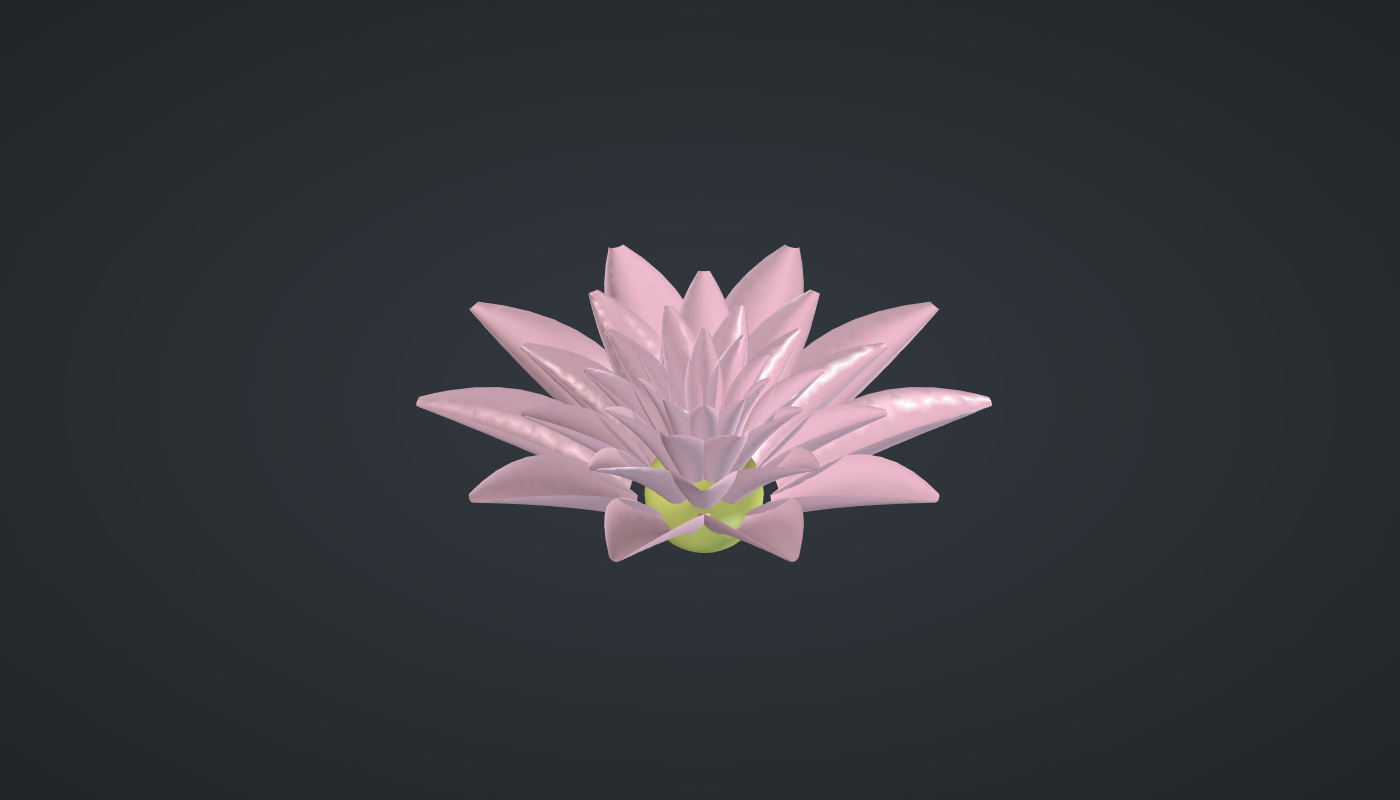
Reference: choose on the canvas toolbar to load the finished definition.
Build it
One petal
-
Place eight sliders: Petals: 10 (5 – 16) and Tiers: 4 (1 – 6) with Decimals
0, Length: 14 (6 – 25), Width: 7 (2 – 12), Cup: 0.35 (0 – 0.8) and Curl: 0.15 (-0.3 – 0.5) with Decimals2, Bloom: 55 (0 – 85), and Taper: 0.75 (0.5 – 1) with Decimals2. -
Place a Range (Maths), Along the petal, from
0to0.95with N7: eight stations from base to near the tip. -
Place an Expression (Maths), Width profile,
y*(0.35*(1 - x) + 2.2*x*(1 - x)), with the stations → x and Width → y: narrow at the base, widest just before the middle, almost nothing at the tip. -
Place two Multiplication (Maths) components: the width × Cup (how far the edges rise) and the stations × Length (the height of each station).
-
Place an Expression, Spine,
y*z*x*2, with the stations, *Curl and Length: how far the petal’s centre line leans out. Place another, Edges,x - y, with the spine and the cup depth: the edges sit further in. -
Place two Multiplication components, the width ×
0.5and ×-0.5, and three Construct Point (Vector) components: left edge (edges, −half width, height), centre (spine, 0, height) and right edge (edges, +half width, height). -
Place an Arc 3Pt (Curve), Sections, through the three, and a Loft (Surface), Petal.
The flower
-
Place a Series (Sets), Tier no., with Tiers → C, and five Expression components on it:
-
Tier scale
y*xwith *Taper → y; -
Tier tilt
y*(1 - x/z)with Bloom → y and Tiers → z; -
Tier radius
0.06*x*y*zwith the scale → x, Petals → y and Width → z; -
Tier lift
0.08*x*ywith Length → y; -
Tier stagger
180*x/ywith Petals → y.
-
-
Place a Scale (Transform) with the petal and the tier scales, a Rotate (Transform) with the tier tilts and X (axis) set to
0, 1, 0, a Move (Transform) with the tier radii → X and lifts → Z, and a second Rotate with the staggers: one petal per tier, in place. -
Place an Expression,
360/x, with Petals, a Series with it as N and Petals → C, and a third Rotate, Flower, with the tier petals and these angles, with Graft on A: every tier copied round. -
For the seed pod, place an Expression,
0.048*x*y, with Petals and Width, and a Sphere (Surface) of that radius. -
Turn Preview off on the points, Sections, Petal, Scale, first Rotate, Move and second Rotate.
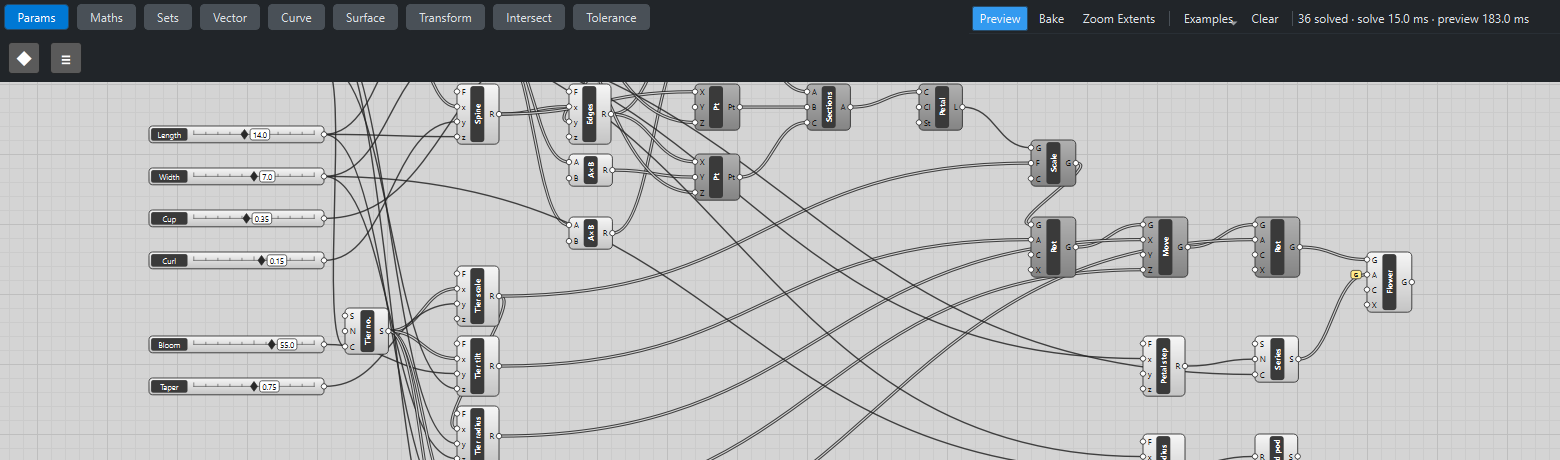

What is happening
The petal is built standing up, its base at the origin, with the hollow of the cup facing −X. Rotating it about the Y axis tips it outward; moving it out along X puts its base on the tier’s ring, with the hollow now facing the centre. The tier’s own tilt, Bloom × (1 − k/Tiers), gives the outer tier the whole Bloom angle and each inner tier less. The tier radius grows with the number and width of the petals, so they always close round the ring.
The geometry tests check, tier by tier, that each petal’s base lies on its ring at its height, that the petal leans straight outward, and that it leans by exactly its share of Bloom. The flower updates in about a quarter of a second, almost all of it drawing the petals.
Things to try
-
Drag Bloom from 0 (a closed bud) to 85 (flat open).
-
Set Petals to 16 and Tiers to 6 for a dense water lily.
-
Set Curl to −0.3: the petal tips turn in like a tulip.
-
Raise Cup to 0.8 for deep, spoon-shaped petals.