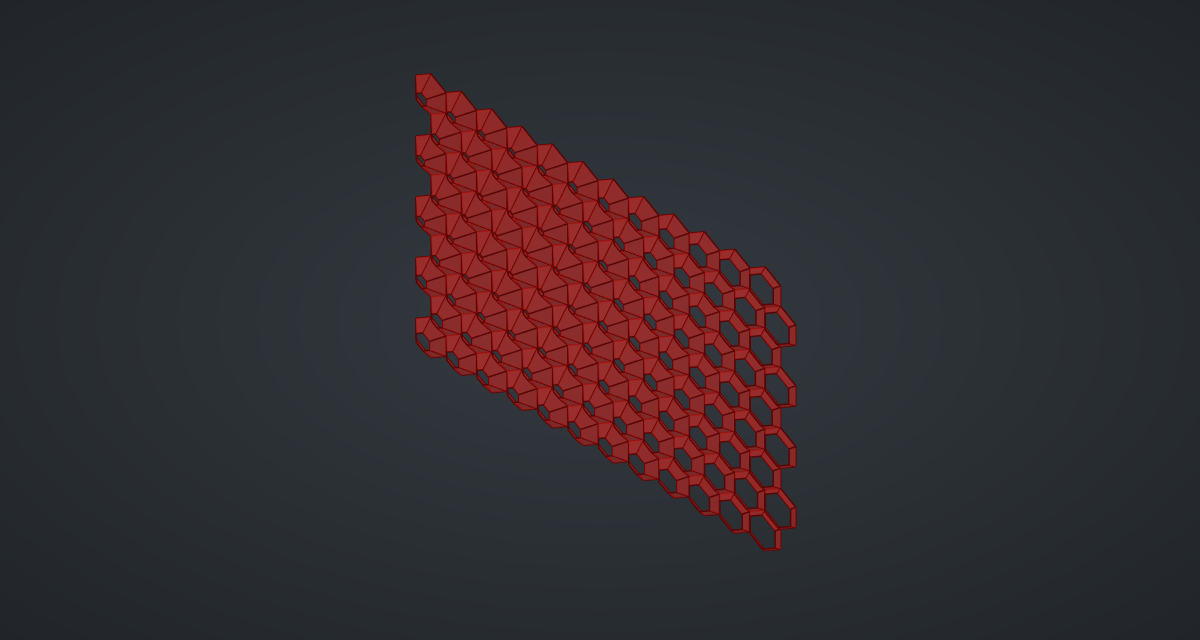
A mashrabiya is a lattice screen that shades and cools; the Al Bahr Towers in Abu Dhabi made it kinetic, with units that close as the sun reaches them. Here every cell of a hexagonal grid is a frustum, from its outline to a smaller copy pushed forward: cells facing the sun close to sharp pyramids, the rest open into flat frames.
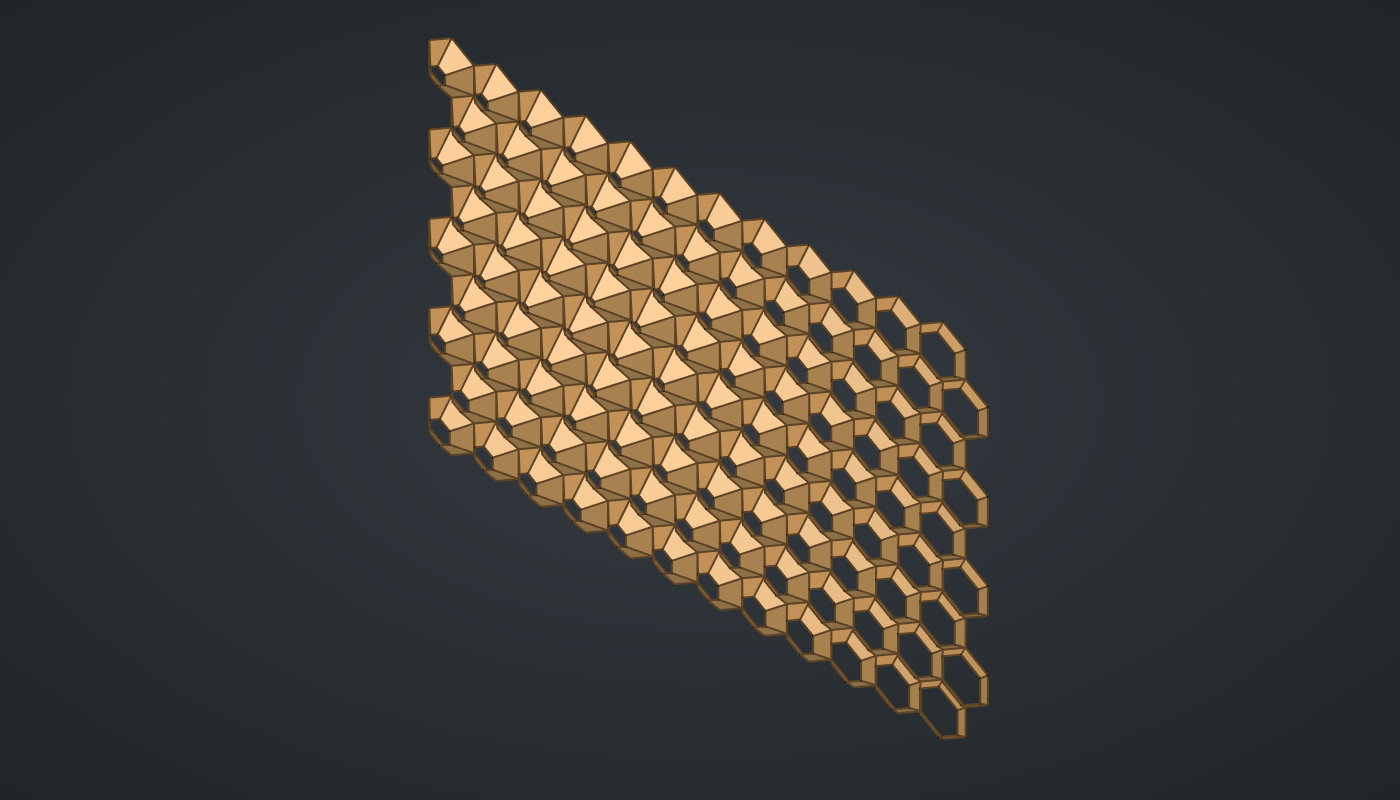
Reference: choose on the canvas toolbar to load the finished definition.
Build it
The hexagonal grid
-
Place ten sliders: Columns: 12 (4 – 30), Rows: 9 (4 – 24) and Sides: 6 (3 – 8) with Decimals
0; Cell radius: 6 (3 – 12); Sun X: 30 (-40 – 160), Sun Y: 45 (-40 – 120), Sun distance: 40 (5 – 120); Most closed: 0.15 (0.05 – 0.9) and Most open: 0.85 (0.1 – 0.95) with Decimals2; and Most depth: 4 (0.5 – 10). -
Place two Series (Sets), Column no. and Row no., with Columns and Rows into C.
-
Place an Expression (Maths), X, with F set to
(x + 0.5*(y % 2))1.7320508*z. Wire *Column no. → x, Row no. → y with Graft on y, and Cell radius → z. Pointy-topped hexagons sit √3 × R apart, and odd rows shift by half a cell. -
Place an Expression, Y,
1.5*x*y, with Row no. → x (Graft) and Cell radius → y: rows 1.5 × R apart. -
Place a Construct Point (Vector), Cell centres, with X and Y.
Cells
-
Place a Regular Polygon (Curve) with Cell radius → R, Sides → S and A set to
30(pointy top). It is built at the origin. -
Place a Move (Transform) and wire Polygon → G, X → X and Y → Y: one outline per grid point.
The sun
-
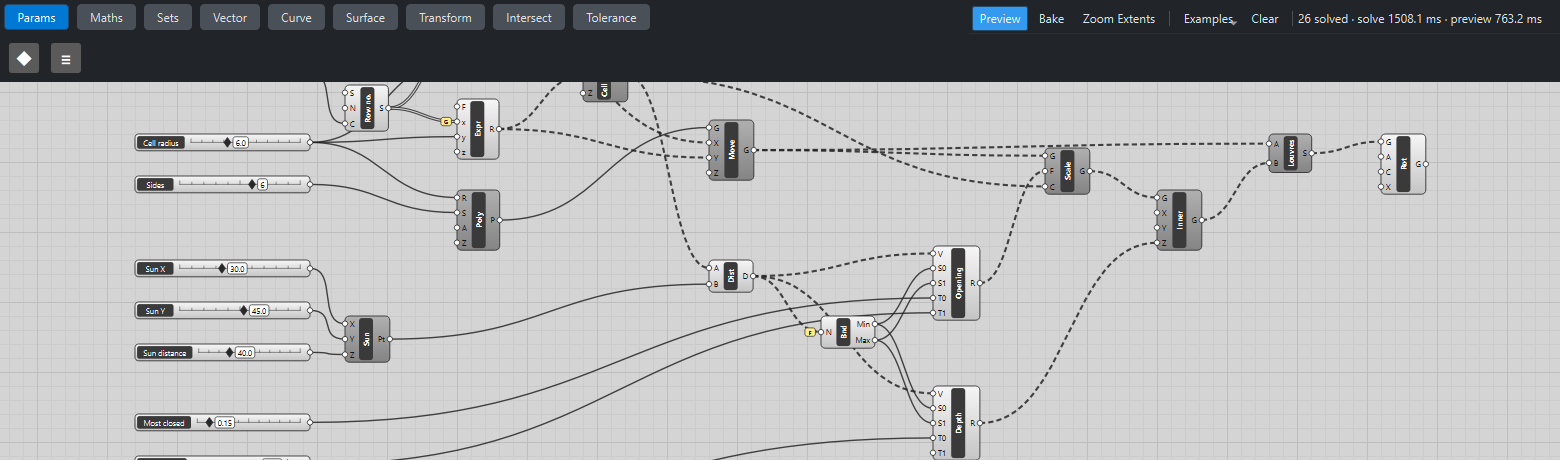
Place a Construct Point, Sun, from the three sun sliders, and a Distance (Vector) from Cell centres → A to Sun → B.
-
Place a Bounds (Maths) with Flatten on N and two Remap Numbers (Maths), both with Distance → V, Bounds Min → S0 and Bounds Max → S1:
-
Opening: Most closed → T0, Most open → T1;
-
Depth: Most depth → T0 (T1 stays 1).
-
Louvres
-
Place a Scale (Transform). Wire the outlines → G, Opening → F and Cell centres → C: each outline shrinks about its own centre.
-
Place a Move, Inner, and wire Scale → G and Depth → Z: the small copy steps forward.
-
Place a Ruled Surface (Surface), Louvres, and wire the outlines → A and Inner → B: one frustum per cell.
-
Place a Rotate (Transform) with A
90and axis X1, 0, 0, and wire Louvres → G: the facade stands up. -
Turn Preview off on everything except the Rotate.
What is happening
The two Remaps turn one distance into two behaviours: the nearer the sun, the smaller the inner opening and the further it stands out, so the cell closes into a pyramid that shades its own window. A ruled surface between two polygons with the same number of corners joins corner to corner, so each frustum has flat trapezoid faces. The geometry tests check that the cell nearest the sun gets exactly the Most closed opening and the farthest the Most open.
Ruled surfaces are the slow part, about 12 ms per cell headless and more in the GUI: moving the sun takes four to five seconds with 108 cells. Lower Columns and Rows while you explore.
Things to try
-
Drag Sun X and Sun Y across the facade and watch the closed region follow.
-
Set Sides to 3 for triangular louvres like Al Bahr’s (on the same hexagonal grid).
-
Raise Most depth to 10 for deep, sculptural pyramids.
-
Swap the opening values (Most closed 0.85, Most open 0.15) and the facade opens towards the sun instead.