Sweep a three-lobed profile round a circle and turn the lobes a little at every step, and the ring twists like a rope. This is the most data-tree-heavy example: one branch per section, one point per profile position, a closed curve per branch and a closed loft through all of them.
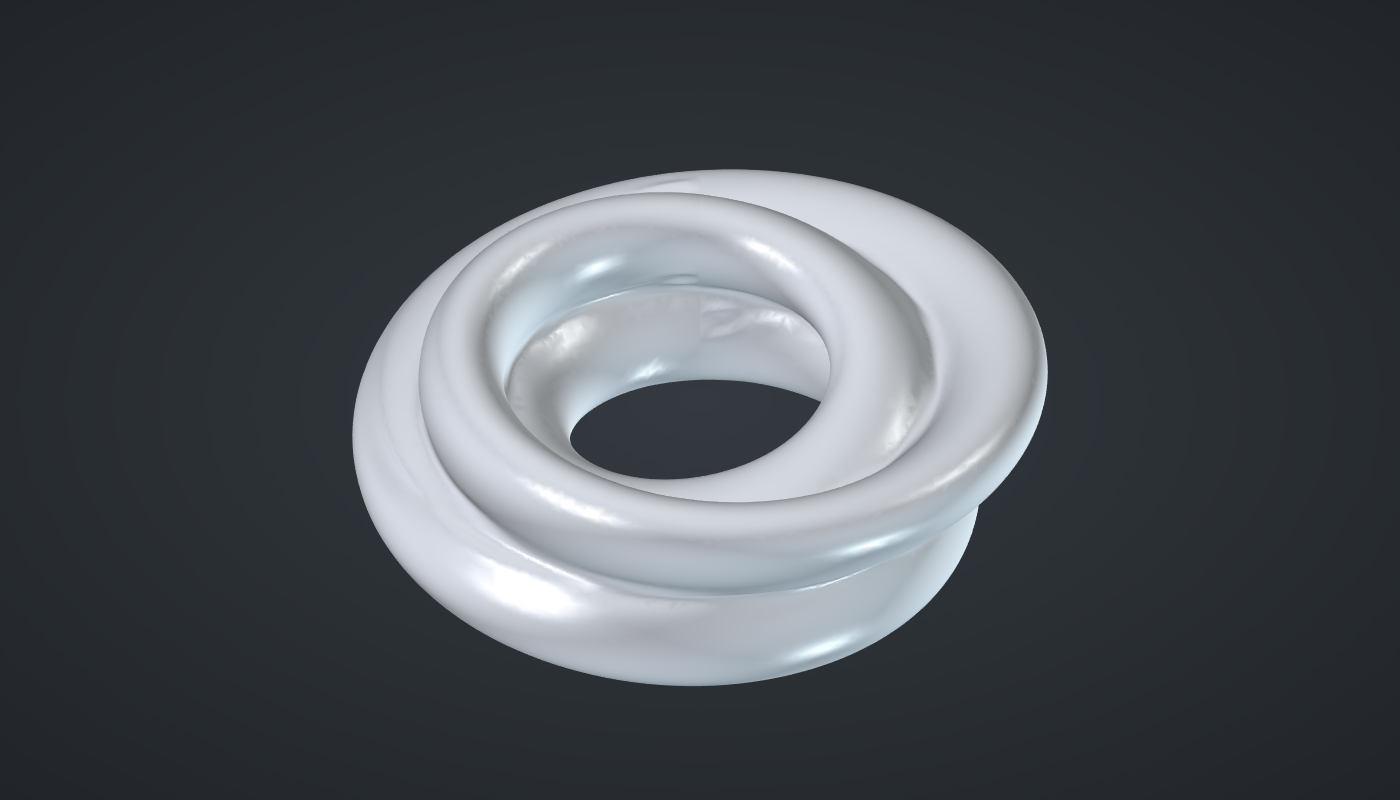
Reference: choose on the canvas toolbar to load the finished definition.
Build it
Sections and profile positions
-
Place six sliders: Sections: 24 (12 – 72), Lobes: 3 (2 – 6) and Twist: 1 (0 – 4) with Decimals
0; Ring radius: 40 (20 – 60), Profile size: 14 (5 – 25), and Lobe depth: 0.45 (0 – 0.7) with Decimals2. -
Place a Series (Sets), Section no., and wire Sections → C. Place a second Series, Profile no., and set value its C to
32: 32 points round each profile. -
Place an Expression (Maths), θ, with F set to
2*pi*x/yand y set to32. Wire Profile no. → x: the angle round the profile. -
Place an Expression, φ, with F set to
2*pi*x/y. Wire Section no. → x and Sections → y: the angle round the ring. -
Place an Expression, Lobe turn, with F set to
2*pi*x*y/z. Wire Section no. → x, Twist → y and Sections → z.
The lobed profile
-
Place a Multiplication (Maths) and wire θ → A and Lobes → B.
-
Place an Addition (Maths). Wire Multiplication R → A and Lobe turn → B, and tick Graft on B. You now have 24 branches, one per section, of 32 values each.
-
Place an Expression, Profile, with F set to
y*(1 + z*cos(x)). Wire Addition R → x, Profile size → y and Lobe depth → z: the profile’s radius swings between 14 × 0.55 and 14 × 1.45, three times round.
Points on the ring
-
Place an Expression, Reach, with F set to
z + x*cos(y). Wire Profile → x, θ → y and Ring radius → z: each point’s distance from the ring’s axis. -
Place three Expression components, X, Y and Z, with F set to
x*cos(y),x*sin(y)andx*sin(y). Wire Reach → x and φ → y on X and Y, with Graft on their y; Profile → x and θ → y on Z. -
Place a Construct Point (Vector) and wire X, Y and Z into it: 24 branches of 32 points.
Ring
-
Place an Interpolate (Curve) with P set to
Trueand wire Construct Point Pt → V: one closed lobed curve per section. -
Place a Loft (Surface). Wire Interpolate C → C, tick Flatten on C, and set value its Cl (Closed) to
True, so the loft runs from the last section back to the first. -
Turn Preview off on Construct Point and Interpolate.
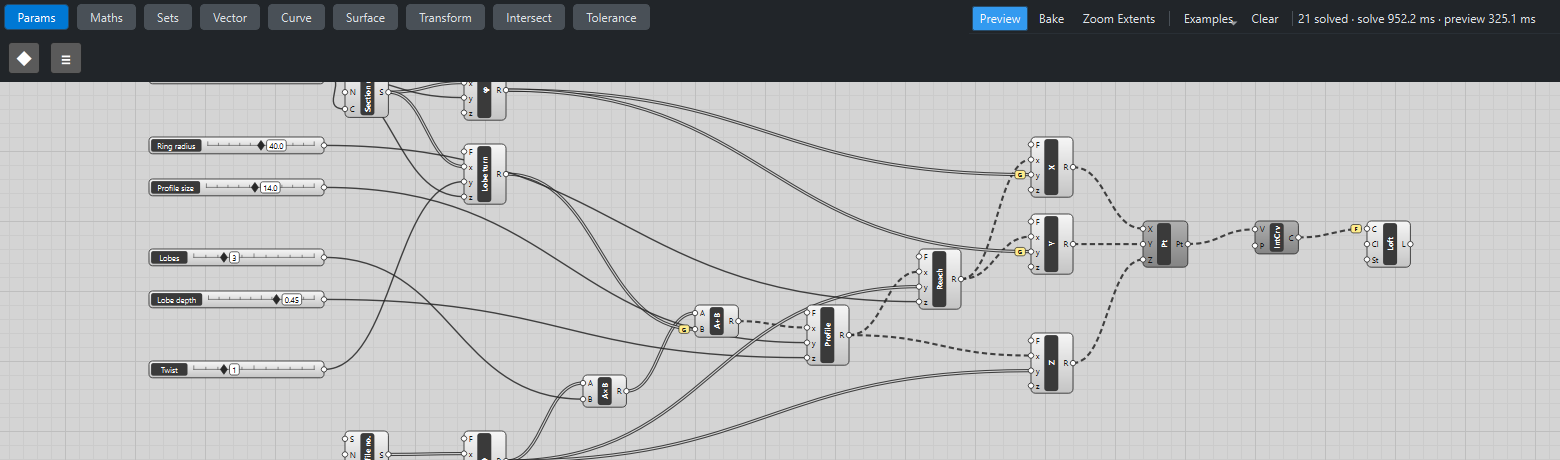
What is happening
The profile is a circle whose radius wobbles: 1 + d·cos(L·θ) gives L lobes. Adding Lobe turn to the angle rotates the lobes, a little more for each section. After a full trip round the ring the lobes have turned by Twist × 360° / Lobes, a whole number of lobe spacings, so the last section matches the first and the closed loft joins up.
Grafting is what keeps sections apart: θ is one list shared by every section, φ and the lobe turn are one value per section. Grafting the per-section values makes 24 branches, and the shared θ list is reused in each.
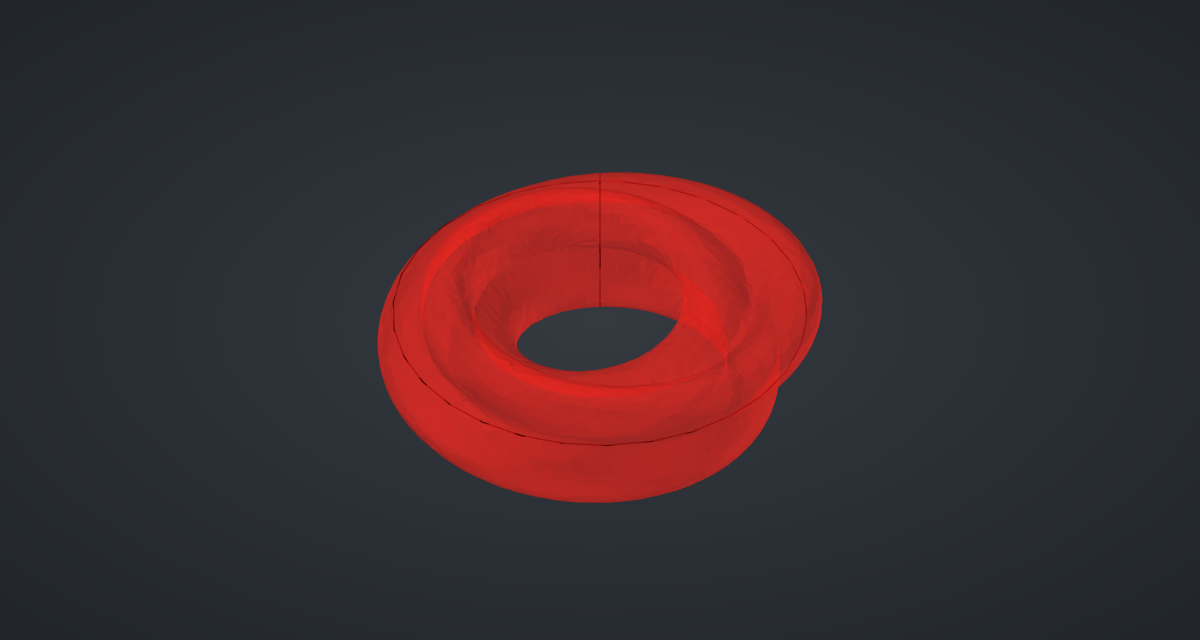
A closed loft can wrinkle slightly where the last section meets the first; in the picture that join is turned to the back. The ring takes about two seconds to update, most of it in the loft.
Things to try
-
Set Lobes to 4, or to 2 for a flattened ribbon.
-
Set Twist to 0 for a straight lobed ring, or to 2 for a tighter rope.
-
Set Lobe depth to 0 and you get a plain torus.
-
Raise Sections to 48 for a smoother loft; it gets slower in proportion.