Guilloché is the interlacing pattern engraved on watch dials and banknotes. This one is made of arcs: from each point of an inner ring, through a point of a middle ring a few places round, to a point of an outer ring a few more places round. Turn one family each way, pipe them, and a rose of brass wire appears.
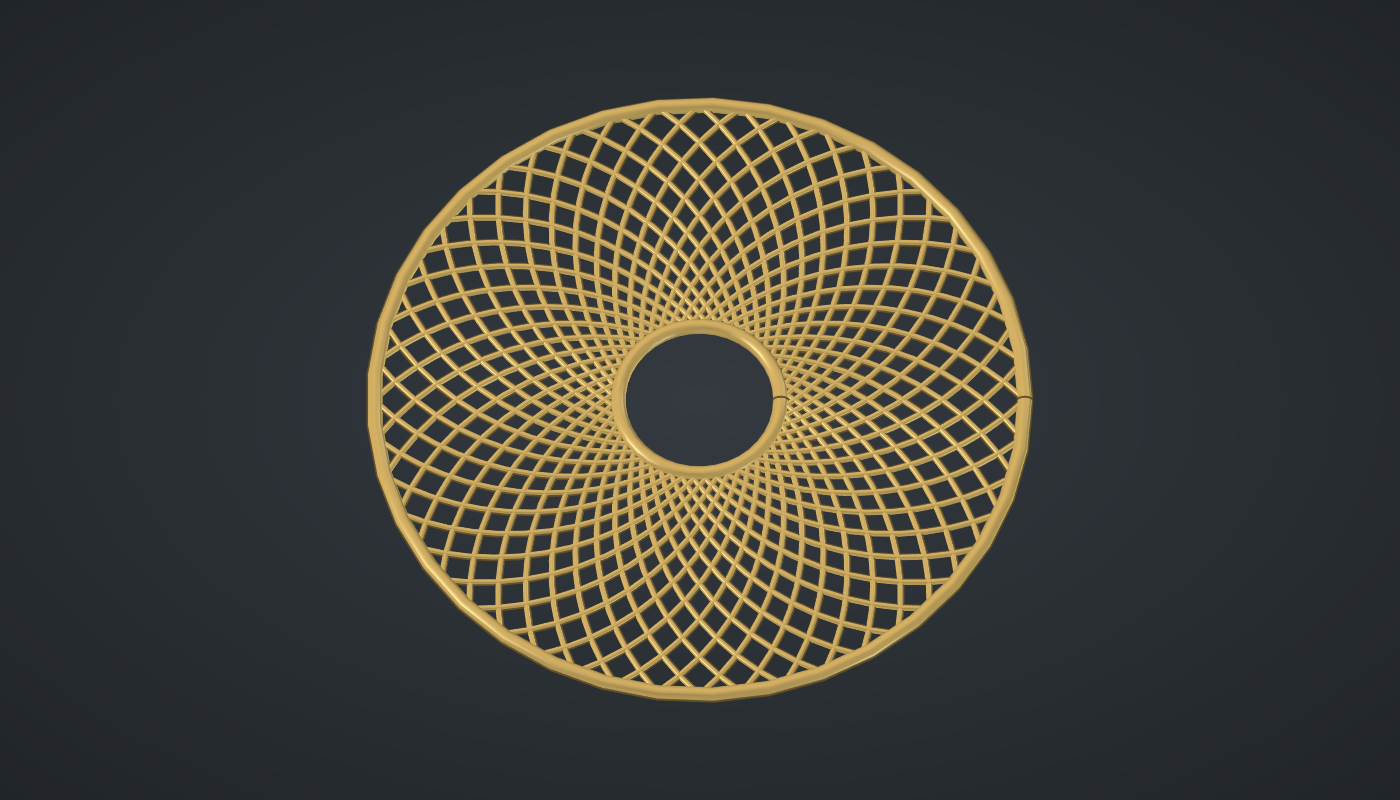
Reference: choose on the canvas toolbar to load the finished definition.
Build it
Three rings of points
-
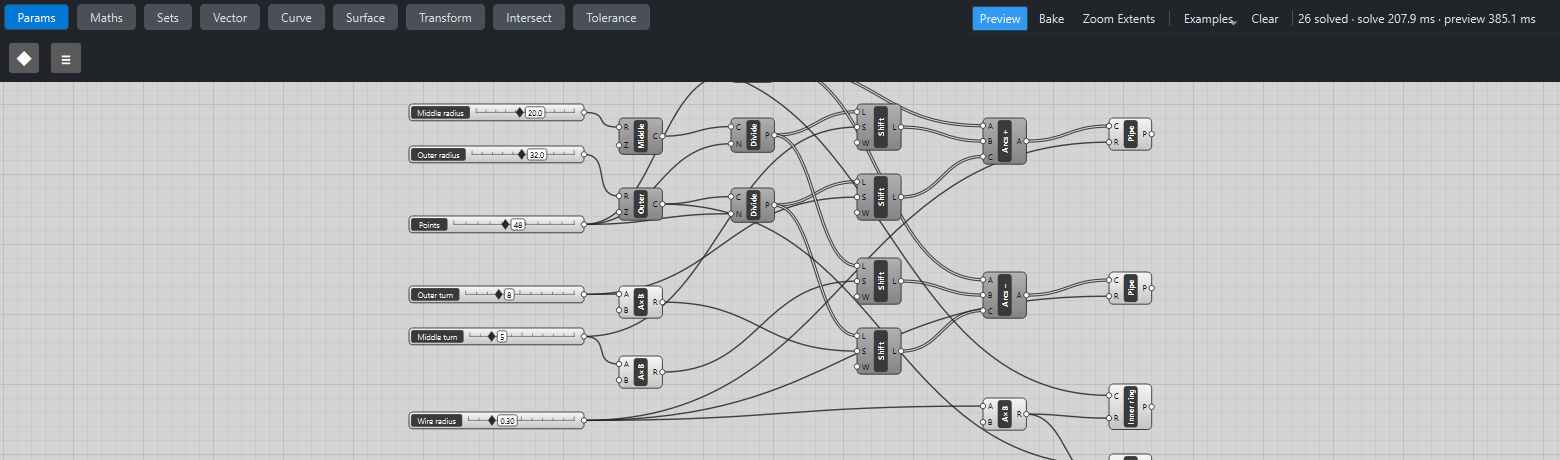
Place seven sliders: Inner radius: 8 (3 – 20), Middle radius: 20 (8 – 35), Outer radius: 32 (15 – 50); Points: 48 (12 – 96), Outer turn: 8 (1 – 24) and Middle turn: 5 (0 – 24) with Decimals
0; and Wire radius: 0.3 (0.1 – 1) with Decimals2. -
Place three Circle (Curve) components with the three radii, and three Divide Curve (Curve) components with Points → N: 48 points on each ring.
Turned copies
-
Place two Multiplication (Maths) components with B
-1, after Outer turn and Middle turn. -
Place four Shift List (Sets) components:
-
the middle points shifted by Middle turn and by its negative;
-
the outer points shifted by Outer turn and by its negative.
-
With Wrap left on, the points that fall off one end come round to the other: on a closed ring that is exactly a rotation.
-
Arcs and wire
-
Place two Arc 3Pt (Curve) components:
-
Arcs +: inner points → A, middle +turn → B, outer +turn → C.
-
Arcs −: the same with the −turn lists.
-
Each makes 48 arcs.
-
-
Place two Pipe (Surface) components for the two families with Wire radius → R.
-
Place a Multiplication with B
2.5after Wire radius, and two more Pipe components for the inner and outer Circle with that radius: the frame. -
Turn Preview off on the Circles, Divide Curves, Shift Lists and Arcs.
What is happening
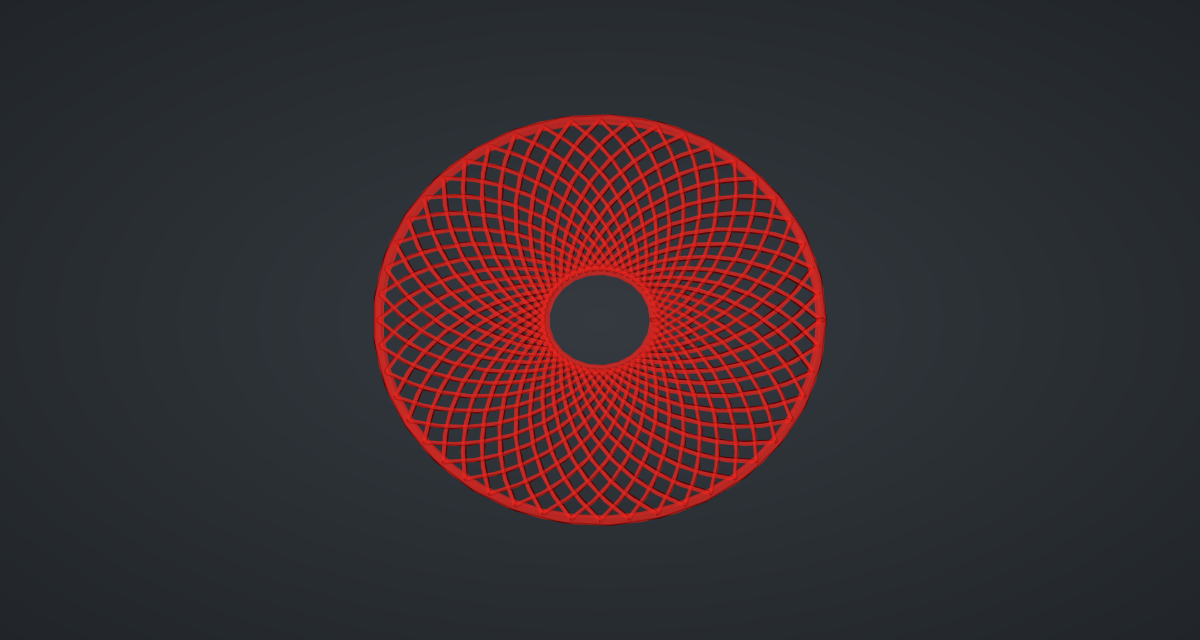
Shift List with Wrap on rotates a list. On points spaced evenly round a circle that is a rotation of the ring, so "the point 8 places round" is a fixed angle away (8/48 of a turn). Every arc in a family is therefore the same arc rotated, and the two families mirror each other: the interlacing comes from 96 copies of two curves. The geometry tests check that each arc starts on the inner ring and ends on the outer one.
The rose updates in about half a second, most of it drawing the 98 pipes.
Things to try
-
Drag Outer turn from 1 to 24: the petals open from a tight spiral to a wide lattice.
-
Set Middle turn to 0: each arc leaves the inner ring heading straight out before it curves round.
-
Raise Points to 96 for fine engraving, and lower Wire radius to 0.15.
-
Set Middle radius close to Inner radius for petals that start almost tangent to the centre.