In a tensegrity, struts that only push are held in place by cables that only pull. The simplest one is a prism: two polygons joined by struts, with the top polygon turned against the bottom. It holds itself together at exactly one twist, 90° + 180°/n for an n-sided prism (150° for a triangle). Stack prisms so that each top ring is the next one’s bottom ring and you get a tower.
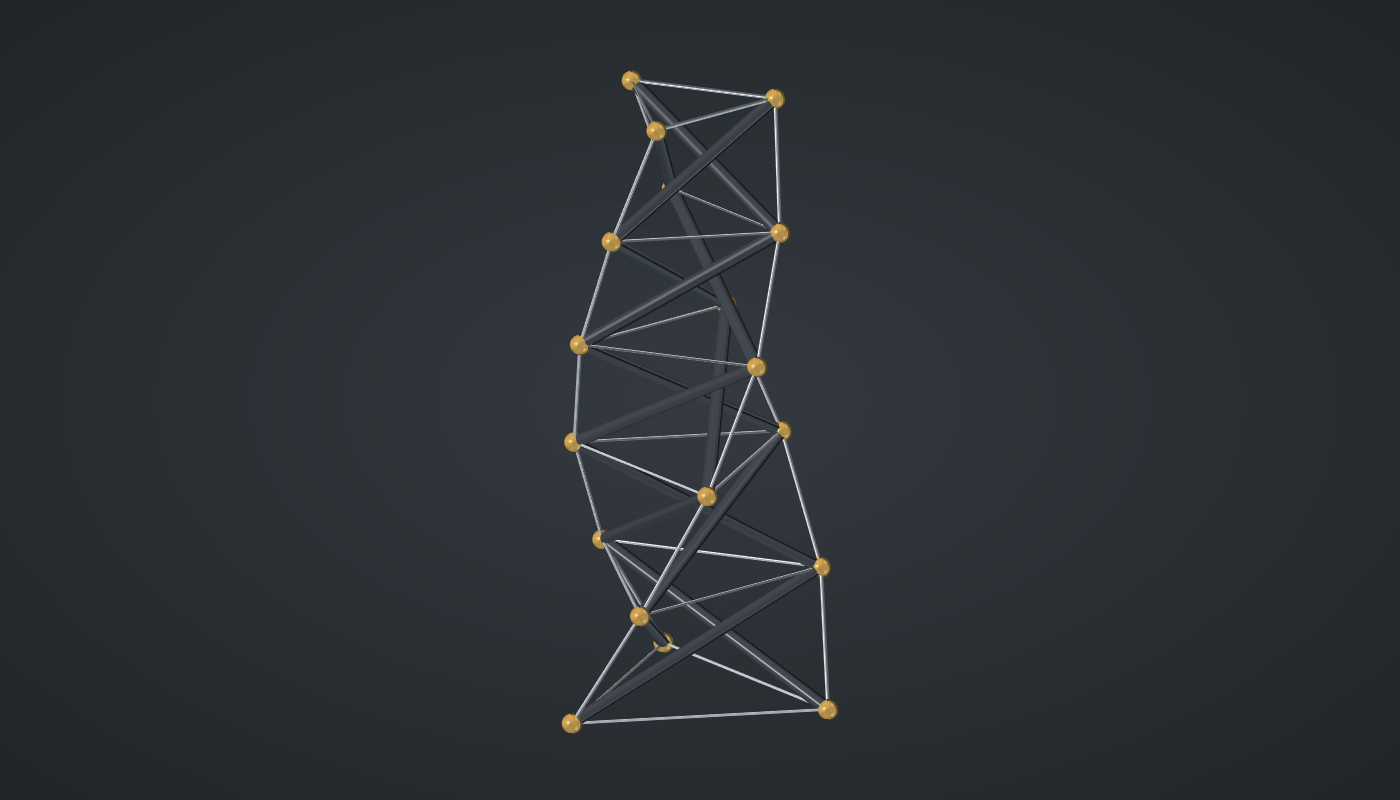
Reference: choose on the canvas toolbar to load the finished definition.
Build it
The modules
-
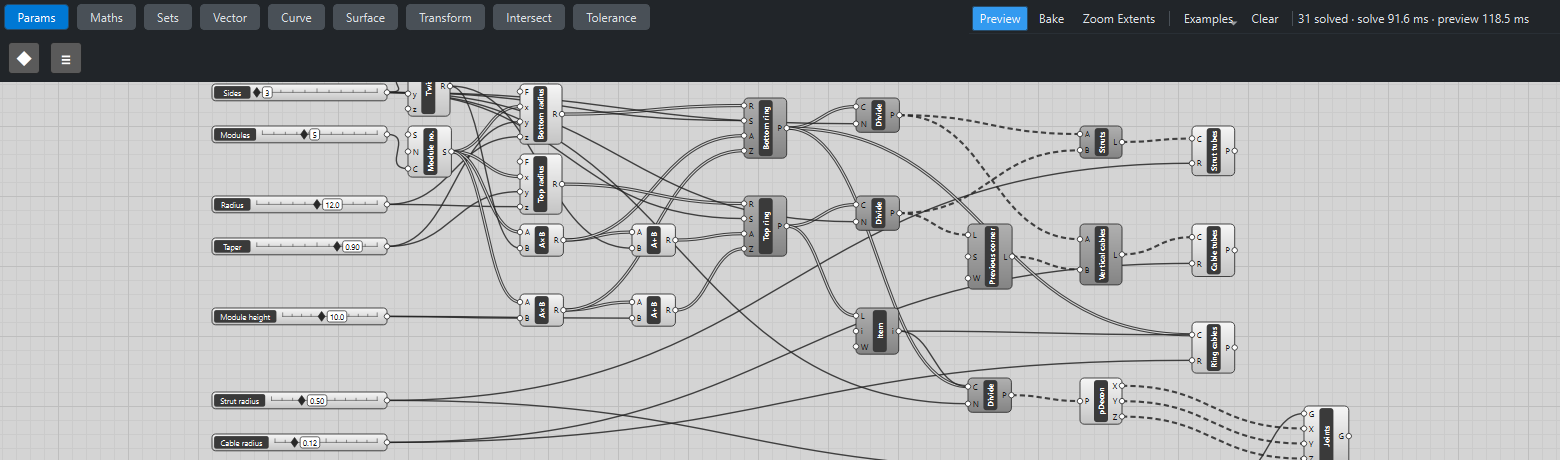
Place seven sliders: Sides: 3 (3 – 6) and Modules: 5 (1 – 12) with Decimals
0, Radius: 12 (4 – 20), Taper: 0.9 (0.7 – 1) with Decimals2, Module height: 10 (3 – 20), and Strut radius: 0.5 (0.1 – 1.5) and Cable radius: 0.12 (0.03 – 0.5) with Decimals2. -
Place an Expression (Maths), Twist,
90 + 180/x, with Sides → x. -
Place a Series (Sets), Module no., with Modules → C.
-
Place two Expression components, Bottom radius
z*yxand Top radiusz*y(x + 1), each with Module no. → x, Taper → y and Radius → z: each module is a little narrower than the one below. -
Place a Multiplication (Maths), Module no. × Twist, and an Addition (Maths) of that and Twist: the bottom and top turns. Do the same with Module height for the bottom and top heights.
-
Place two Regular Polygon (Curve) components, Bottom ring and Top ring, with their radius, Sides, turn → A and height → Z.
Struts and cables
-
Place two Divide Curve (Curve) components with Sides → N, one on each ring: the corners, in order.
-
Place a Shift List (Sets), Previous corner, with the top corners → L and S
-1. -
Place two Line (Curve) components: Struts from the bottom corners to the top corners, and Vertical cables from the bottom corners to the previous top corners.
-
Place a Pipe (Surface) on the struts with Strut radius, and another on the vertical cables with Cable radius.
-
Place a List Item (Sets) with Top ring → L and i
-1: the last ring of the tower. Place a Pipe, Ring cables, and wire Bottom ring and then the List Item into its C (hold Shift for the second), with Cable radius: every ring once. -
For the joints, place a Divide Curve on the same two inputs, a Deconstruct (Vector), a Sphere (Surface) with Strut radius ×
1.6and a Move (Transform) with X, Y and Z wired in. -
Turn Preview off on the rings, Divide Curves, Shift List, Lines, List Item and Sphere.
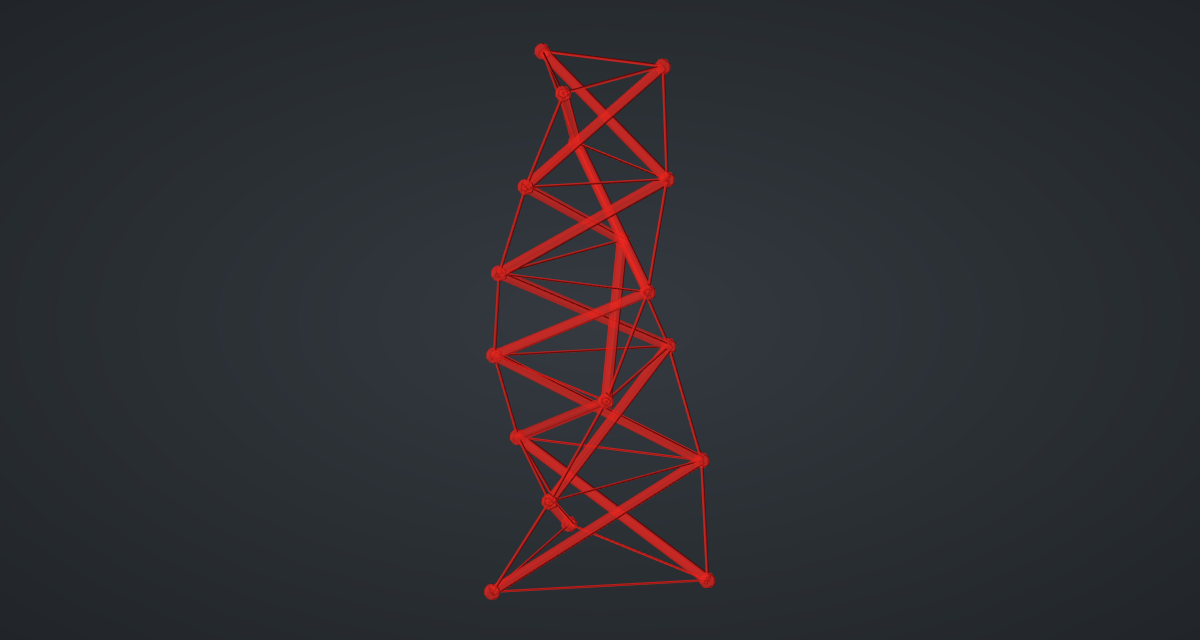
What is happening
A structure of straight members balances when, at every joint, the members' pulls and pushes add up to zero. Write each member’s force as a number times its length vector (the force density) and the balance of all joints becomes one linear system. For a prism, that system has a solution with every cable pulling and every strut pushing only at the twist 90° + 180°/n, whatever the radii and height. At other twists the shape still draws, but no set of cable tensions can hold it.
Each module here is such a prism. Each module’s top ring is the next module’s bottom ring, so the forces that balance each module on its own add up to forces that balance the whole tower. The geometry tests solve the balance system for every module of the definition and check the signs; changing the twist by 5° makes them fail. The struts of neighbouring modules meet at shared joints. In Kenneth Snelson’s Needle Tower the modules overlap instead, so no two struts touch.
The tower updates in under half a second.
Things to try
-
Set Sides to 4: the twist becomes 135° and the struts cross more steeply.
-
Set Modules to 1 for the classic three-strut tensegrity prism.
-
Set Taper to 1 for a straight tower.
-
Change the Twist formula to
100 + 180/x. The tower still draws, but the geometry tests would fail: it would not stand.