A waffle structure, as used for pavilions and plywood furniture: a smooth form sliced by two families of parallel planes into flat ribs that interlock. You will loft a dome, close it into a solid, cut it with a list of planes, and thicken the cuts into ribs.
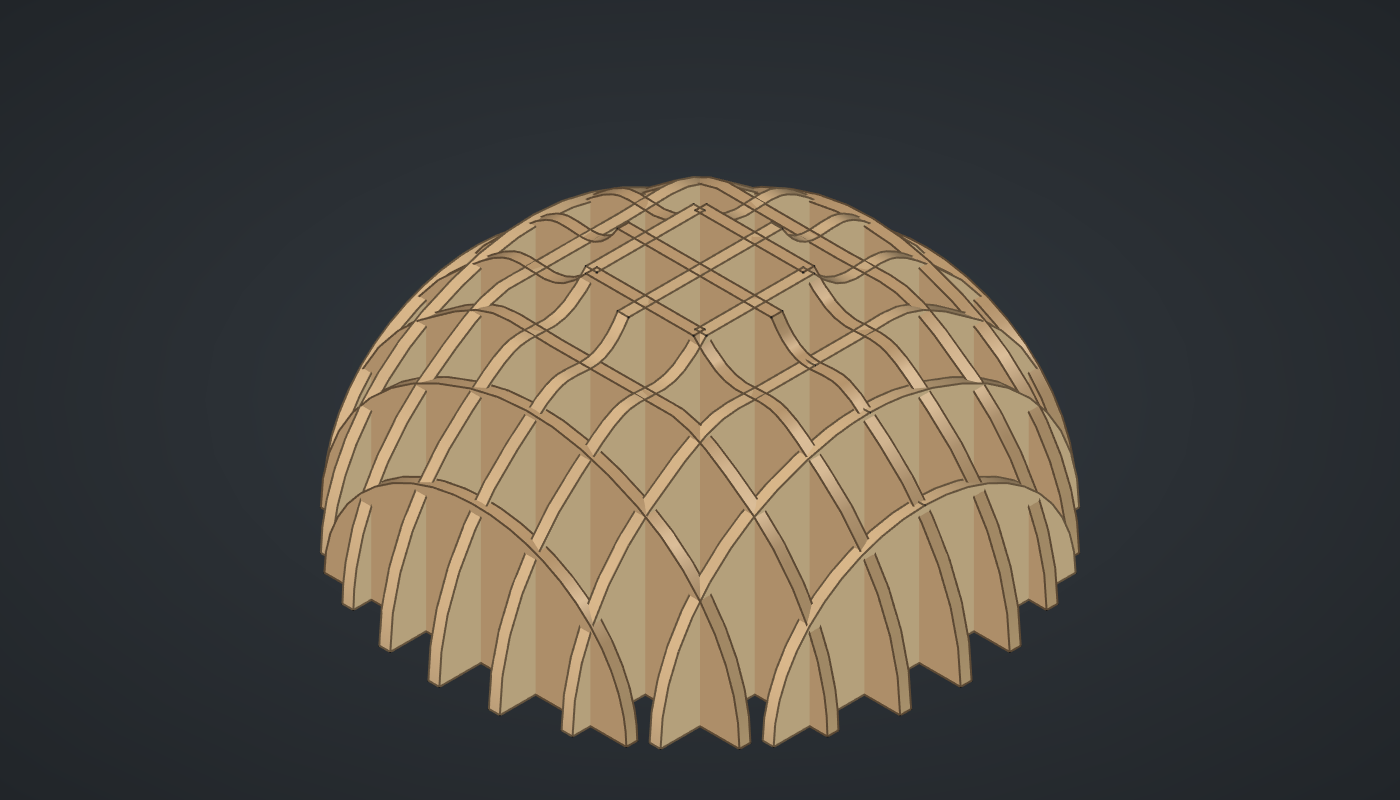
Reference: choose on the canvas toolbar to load the finished definition.
Build it
The dome
-
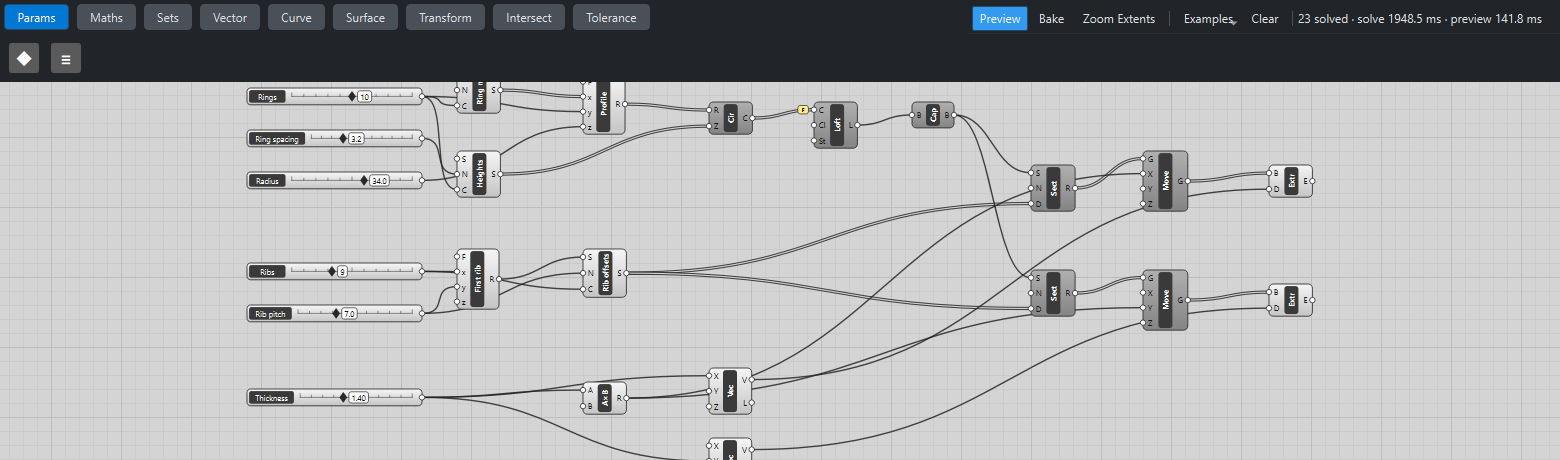
Place three sliders: Rings: 10 (4 – 16) with Decimals
0, Ring spacing: 3.2 (1 – 8) and Radius: 34 (10 – 50). -
Place two Series (Sets), Ring no. and Heights. Wire Rings → C on both and Ring spacing → N on Heights. Ring no. counts 0 … 9; Heights runs 0, 3.2 … 28.8.
-
Place an Expression (Maths), Profile, and set value its F to
z*sqrt(1 - (x/(y - 0.6))*2). Wire *Ring no. → x, Rings → y and Radius → z. This is a quarter ellipse: the full radius at the ground, shrinking faster and faster towards the top. The0.6keeps the top ring small but open, so the loft always has a real circle to end on. -
Place a Circle (Curve). Wire Profile R → R and Heights → Z: ten stacked rings.
-
Place a Loft (Surface), wire Circle C → C and tick Flatten on its C grip.
-
Place a Cap Holes (Surface) and wire Loft L → B. It closes the bottom and top with flat faces, turning the open loft into a solid that can be cut.
The cutting planes
-
Place two sliders, Ribs: 9 (3 – 21) with Decimals
0and Rib pitch: 7 (3 – 15). -
Place an Expression, First rib, with F set to
-(x - 1)y/2. Wire *Ribs → x and Rib pitch → y. For 9 ribs 7 mm apart the first sits at -28 mm, so the ribs are centred on the dome. -
Place a Series, Rib offsets. Wire First rib R → S, Rib pitch → N and Ribs → C: -28, -21 … 28.
Ribs
-
Place two Section (Surface) components. Wire Cap Holes B → S and Rib offsets → D on both. Set value N to
1, 0, 0on the first and0, 1, 0on the second. Each Section now makes nine flat regions: the dome cut by nine parallel planes. -
Place a slider Thickness: 1.4 (0.4 – 3) with Decimals
2, and a Multiplication (Maths) with B set to-0.5. Wire Thickness → A. -
Place two Move (Transform) components. Wire the first Section’s R → G and Multiplication R → X on one, and the second Section’s R → G and Multiplication R → Y on the other. Each region steps back half a thickness, so the rib will be centred on its plane.
-
Place two Vector XYZ (Vector). Wire Thickness → X on the first and Thickness → Y on the second.
-
Place two Extrude (Surface) components: the first Move and the first vector into one, the second Move and the second vector into the other. These are the ribs.
-
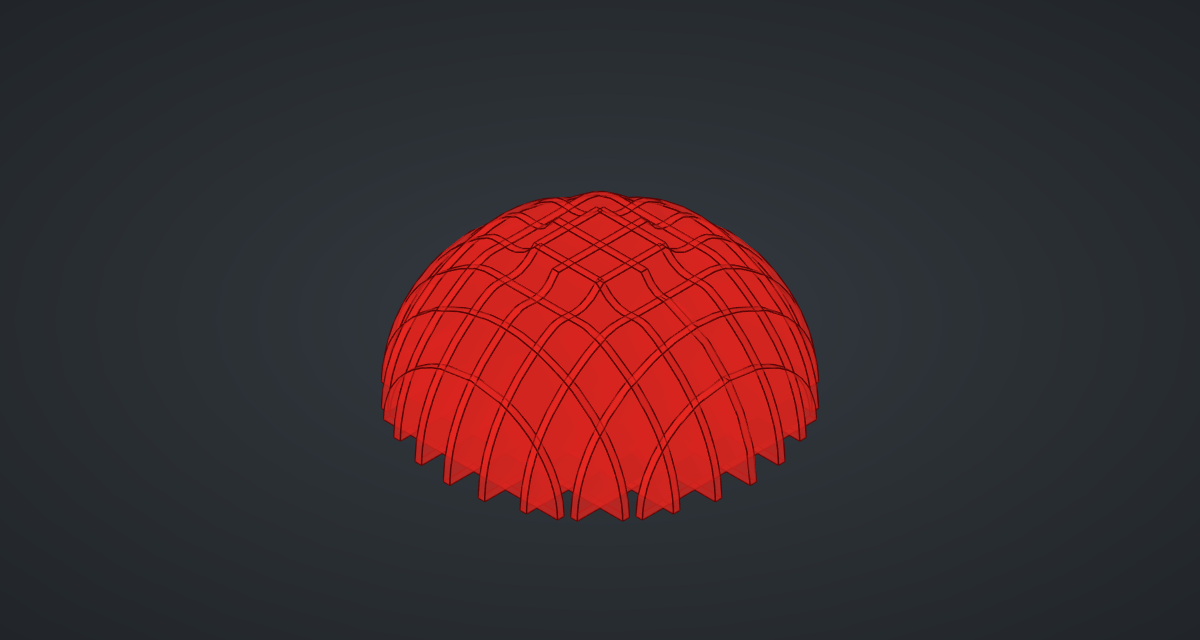
Turn Preview off on Circle, Loft, Cap Holes, both Sections and both Moves.
What is happening
Section takes one solid but a list of offsets, so longest-list matching repeats the dome for every offset and returns one region per plane. Two Sections with perpendicular normals give the two rib families.
A region is flat, with no thickness. Moving it back by half the thickness and extruding it by the full thickness along the plane’s normal turns it into a rib whose middle lies exactly on the cutting plane, so the two families stay symmetric.
The ribs overlap where they cross. To make a kit you can assemble, you would cut a half-depth slot into each rib at every crossing; this example leaves that out. Cutting a solid nine times in each direction is the slow part: expect each slider step to take about two seconds.
Things to try
-
Set Ribs to 15 and Rib pitch to 4 for a dense, fine waffle (twice as many cuts, so about twice as slow).
-
Raise Ring spacing to 6 for a tall egg instead of a dome.
-
Change the profile to
z*(1 - 0.7*x/y)for a cone, or toz*(1 + 0.25*sin(2*pi*x/y))for a wavy vase. -
Bake the two Extrudes and give them a plywood colour; then use FreeCAD’s TechDraw or a DXF export to lay the ribs out for a laser cutter.