In a plain weave every thread goes over one crossing thread and under the next. One formula does it: the height of thread i at point j is cos(π(i + j)), which alternates +1, -1, +1… and flips sign from one thread to the next. You will build both families of threads from one grafted tree, interpolate them and turn them into pipes.
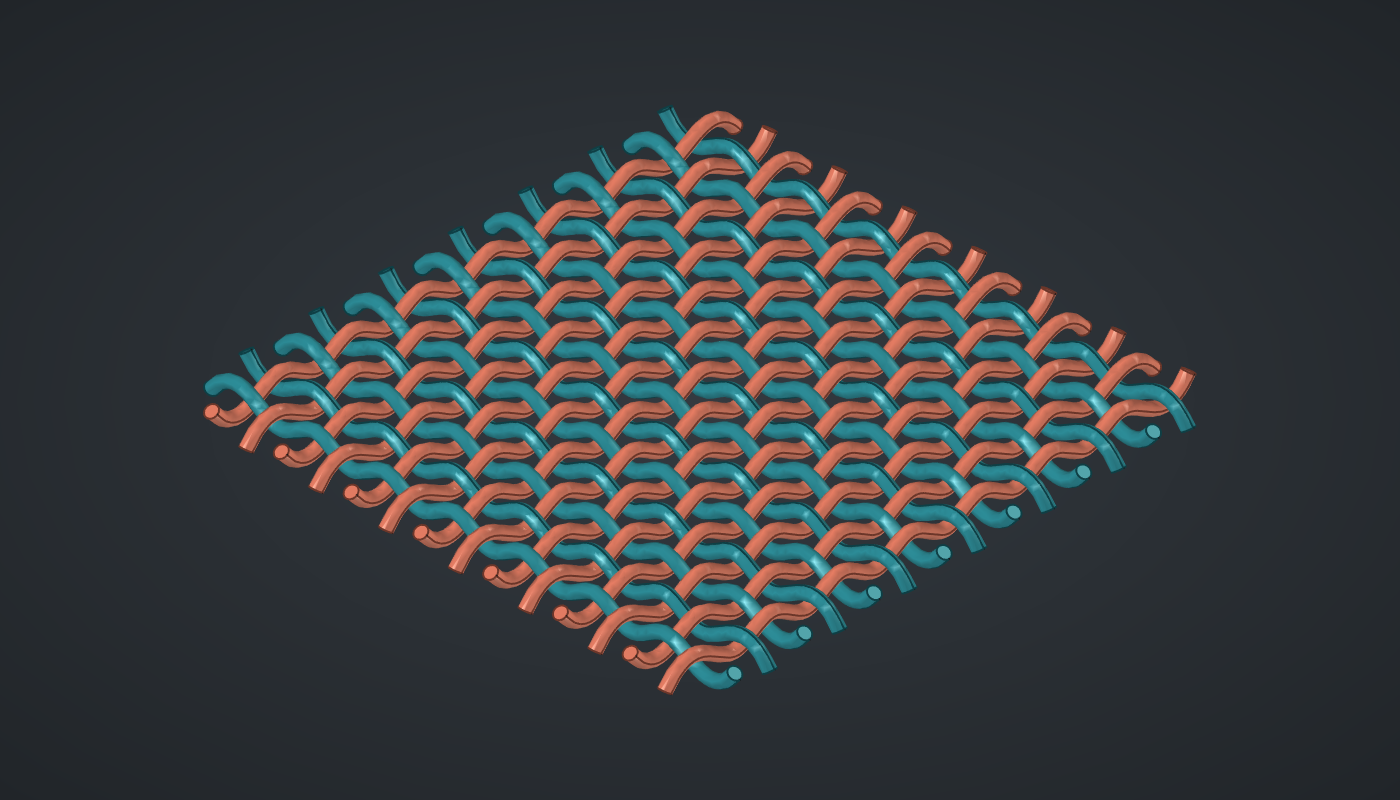
Reference: choose on the canvas toolbar to load the finished definition.
Build it
Threads and points
-
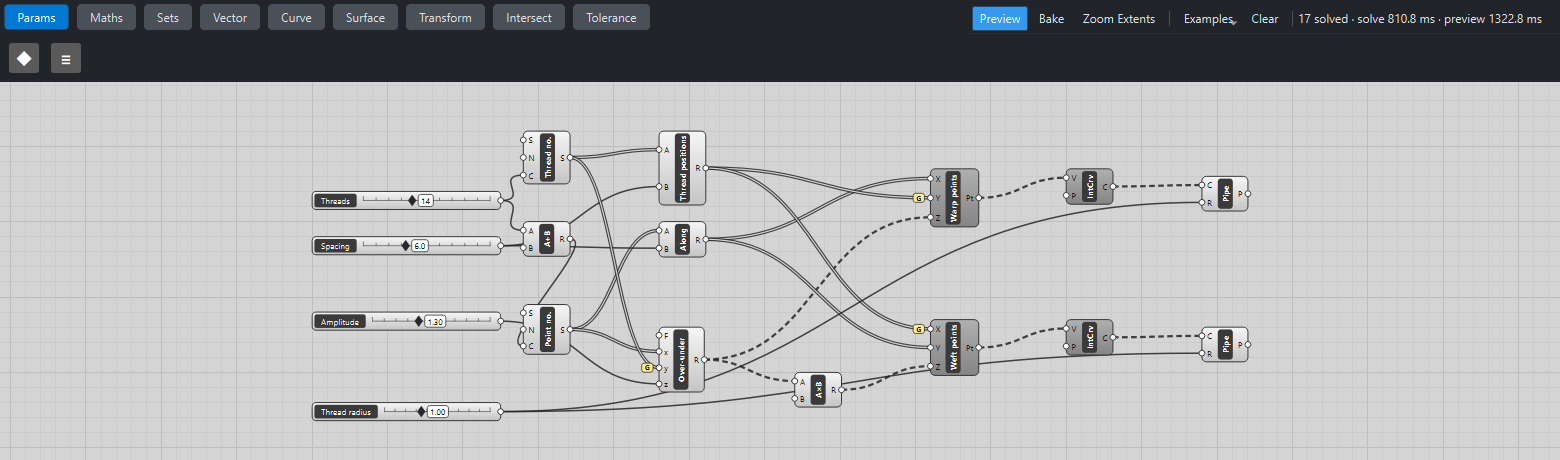
Place four sliders: Threads: 14 (4 – 30) with Decimals
0, Spacing: 6 (3 – 12), Amplitude: 1.3 (0.2 – 3) and Thread radius: 1 (0.2 – 2.5) with Decimals2. -
Place a Series (Sets), Thread no., and wire Threads → C: 0 … 13. Place a Multiplication (Maths), Thread positions, and wire Thread no. → A and Spacing → B.
-
Place an Addition (Maths) with B set to
2and wire Threads → A. Place a second Series, Point no., with S set to-1, and wire Addition R → C: -1 … 14. Each thread gets a point one spacing beyond the outermost crossing at both ends. -
Place a Multiplication, Along, and wire Point no. → A and Spacing → B.
Over and under
-
Place an Expression (Maths), Over-under, with F set to
z*cos(pi*(x + y)). Wire Point no. → x, Thread no. → y and Amplitude → z, then tick Graft on y. You get 14 branches, one per thread, of 16 heights each. -
Place a Multiplication with B set to
-1and wire Over-under R → A: the same heights, upside down, for the other family.
Warp and weft
-
Place a Construct Point (Vector), Warp points. Wire Along → X, Thread positions → Y with Graft on Y, and Over-under R → Z. Each branch is one warp thread running along X.
-
Place a second Construct Point, Weft points. Wire Thread positions → X with Graft on X, Along → Y, and the negated heights → Z. Each branch is one weft thread running along Y.
-
Place two Interpolate (Curve) components and wire each set of points into its own V: one smooth curve per branch.
-
Place two Pipe (Surface) components. Wire each Interpolate into its own C and Thread radius → R on both.
-
Turn Preview off on both Construct Points and both Interpolates.
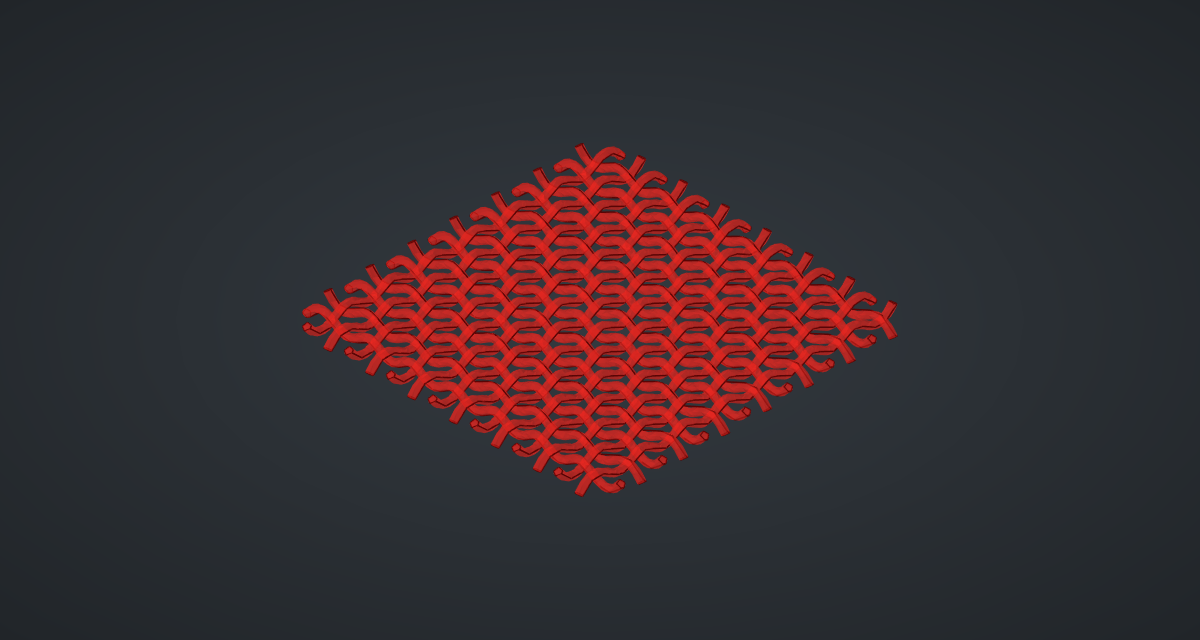
What is happening
Where warp thread b crosses weft thread a, the warp is at height A·cos(π(a + b)) and the weft at -A·cos(π(b + a)): always the same distance apart on opposite sides. With an amplitude of 1.3 and thread radius 1, the centre lines are 2.6 apart at each crossing, so the pipes clear each other by 0.6 in the middle of the mat (0.17 at the corners, where the curves are less symmetric). The geometry tests check that no warp touches a weft.
The extra point at each end matters. An interpolated curve dives at its free ends, and in an earlier version the outermost threads cut into each other at the corners. Running each thread one spacing past the last crossing keeps every crossing in the smooth middle of both curves.
The pipe sweep needed care too: Katydid’s Pipe first used a Frenet frame, which flips at every change of bending direction, so pipes along these S-shaped threads twisted through themselves and came out 2.4 times too heavy. It now uses a frame that does not flip. Each update takes about 2.5 s: 1 s to build the pipes and 1.5 s to mesh them for the preview.
Things to try
-
Lower Amplitude below 1, twice the thread radius: the threads now collide at every crossing. Raise it to 3 for an open, springy weave.
-
Set Threads to 6 for a coarse basket, or to 24 for fine cloth.
-
Lower Spacing to 4. The threads now bend so sharply between crossings that they touch: tight cloth needs thinner threads, so lower Thread radius too.
-
Use two different radii for warp and weft, as in real fabric.