Voronoi cells make convincing city plots: irregular, but evenly sized. Shrink each one to leave streets, extrude it into a block whose height falls off with distance from a centre, add a little variety, and a skyline appears.
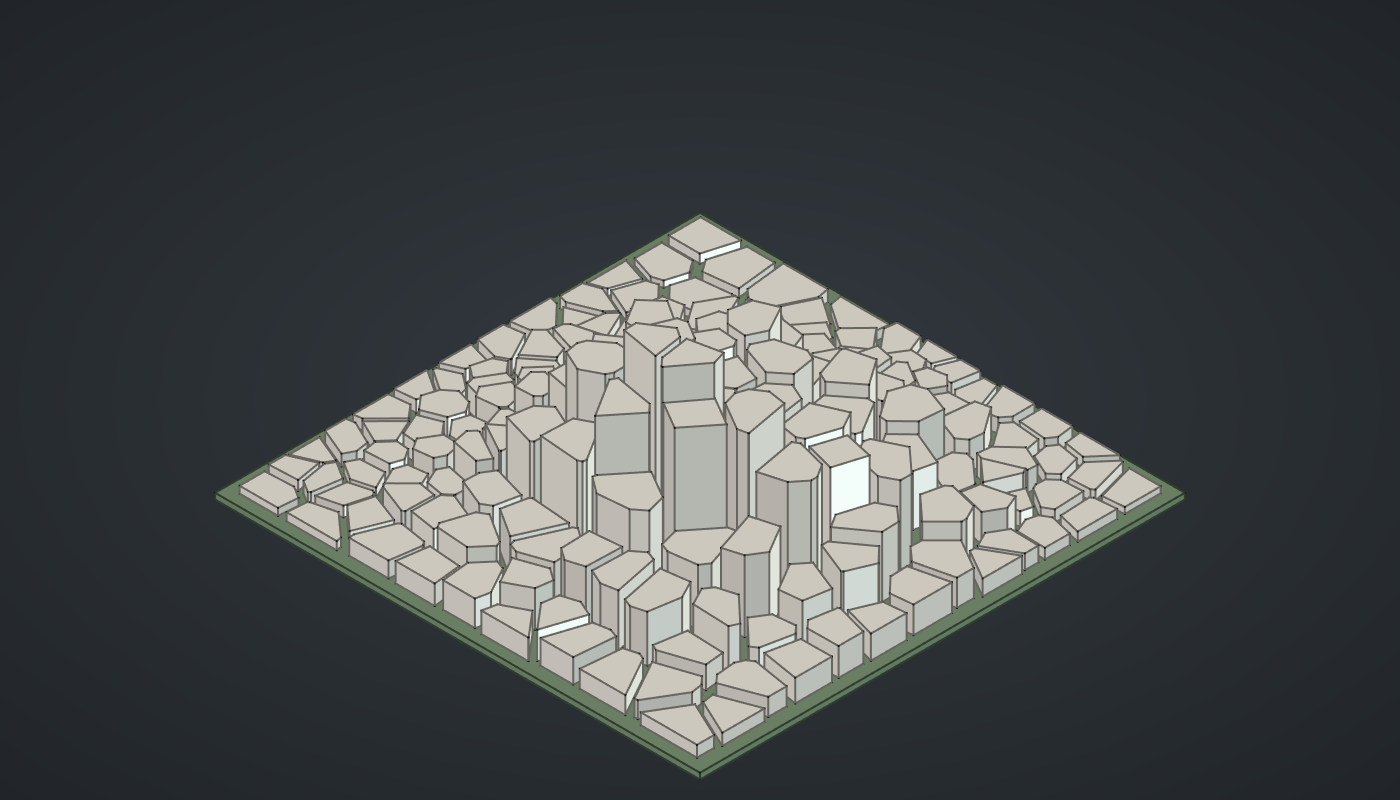
Reference: choose on the canvas toolbar to load the finished definition. This builds on the Voronoi screen; the first steps are the same.
Build it
Plots and streets
-
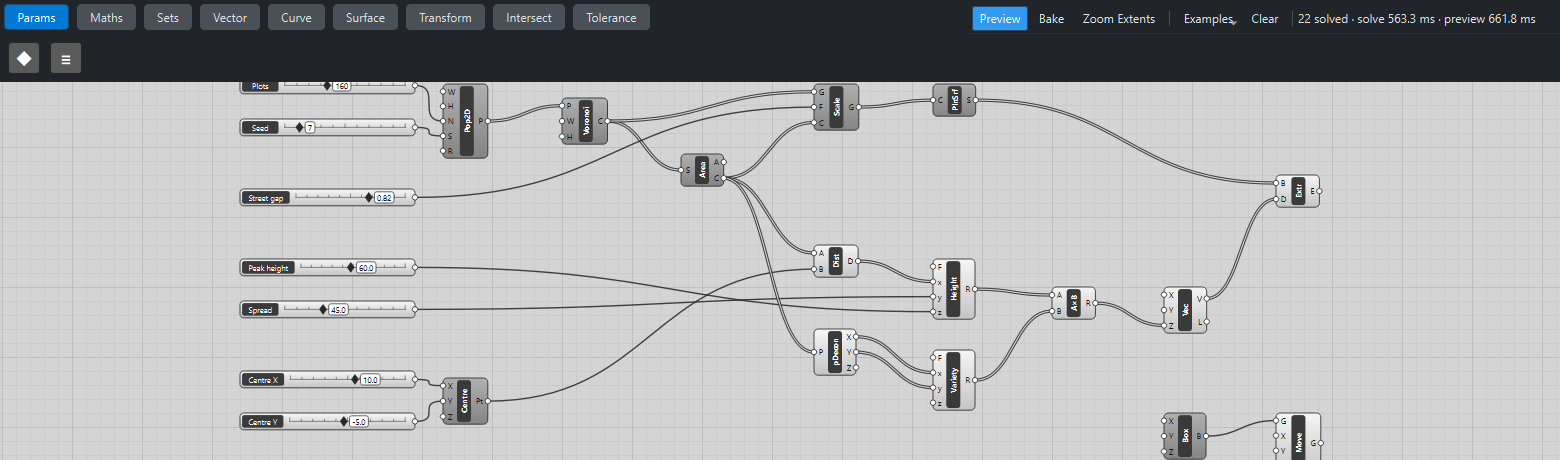
Place seven sliders: Plots: 160 (30 – 400) and Seed: 7 (1 – 50) with Decimals
0, Street gap: 0.82 (0.5 – 0.98) with Decimals2, Peak height: 60 (5 – 120), Spread: 45 (10 – 120), Centre X: 10 (-80 – 80) and Centre Y: -5 (-80 – 80). -
Place a Populate 2D (Vector). Set value W and H to
160and R to2. Wire Plots → N and Seed → S. -
Place a Voronoi (Curve) with W and H set to
160, and wire Populate P → P. -
Place an Area (Surface) and wire Voronoi C → S.
-
Place a Scale (Transform). Wire Voronoi C → G, Street gap → F and Area C → C: each plot shrinks about its own centroid, leaving streets between.
-
Place a Planar Surface (Surface) and wire Scale G → C.
Heights
-
Place a Construct Point (Vector), Centre, with Centre X → X and Centre Y → Y. Place a Distance (Vector) and wire Area C → A and Centre Pt → B.
-
Place an Expression (Maths), Height, with F set to
3 + z*exp(-(x/y)*2). Wire *Distance D → x, Spread → y and Peak height → z. Blocks near the centre can reach 63, falling to 3 far away along a bell curve. -
Place a Deconstruct (Vector) and wire Area C → P. Place an Expression, Variety, with F set to
0.55 + 0.45*abs(sin(x*12.9898 + y*78.233)), and wire Deconstruct X → x and Y → y. It gives each plot a repeatable "random" factor between 0.55 and 1. -
Place a Multiplication (Maths) and wire Height R → A and Variety R → B.
Blocks and ground
-
Place a Vector XYZ (Vector) and wire Multiplication R → Z. Place an Extrude (Surface) and wire Planar Surface S → B and Vector V → D.
-
Place a Center Box (Surface) with X and Y set to
166and Z to2, and a Move (Transform) with Z set to-2. Wire Box B → G. The box stands on Z = 0, so moving it down by its thickness puts its top at street level. -
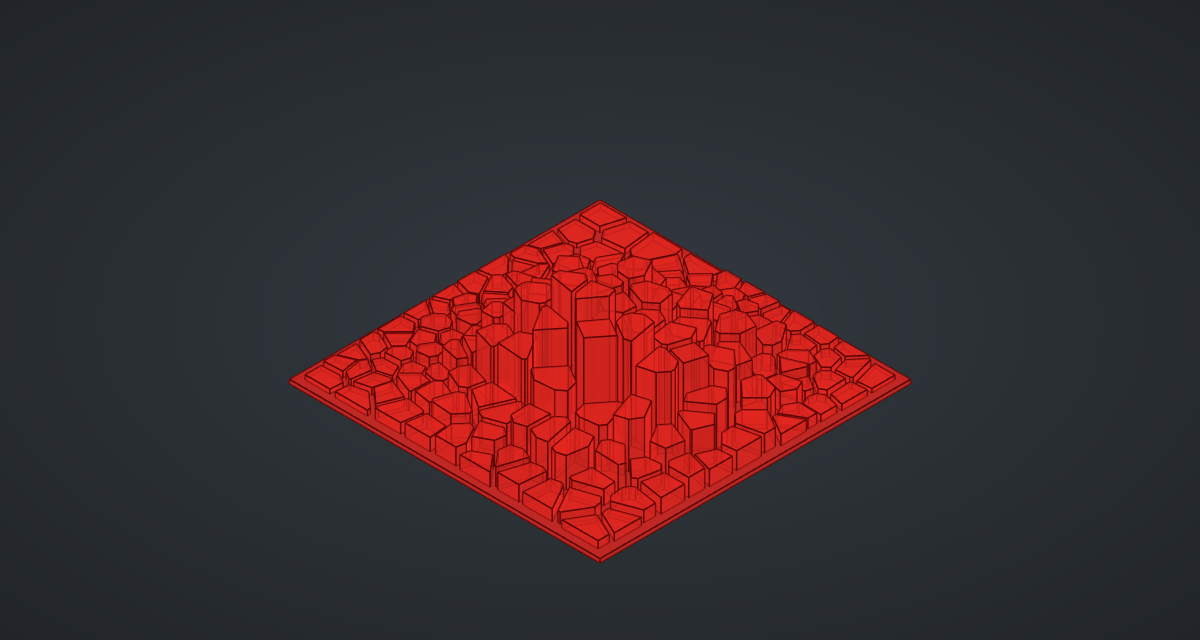
Turn Preview off on everything except Extrude and Move.
What is happening
Every list after Voronoi has 160 items, one per plot, and stays matched item by item through to the blocks. The height formula is a Gaussian: exp(-(d/spread)²) is 1 at the centre and falls smoothly to 0, so Spread sets the size of the downtown.
The Variety formula is a common trick for repeatable noise. sin of a large multiple of the coordinates jumps about unpredictably from plot to plot, yet always gives the same value for the same plot, so the skyline does not flicker as you drag other sliders. The geometry tests check that every block’s volume is exactly its plot area times its height.
Each update takes about a second, most of it drawing 160 blocks in the preview.
Things to try
-
Drag Centre X and Centre Y to move downtown.
-
Set Spread to 120 for a city of mid-rise blocks, or to 15 for one lonely cluster of towers.
-
Drag Seed for a new street plan; set the Populate’s R to 0 for an irregular old town.
-
Set Street gap to 0.95 for narrow alleys, or 0.6 for wide boulevards.
-
Raise Plots to 400 for a denser city.