A bolted flange whose GD&T you can see. Six bolt holes are located with a position tolerance at MMC. Katydid’s tolerance components compute the bonus tolerance from the hole’s actual size and the holes' virtual condition, and the model draws each hole’s tolerance zone (exaggerated) and the gauge pin a functional gauge would use. Drag the actual hole size and watch the zones grow.
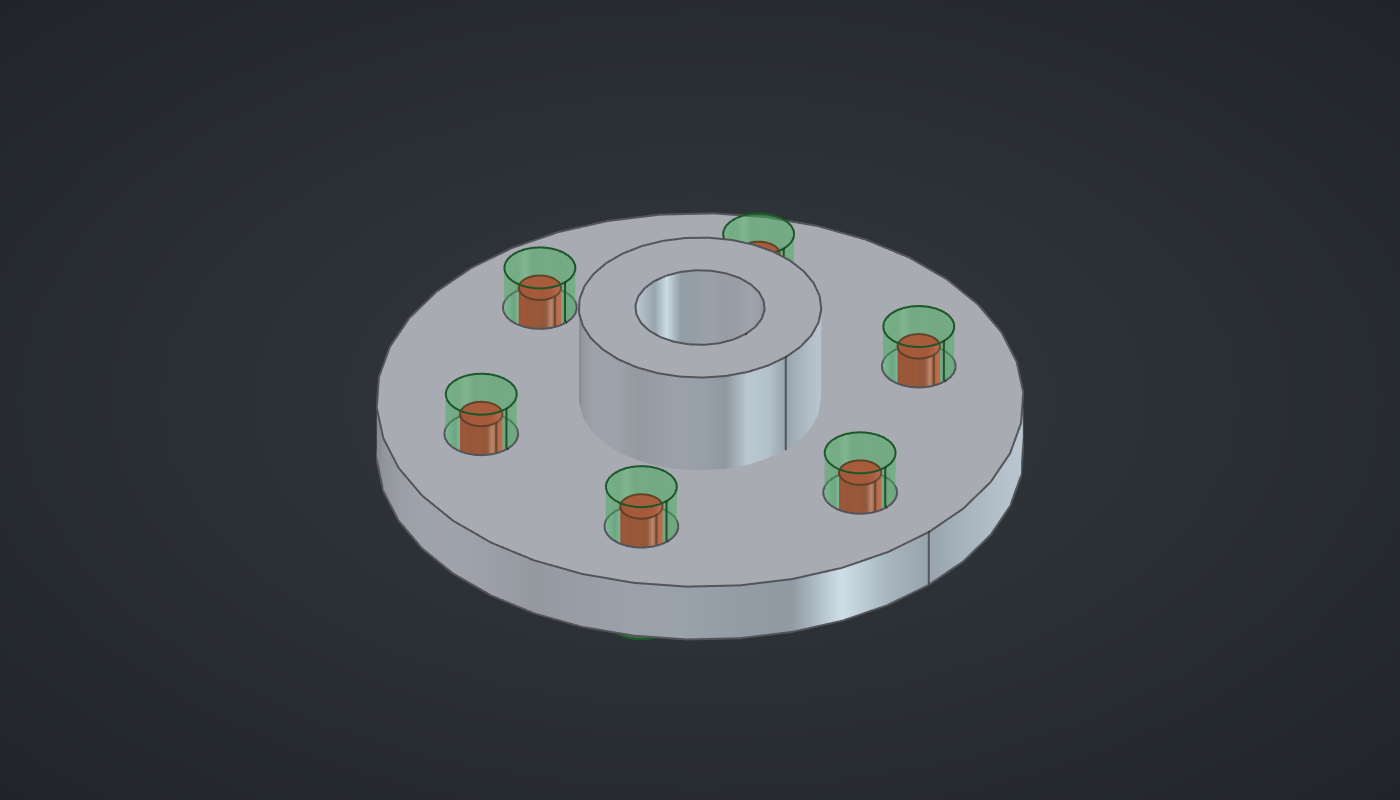
Reference: choose on the canvas toolbar to load the finished definition. Read Tutorial 5 and the tolerance page first for the ideas behind the numbers.
The specification
The holes are ⌀9.0 to ⌀9.3 mm (MMC 9.0, LMC 9.3) with a position tolerance of ⌀0.2 at MMC. At MMC the zone is ⌀0.2; every 0.01 mm the hole is made larger adds 0.01 mm of bonus. The gauge pin that every acceptable hole must clear is the virtual condition, MMC minus the tolerance: ⌀8.8.
Build it
The part
-
Place seven sliders: Flange radius: 40 (25 – 60), Thickness: 8 (4 – 16), Bolt circle: 28 (15 – 50), Bolts: 6 (3 – 12) with Decimals
0, Actual hole Ø: 9.15 (9.0 – 9.3) and Position Ø: 0.2 (0.05 – 0.5) with Decimals3, and Zone scale: 15 (1 – 40) with Decimals0. -
Place a Cylinder (Surface), Disc, and wire Flange radius → R and Thickness → L. Place a second, Hub, with R set to
15and L to22. -
Place a third Cylinder, Bore, with R
8and L30, and a Move with Z-2after it so the bore cuts right through. -
Place a Circle (Curve) with Bolt circle → R, a Divide Curve (Curve) with Bolts → N, and a Deconstruct (Vector) after it: the X and Y of each bolt hole.
-
Place an Expression (Maths), Hole radius, with F set to
x/2and wire Actual hole Ø → x. Place an Addition (Maths) with B2and wire Thickness → A. -
Place a Cylinder, Hole (Hole radius → R, Addition → L), and a Move, Holes (Hole → G, Deconstruct X → X, Y → Y, Z set to
-1). -
Place two Solid Difference (Intersect) components: Disc − Holes, then that result − Bore. Place a third: Hub − Bore.
The tolerance
-
Place a Bonus Tolerance (Tolerance). Set value MMC
9.0and LMC9.3, and wire Actual hole Ø → A and Position Ø → T. Its Tot is the total position tolerance at this actual size. Wire it into a Panel (Params) to read the number. -
Place an Expression, Zone radius, with F set to
x*y/2. Wire Tot → x and Zone scale → y. -
Place a Cylinder, Zone (Zone radius → R, L
14), and a Move, Zones (Zone → G, Deconstruct X → X, Y → Y, Z-3): one tolerance zone on each hole’s axis. -
Place a Virtual & Resultant Condition (Tolerance). Set value MMC
9.0, LMC9.3, and wire Position Ø → T. VC is the gauge pin diameter. -
Place a Multiplication (Maths) with B
0.5and wire VC → A. Place a Cylinder, Gauge pin (Multiplication → R, L20), and a Move, Gauge pins, at the holes with Z-6. -
Turn Preview off on the Disc, Hub, Bore, Circle, Divide Curve, Hole, Holes, the first Solid Difference, Zone and Gauge pin.
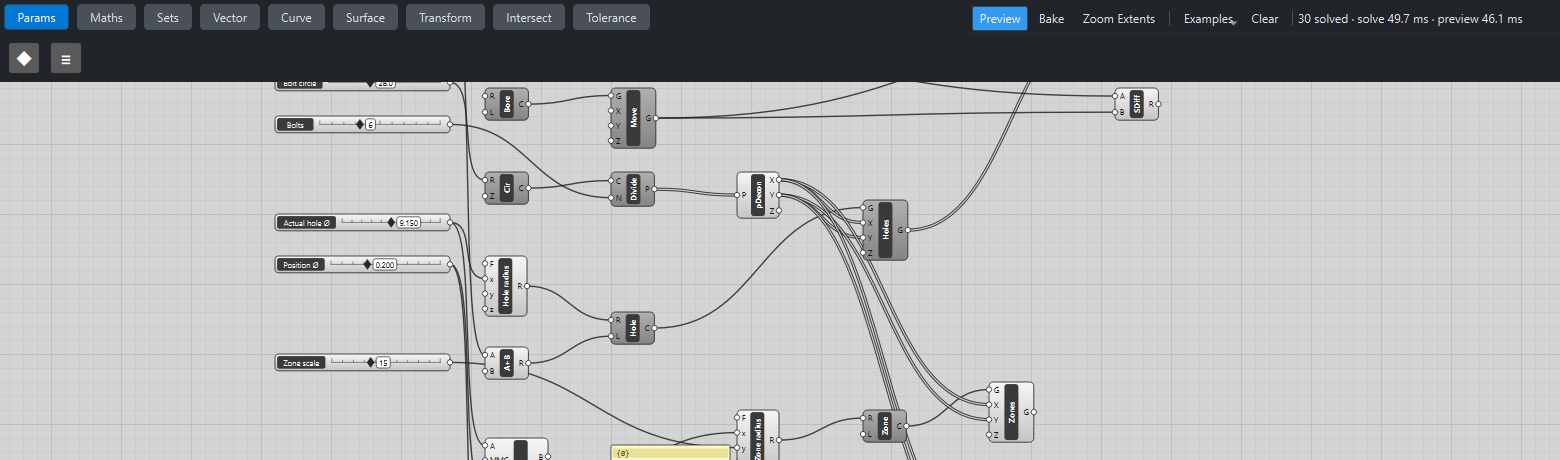
What is happening
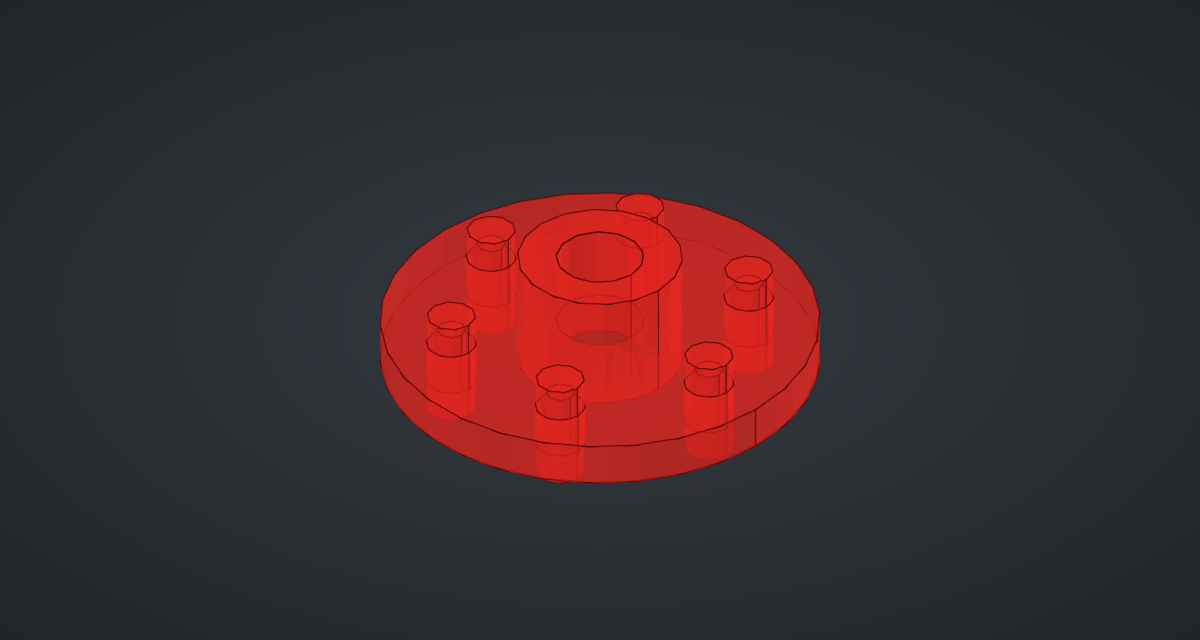
At an actual size of ⌀9.15 the hole is 0.15 larger than MMC, so the total position tolerance is 0.2 + 0.15 = ⌀0.35: the Panel shows 0.35. A real zone of ⌀0.35 would be invisible next to a ⌀9 hole, so Zone scale draws it 15 times larger; it is the relative change that matters. Drag Actual hole Ø from 9.0 to 9.3 and the red zones more than double.
The green pins do not move: virtual condition is a constant boundary, the same for every acceptable hole. A hole made at MMC and placed at the edge of its ⌀0.2 zone just touches the ⌀8.8 pin; a larger hole can wander further and still clear it. That is the bonus, made visible.
The geometry tests check the flange’s volume against the closed-form value and that the zone and pin radii follow Cogorno’s formulas. The whole definition updates in about a tenth of a second.
Things to try
-
Drag Actual hole Ø from 9.0 to 9.3 and watch the Panel and the zones.
-
Raise Position Ø to 0.4: the zones grow and the gauge pins shrink.
-
Set the Bonus Tolerance’s Mod to
RFS: the bonus disappears and the zones stop responding to the hole size. -
Set Bolts to 8 and Bolt circle to 32.