A grid of glowing orbs hangs from a ceiling, each on its own cable, and their heights trace a ripple spreading from the centre, like a frozen drop in a pond. It is the attractor idea once more, with a damped sine wave of the distance from the centre instead of a linear remap.
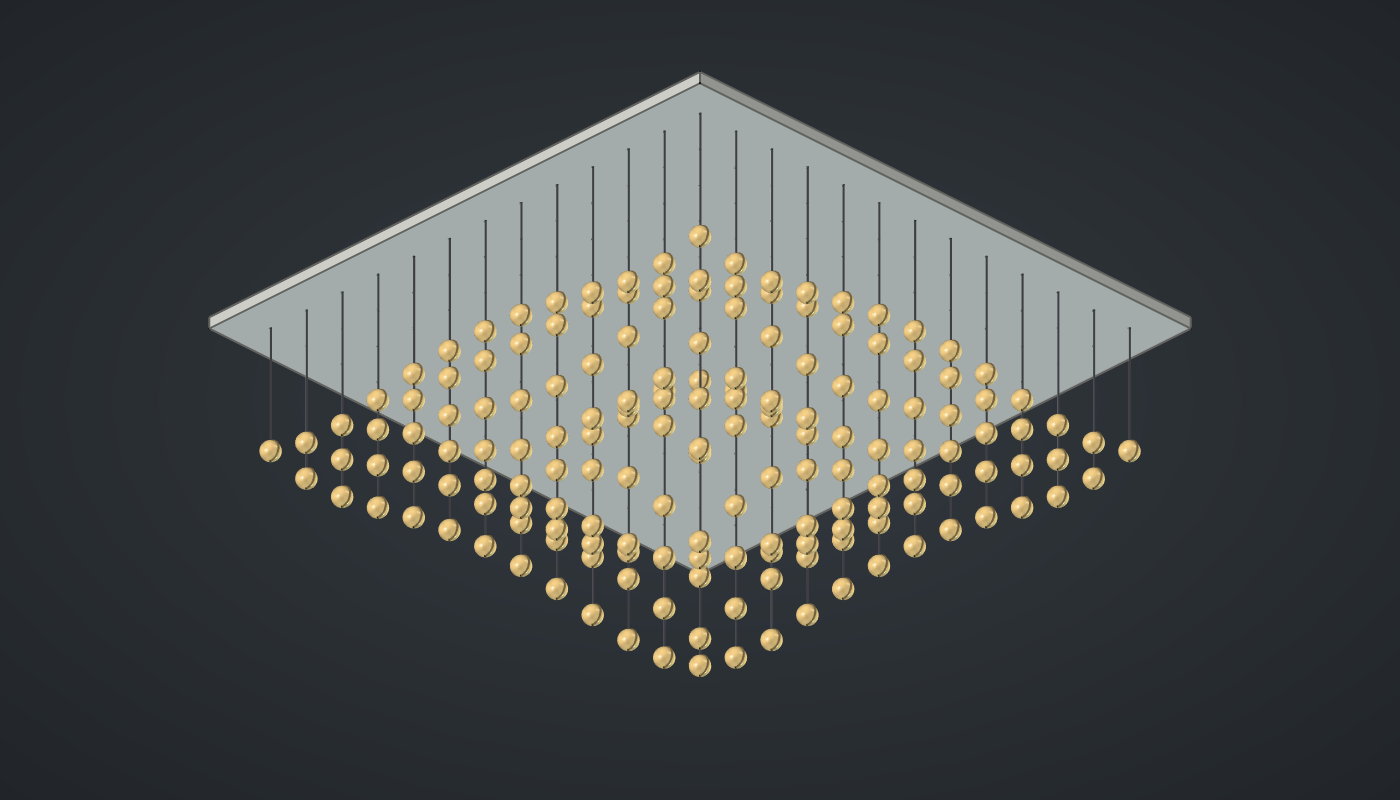
Reference: choose on the canvas toolbar to load the finished definition.
Build it
The grid and the ripple
-
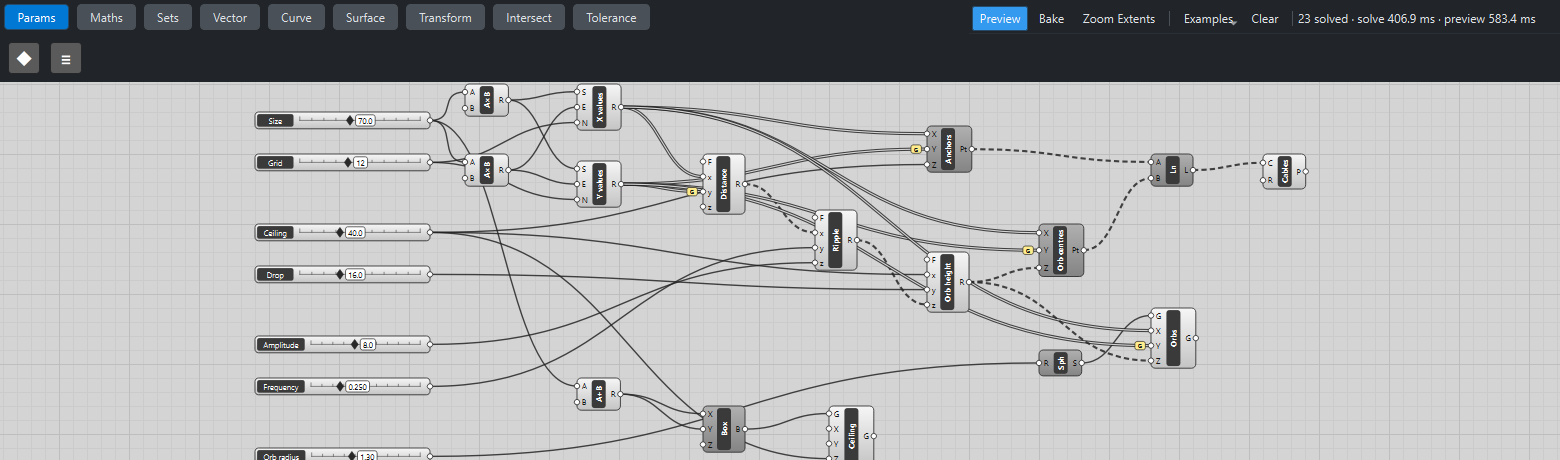
Place seven sliders: Size: 70 (20 – 140), Grid: 12 (4 – 24) with Decimals
0, Ceiling: 40 (20 – 80), Drop: 16 (4 – 40), Amplitude: 8 (0 – 20), Frequency: 0.25 (0.05 – 0.8) with Decimals3, and Orb radius: 1.3 (0.3 – 3) with Decimals2. -
As in the wave tutorial, place two Multiplication (Maths) components (Size ×
-0.5and ×0.5) and two Range (Maths) components, X values and Y values, from the low to the high edge with Grid → N. -
Place an Expression (Maths), Distance,
sqrt(x2 + y2), with X values → x and Y values → y (Graft on y): each grid point’s distance from the centre. -
Place an Expression, Ripple,
z*sin(y*x)/(1 + 0.08*x), with Distance → x, Frequency → y and Amplitude → z: a sine wave that fades with distance. -
Place an Expression, Orb height,
x - y + z, with Ceiling → x, Drop → y and Ripple → z.
Cables, orbs and ceiling
-
Place two Construct Point (Vector) components, Anchors (X values, Y values with Graft, Ceiling → Z) and Orb centres (the same, with Orb height → Z).
-
Place a Line (Curve) from Anchors to Orb centres and a Pipe (Surface), Cables, with R
0.08. -
Place a Sphere (Surface) with Orb radius → R and a Move (Transform), Orbs, with X values → X, Y values → Y (Graft) and Orb height → Z.
-
Place an Addition (Maths), Size +
10, a Center Box (Surface) with it in X and Y and Z1.5, and a Move, Ceiling, with Ceiling → Z. -
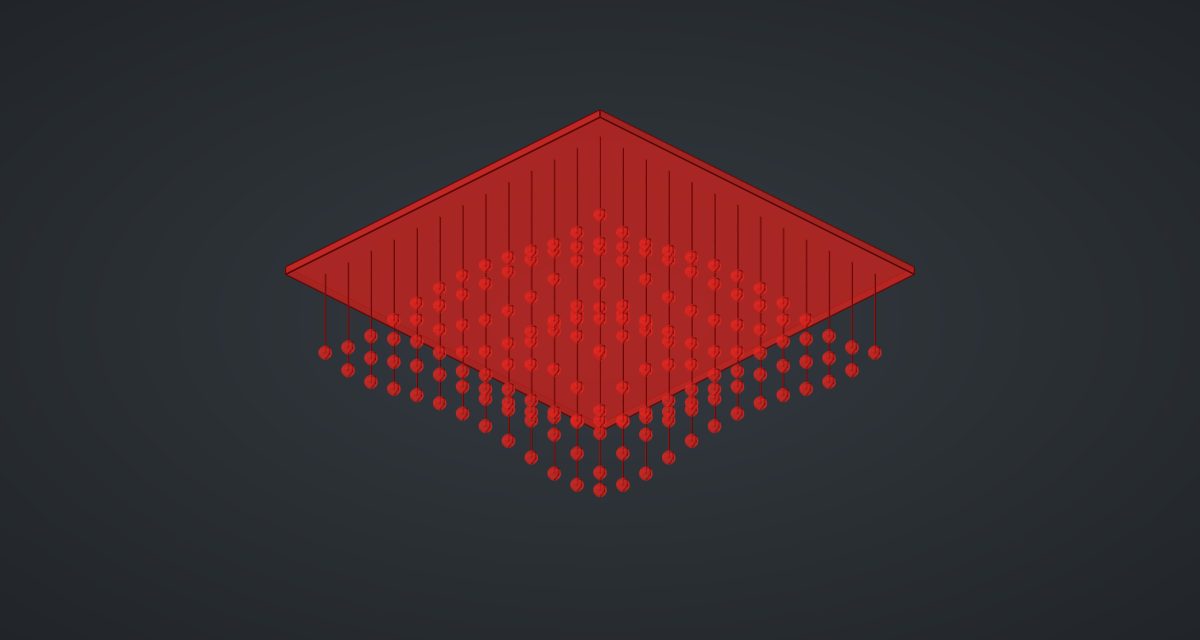
Turn Preview off on the points, Line, Sphere and Box.
What is happening
sin(k·d) makes rings of equal height round the centre; dividing by 1 + 0.08·d makes them fade outward, like a real ripple. Every orb’s height is Ceiling − Drop + ripple, and its cable runs straight up to the ceiling above it, so changing any slider moves orbs and cables together. At the centre the ripple is 0, and the geometry tests check that the middle orb hangs exactly Drop below the ceiling.
The cloud updates in about a second: half building 169 cables and orbs, half drawing them.
Things to try
-
Lower Frequency to 0.1 for one broad swell, or raise it to 0.6 for tight rings.
-
Set Amplitude to 0: every orb hangs at the same height, a flat plane of light.
-
Raise Drop to 30 for a deep cloud.
-
Raise Grid to 20 for 441 orbs; each update then takes about a second.