A surface written as a formula, z = f(x, y), sampled on a grid, smoothed into a real surface and cut by evenly spaced planes into contour lines, like a topographic map. You will build a 2D grid with Graft, evaluate a formula of two variables, and slice the result at a list of heights.
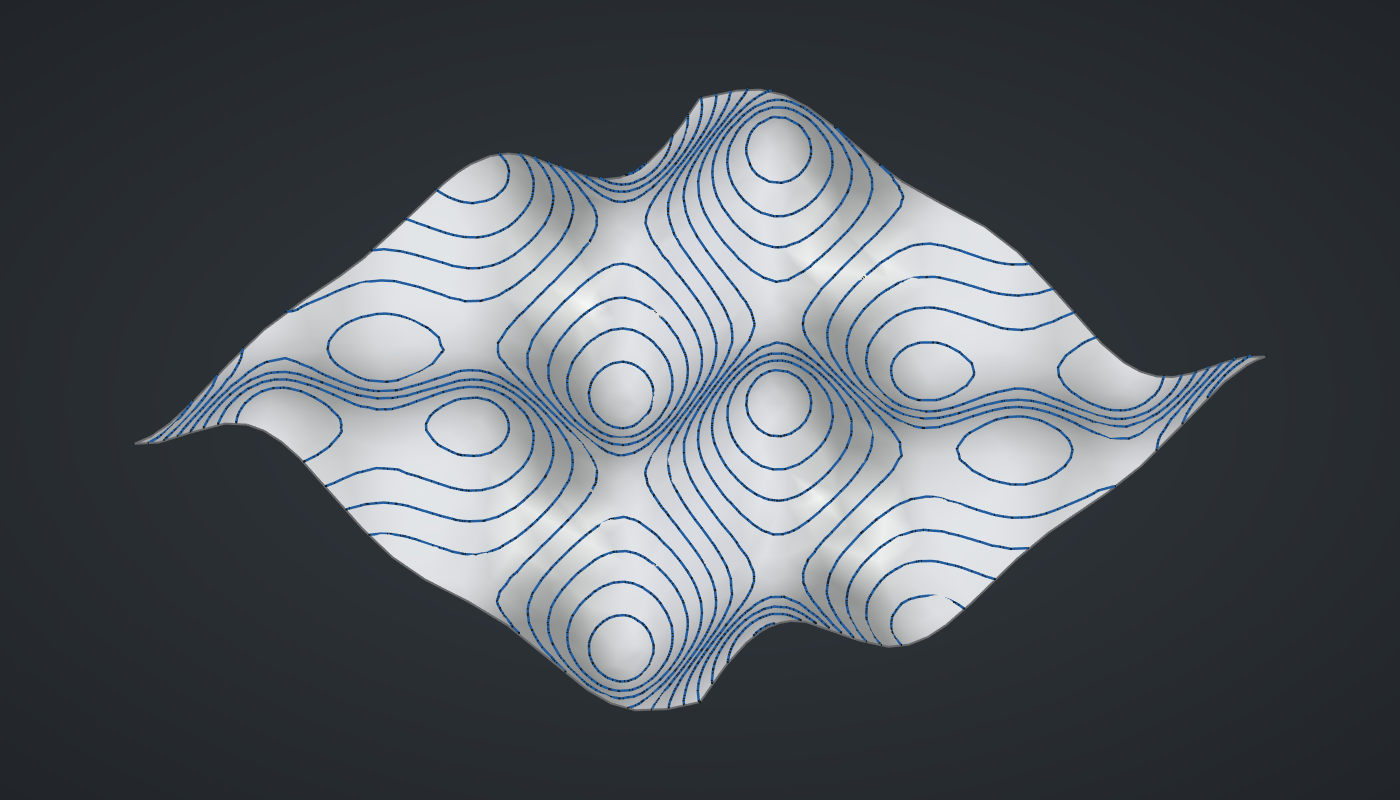
Reference: choose on the canvas toolbar to load the finished definition.
Build it
The grid
-
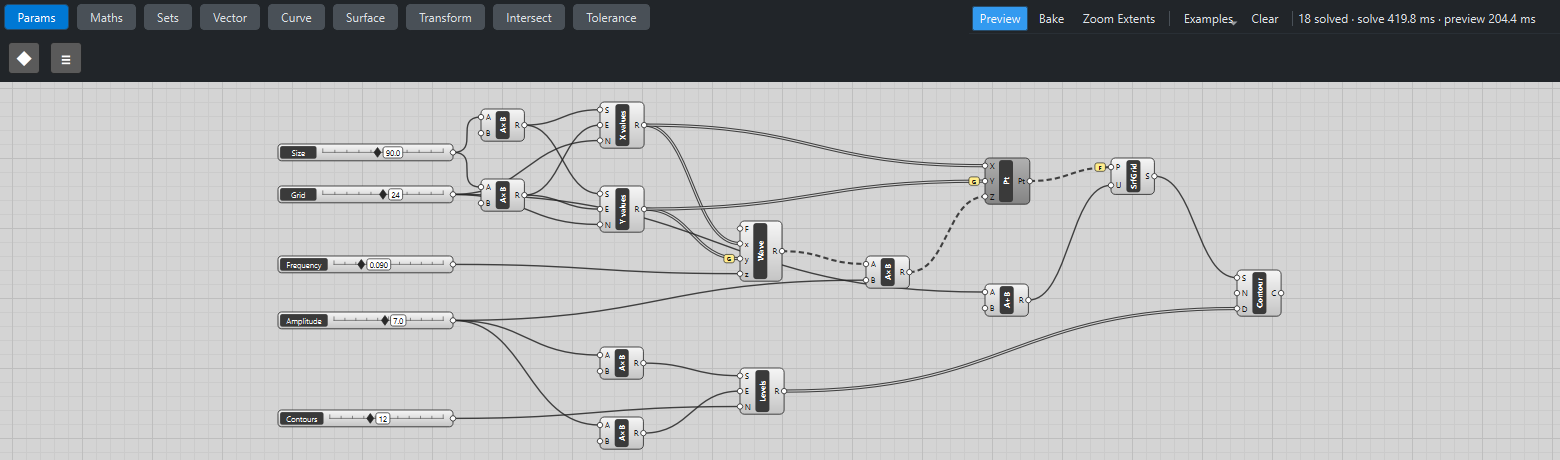
Place two sliders: Size: 90 (40 – 150) and Grid: 24 (8 – 40) with Decimals
0. -
Place two Multiplication (Maths) components. Wire Size → A on both and set value B to
-0.5on one and0.5on the other: the edges of the square, -45 and 45. -
Place two Range (Maths) components, X values and Y values. On both, wire the low edge → S, the high edge → E and Grid → N. A Range of 24 steps gives 25 values, from -45 to 45.
The formula
-
Place a slider Frequency: 0.09 (0.02 – 0.3) with Decimals
3, and an Expression (Maths), Wave. Set value its F tosin(z*x)cos(z*y) + 0.4*sin(1.7*z(x + y)). -
Wire X values → x, Y values → y and Frequency → z, then tick Graft on the Expression’s y grip. Every y value now sits in its own branch and the single x list is reused for each, so you get 25 rows of 25 heights: the same move as the attractor grid.
-
Place a slider Amplitude: 7 (0 – 15) and a Multiplication. Wire Wave R → A and Amplitude → B.
The surface
-
Place a Construct Point (Vector). Wire X values → X, Y values → Y with Graft on Y, and the amplitude Multiplication R → Z: 25 rows of 25 points.
-
Place an Addition (Maths) with B set to
1, and wire Grid → A: the number of points in a row. -
Place a Surface From Points (Surface). Wire Construct Point Pt → P, tick Flatten on P so all rows arrive as one list in order, and wire Addition R → U. A smooth surface now passes through every point.
-
Turn Preview off on Construct Point.
Contour lines
-
Place a slider Contours: 12 (2 – 30) with Decimals
0. -
Place two Multiplication components with B set to
-1.4and1.4, and wire Amplitude → A on both. The formula never goes beyond ±1.4 (1 from the first term, 0.4 from the second), so these bound the surface. -
Place a Range, Levels. Wire the low bound → S, the high bound → E and Contours → N: 13 evenly spaced heights.
-
Place a Contour (Curve). Wire Surface S → S and Levels R → D. Its normal N defaults to Z, so the planes are horizontal.
What is happening
Graft turns one list of 25 y values into 25 branches of one value each. Matched against the single branch of x values, which is repeated for every branch, that gives a full grid. Flatten on Surface From Points undoes it again: the surface wants all 625 points as one list, row after row, and the U count tells it where each row ends.
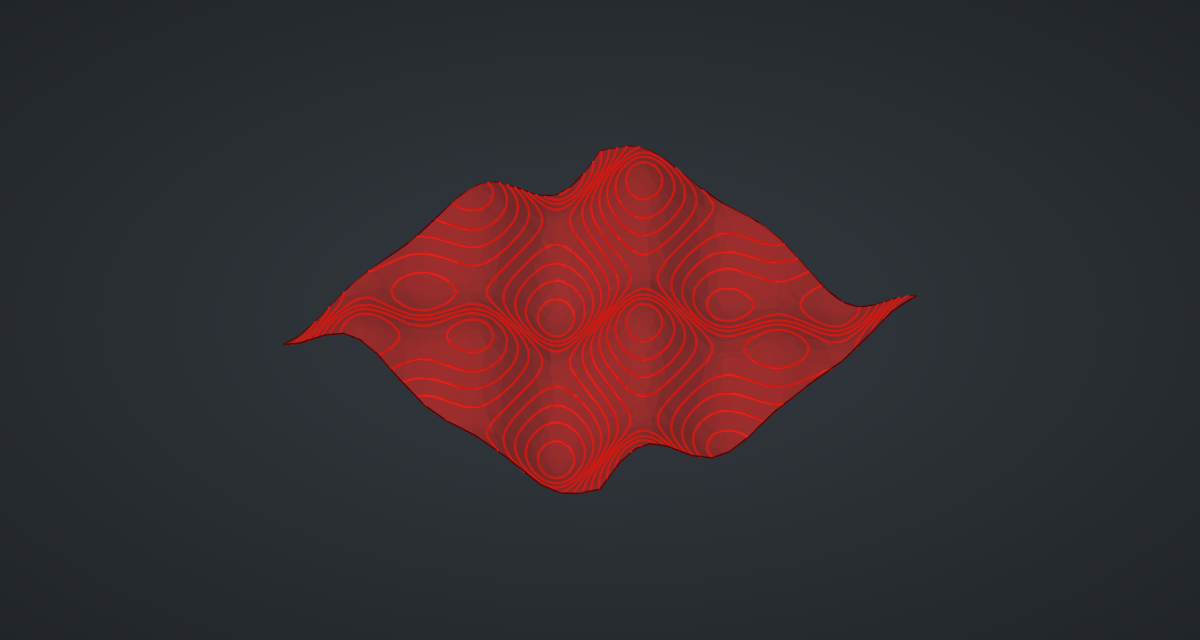
Contour returns one branch per level, so you can treat each height separately, for example to move it, colour it or count its curves. It traces the curves on a fine mesh of the surface rather than cutting the exact surface: on this example an exact cut took about 7 seconds per level, the mesh about a fifth of a second for all of them, and the lines stay within 0.05 % of the surface’s size (about 0.06 mm here). Each slider step takes about a second.
Things to try
-
Drag Frequency for longer or tighter waves, and Amplitude for taller ones.
-
Raise Contours to 30 for a dense topographic map.
-
Change the formula to
cos(z*sqrt(x2 + y2))for ripples on a pond. -
Raise Grid to 40 for a smoother surface; each update gets slower.
-
Bake the Contour and export it as DXF: stacked, offset and cut from card, it makes a classic layered landscape model.