The parametric skyscraper: one polygon per floor, each turned a little more than the one below and swelling towards the middle, lofted into a glass facade with a slab on every floor. Six sliders control the whole building.
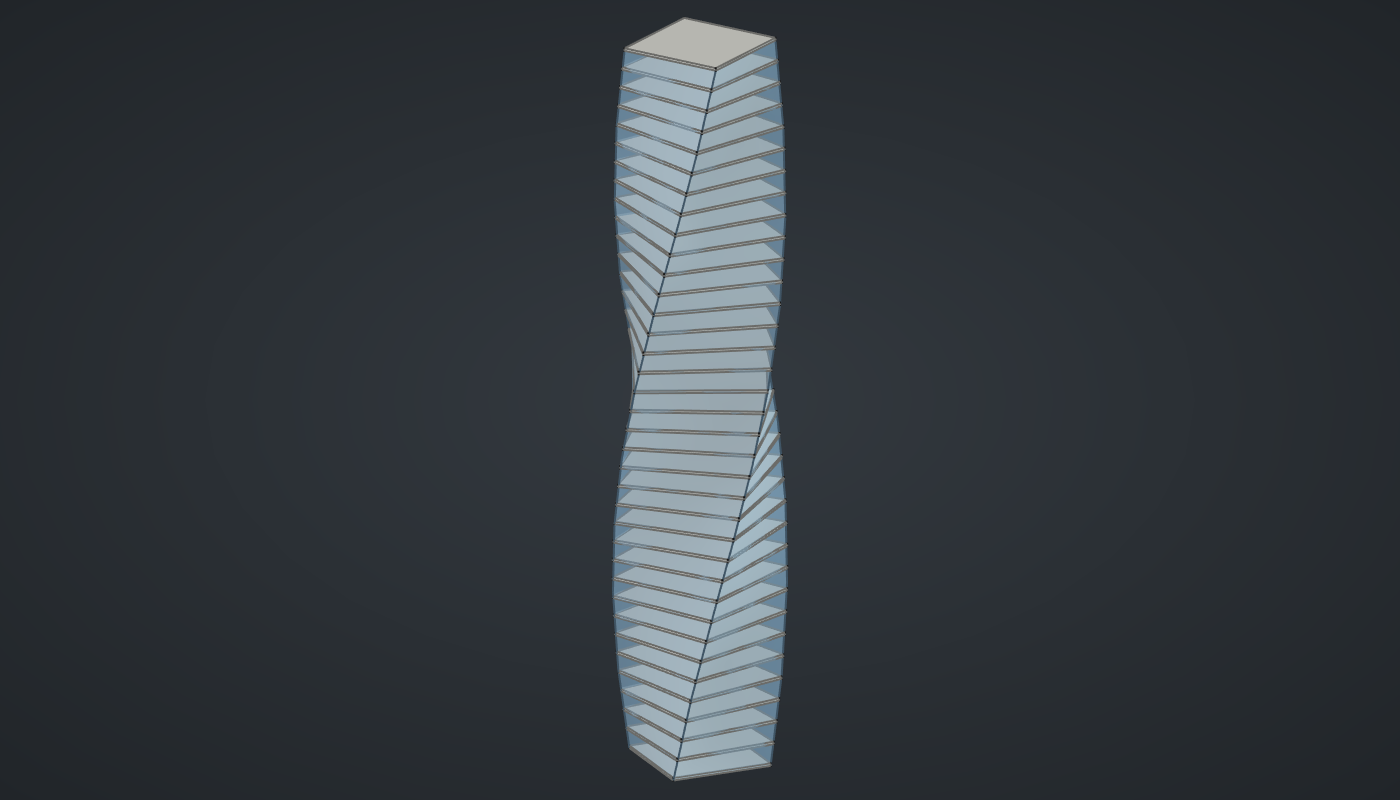
Reference: choose on the canvas toolbar to load the finished definition.
Build it
One number per floor
-
Place six sliders: Floors: 36 (6 – 60) and Sides: 4 (3 – 12) with Decimals
0, Floor height: 4 (2 – 8), Radius: 14 (6 – 30), Twist per floor: 3.5 (0 – 10), and Bulge: 0.25 (0 – 0.8) with Decimals2. -
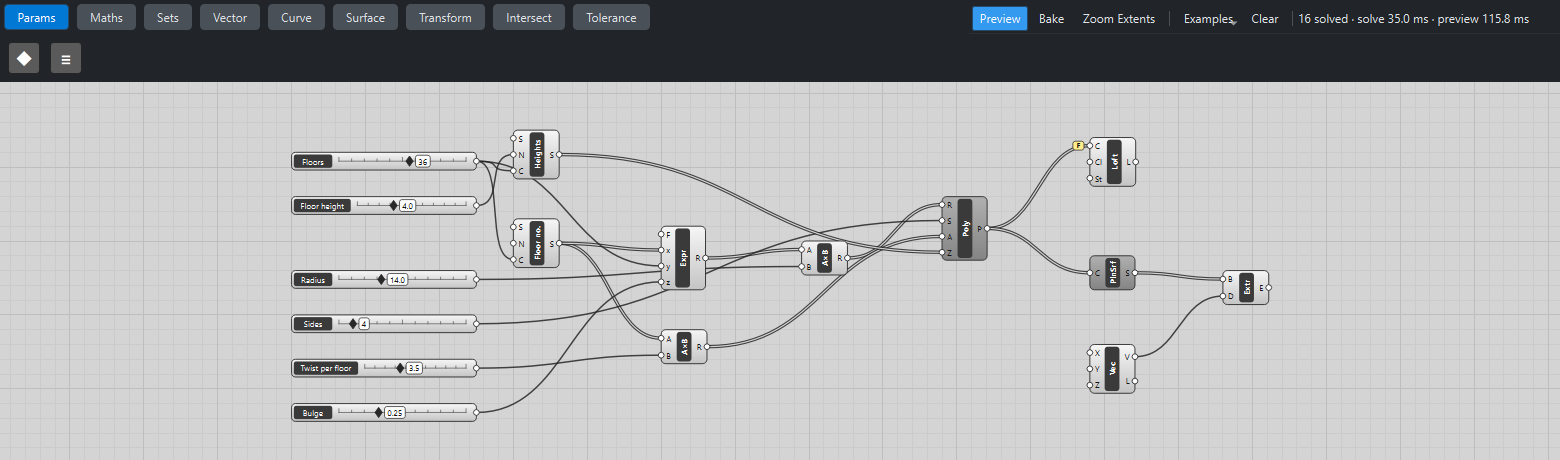
Place a Series (Sets), Heights. Wire Floor height → N and Floors → C: 36 heights, 0, 4, 8 … 140.
-
Place a second Series, Floor no., and wire Floors → C. With the default step of 1 it counts the floors 0 … 35.
-
Place a Multiplication (Maths). Wire Floor no. → A and Twist per floor → B: floor n is turned n × 3.5°.
The swelling
-
Place an Expression (Maths) and set value its F to
1 + z*sin(pi*x/y). Wire Floor no. → x, Floors → y and Bulge → z. The result is 1 at the ground, 1.25 halfway up and close to 1 again at the top. -
Place a Multiplication and wire Expression R → A and Radius → B: a radius for every floor.
Floors, facade and slabs
-
Place a Regular Polygon (Curve). Wire the radius Multiplication R → R, Sides → S, the angle Multiplication R → A and Heights → Z. You get 36 squares stacked into a twisting column.
-
Place a Loft (Surface), wire Polygon P → C and tick Flatten on its C grip, as in the lofted rings, so every floor goes into one loft whatever branches they arrive in. This is the facade.
-
Place a Planar Surface (Surface) and wire Polygon P → C: one flat face per floor.
-
Place a Vector XYZ (Vector) with Z set to
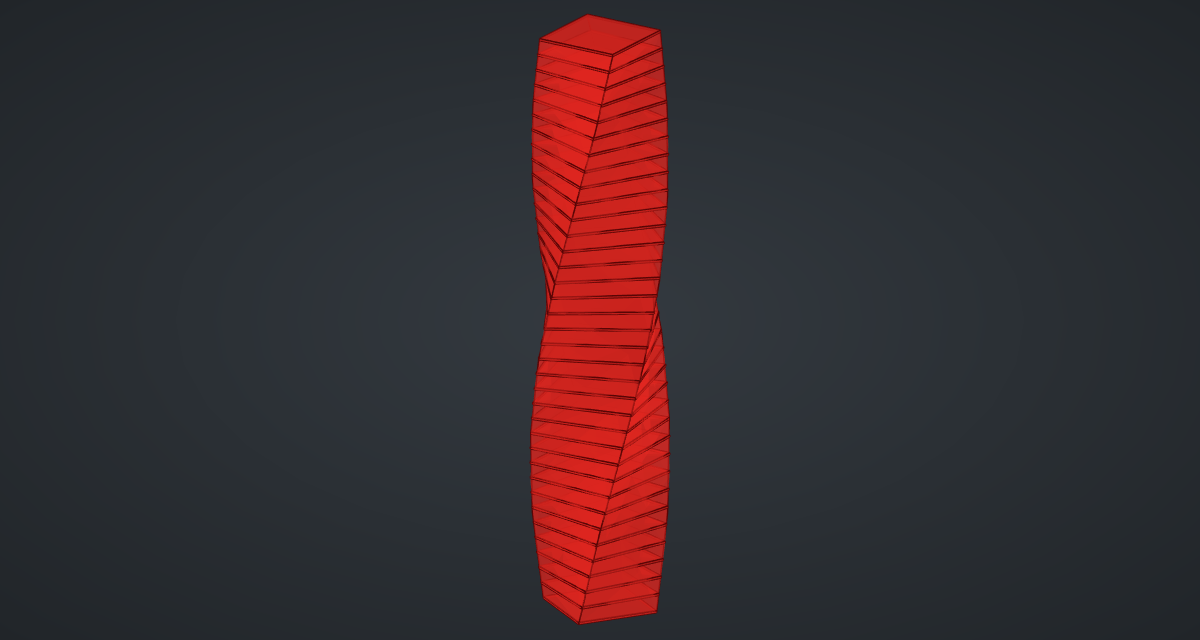
0.5, and an Extrude (Surface). Wire Planar Surface S → B and Vector V → D: 36 slabs, half a millimetre thick. -
Turn Preview off on Regular Polygon and Planar Surface.
What is happening
Everything after the two Series is a list of 36 values, one per floor, and every component pairs its lists item by item. So floor 10 gets the 10th height, the 10th angle and the 10th radius. That is the whole trick behind most parametric towers: describe one floor as a function of its number, and let the lists do the rest.
The Expression is evaluated once per floor. sin(pi*x/y) rises from 0 at the ground to 1 halfway up and back towards 0 at the top, so Bulge sets how much wider the middle floors are.
The facade is a smooth loft through polygons whose corners turn floor by floor, so each corner traces a helix up the building. Updates are fast: with 36 floors one slider step takes about 50 ms to solve and about 0.15 s to draw.
Things to try
-
Drag Twist per floor to 0 for a straight tower, then up to 10 for a corkscrew.
-
Set Sides to 3 for a triangular tower, or to 12 for an almost round one.
-
Set Bulge to 0, then to 0.8.
-
Change the formula to
1 - z*x/yfor a tower that tapers towards the top. -
Bake the Loft and the Extrude, then give the facade a light blue colour and 50 % transparency in its View properties, as in the picture above.