Algorithmic Modeling with Katydid
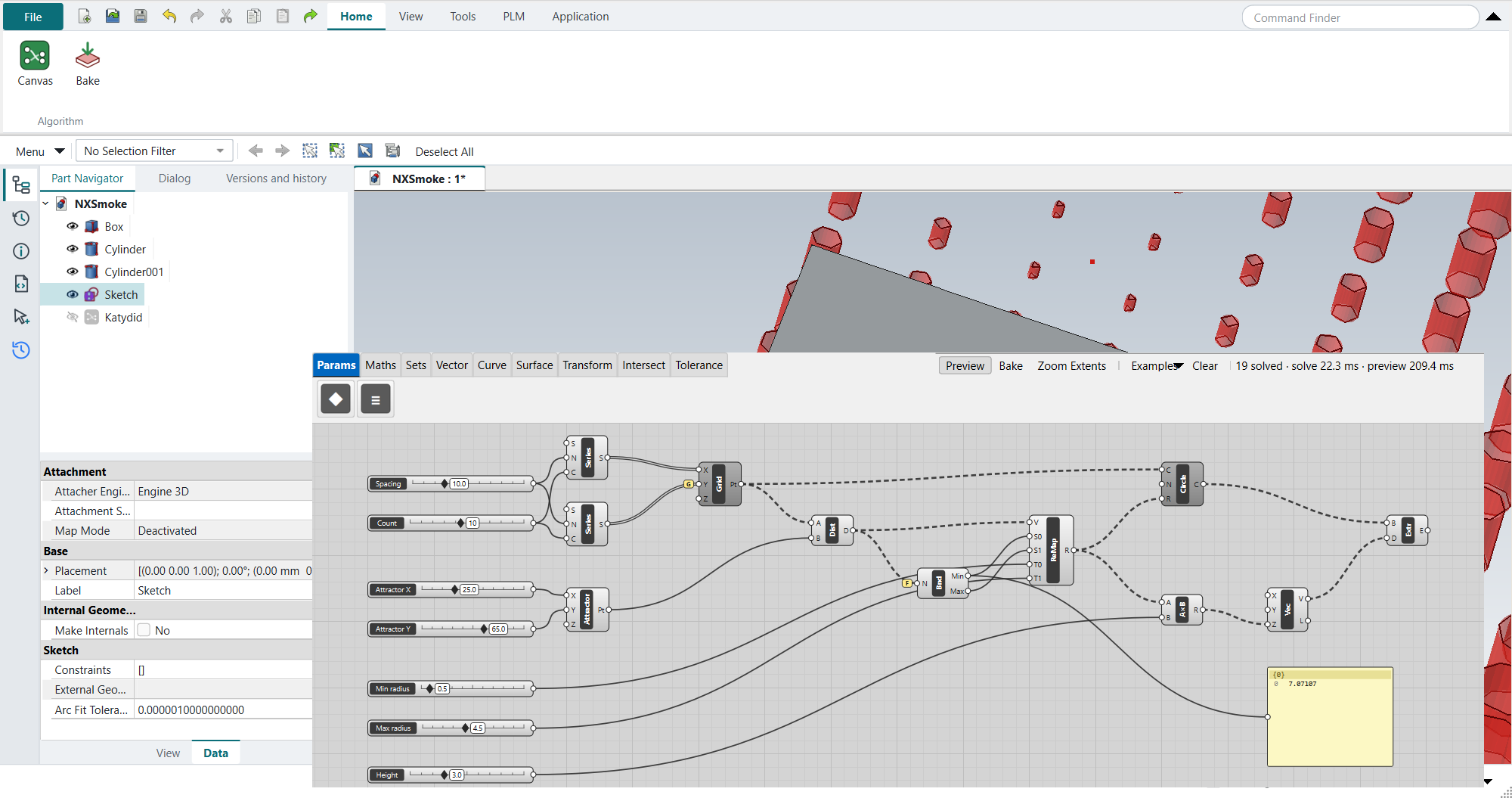
NX has a node-based environment, Algorithmic Modeling, for driving geometry from a graph of operations rather than a feature list. NX-Style uses Katydid for that job: a visual programming canvas for FreeCAD, in the style of Grasshopper, with data trees, a live 3D preview, Bake into ordinary FreeCAD objects and a tolerance stack-up tab. It is on by default.
Opening it
-
Application › Algorithmic Modeling.
-
The canvas opens as its own floating window over the graphics window. It floats on purpose: docked, every canvas repaint also redraws the 3D view, which makes dragging a slider about twice as slow.
-
The ribbon shows Canvas (bring the window back) and Bake, with the usual View, Tools, PLM and Application tabs.
Tools › Algorithmic Modeling › Canvas opens the canvas from any application without switching to Algorithmic Modeling.
Leaving the application (Ctrl+M for Modeling, for example) keeps the canvas window where it is; close it with its own close button.
Using the canvas
Double-click the canvas to search for a component, or drag one from the category tabs; drag from an output grip to an input grip to wire them.
The preview updates in the graphics window while you work, and Bake turns the result into FreeCAD objects.
The canvas is saved inside the part’s .FCStd file.
The canvas’s Examples menu loads ready-made graphs to start from.
Katydid’s own documentation has the quick start, tutorials and the full component reference.
Four Grasshopper video tutorials are worked through on this canvas, step by step with pictures:
-
O: Grasshopper basics — a sphere, sliders, Bake, a cylinder;
-
P: Waffle canopy — mirror, arches, a surface, contour ribs;
-
Q: Faceted planter — data trees, triangle facets, a solid, a shell;
-
R: Tube and attractor frames — a swept tube, a panel grid, an attractor.
Without Katydid
-
python launch_nx.py --no-katydidstarts without it once. -
"algorithmic_modeling": "none"in the settings switches it off for good.
The Algorithmic Modeling application then does not appear.
Katydid is a git submodule (vendor/Katydid): a copy cloned without --recursive has none until git submodule update --init (Installation).
A Katydid already installed in the NX profile’s own Mod folder is used instead of the bundled one, so it never loads twice.