Sheet Metal
Ctrl+Shift+M opens the Sheet Metal application, as in NX.
Its features come from FreeCAD’s SheetMetal add-on (LGPL), which NX-Style bundles in vendor/FreeCAD_SheetMetal and the launcher loads.
NX-Style gives it NX’s ribbon and names, and adds what NX keeps per part: the Sheet Metal Preferences and a Flat Pattern that uses them.
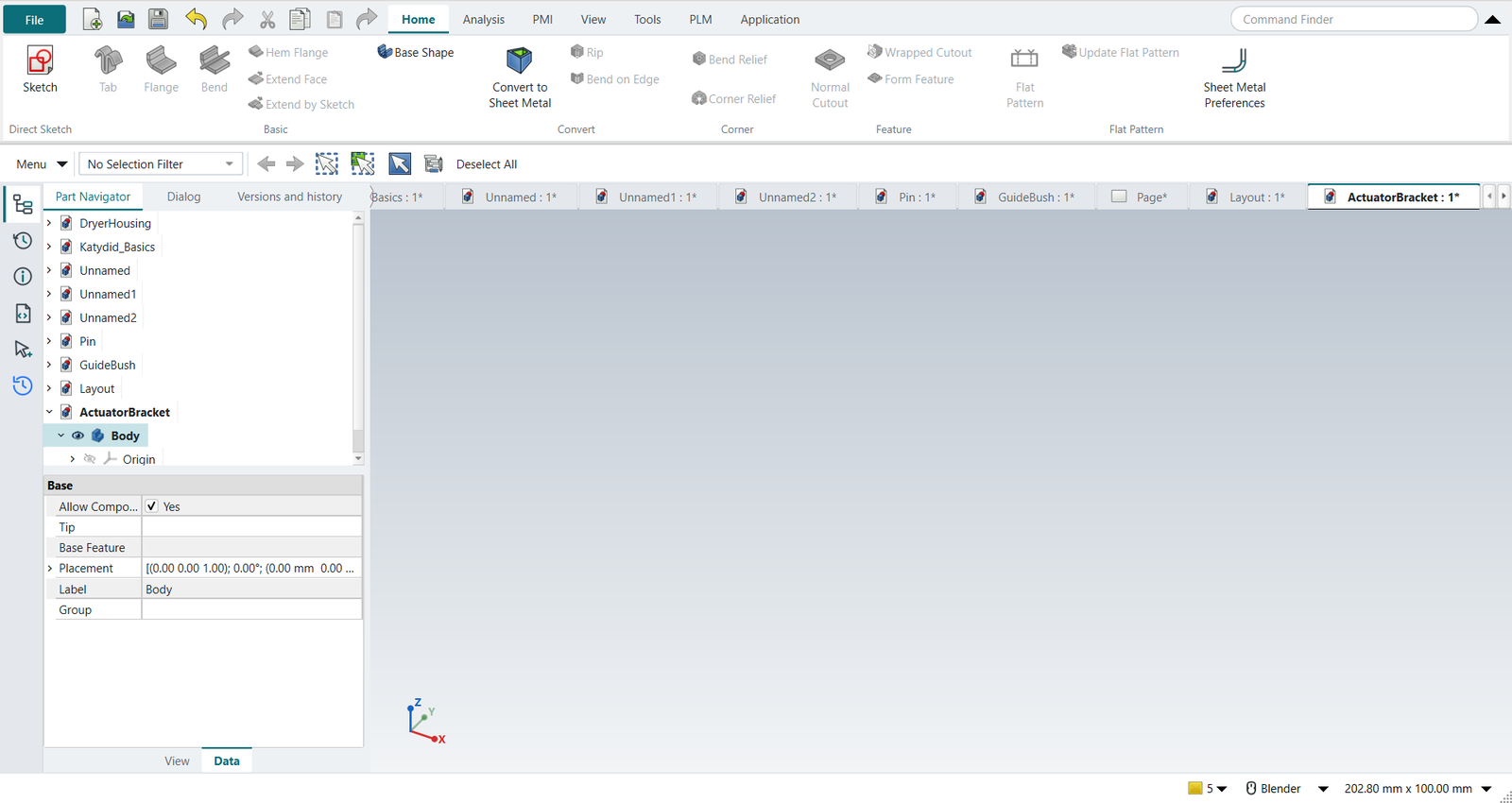
The Home tab
| NX | Add-on command | Does |
|---|---|---|
Tab |
Make Base Wall |
A plate of the material thickness from a closed sketch (or a bent profile from an open one). |
Flange |
Make Wall |
A flange on selected edges: length, angle, bend radius, Length Spec (Leg, Outer Sharp, Inner Sharp, Tangential) and Bend Type (Material Inside or Outside, Thickness Outside, Offset). |
Bend |
Fold a Wall |
Bends a flat sheet along a sketched line. |
Hem Flange |
Make Hem |
A hem on an edge. |
Extend Face, Extend by Sketch, Base Shape |
Extend Face, Extend by Sketch, Add base shape |
Lengthen a wall; a ready-made bracket or channel. |
Convert to Sheet Metal |
Convert to Sheet Metal |
Turns a shelled solid into sheet metal. |
Rip, Bend on Edge |
Make Junction, Make Bend |
Splits a corner; adds a bend between two walls of a converted solid. |
Bend Relief, Corner Relief |
Make Relief, Add Corner Relief |
Reliefs at bends and corners. |
Normal Cutout |
Extruded Cutout |
A cutout through the sheet. |
Wrapped Cutout, Form Feature |
Wrap Cutout, Make Forming in Wall |
A sketch’s cutout wrapped onto bent sheet; a formed (stamped) feature. |
Flat Pattern |
Unfold (NX-Style’s) |
The flat pattern, with the preferred neutral factor. |
Sheet Metal Preferences |
NX-Style’s |
Thickness, bend radius, neutral factor. |
The Analysis, PMI, View, Tools, PLM and Application tabs are those of Modeling.
Sheet Metal Preferences
Material Thickness, Bend Radius and Neutral Factor for new features. They are the add-on’s own defaults, so Tab and Flange start from them, and Flat Pattern unfolds with the neutral factor (the add-on’s own Unfold starts at a fixed 0.4).
The dialog shows what the values give for a 90° bend, and checks the neutral factor:
-
the neutral factor K places the neutral layer, the one that keeps its length, at K × T from the inside of the bend. Shih gives 0.25 to 0.5 as the practical range, and his exercise uses 0.41, which is also NX-Style’s starting value; values outside 0.25 to 0.5 are flagged, values outside 0 to 0.5 refused. DIN 6935 quotes k = 2K, so a DIN value typed here is refused rather than silently doubling the bend allowance;
-
a bend radius smaller than the thickness is noted: check the material’s minimum bend radius.
Bend allowance and flat length
For a bend through the angle A (90° for a right-angle flange), inside radius R, thickness T (Shih, Parametric Modeling with Siemens NX, ch. 13):
bend allowance     BA   = A (R + K T)            A in radians
outside setback    OSSB = tan(A/2) (R + T)
bend deduction     BD   = 2 OSSB − BA
-
dimensioned between bend tangent lines: flat length = the straight lengths + BA per bend;
-
dimensioned to the outside (outer sharp to outer sharp): flat length = the outside lengths − BD per bend.
nxstyle/sheetmetal.py has both; its unit tests reproduce Shih’s hand calculation of the actuator bracket.
Tutorial W builds that bracket and compares the add-on’s flat pattern with the book: 67.0523 mm against 2 × 1.31992 in = 67.0519 mm (the book rounds to five places).
Switching it off
python launch_nx.py --no-sheetmetal, or "sheet_metal": "none" in nxstyle.json, starts without the add-on; Ctrl+Shift+M then explains how to get it.
An add-on already installed in the NX profile’s Mod folder is used instead of the bundled one, never both.
What differs from NX
-
NX keeps the sheet metal preferences per part; the add-on keeps them per user.
-
NX’s Flat Pattern is a feature with its own drawing view type; here the flat pattern is a solid (with sketches of its outline and bend lines) that a drawing views from above.
-
NX’s Contour Flange, Lofted Flange, Jog and Gusset have no add-on equivalent; a Tab from an open, bent profile covers the contour flange.