FreeCAD-Nxt (trial)
FreeCAD-Nxt is a FreeCAD add-on by Joe (obelisk79), in the style of Fusion and Onshape and built on Qt Quick.
It adds a model panel with a rollback bar, a Property Inspector, drag-handle value boxes, its own fillet and chamfer, a section view with filled cut faces, Isolate and Quick Mass.
NX-Style bundles it, unmodified, as a git submodule (vendor/FreeCAD-Nxt, version 0.5.15), and it is off by default.
This is the first of several steps that bring parts of it into NX’s commands; for now it runs beside NX-Style as it is.
Turning it on
-
python launch_nx.py --nxtstarts with it once. -
"nxt": truein the settings switches it on for good.
It needs FreeCAD 1.1 or newer; on FreeCAD 1.0 the launcher says so and starts without it.
Its commands are under Menu › View › FreeCAD-Nxt, and its panel is the Model (Nxt) tab beside the Part Navigator.
A copy of Nxt installed in the NX profile’s own Mod folder (through the Addon Manager) is used instead of the bundled one, so it never loads twice; FreeCAD loads that copy whether or not --nxt is given.
Nxt is not a workbench: it is a freecad.nxt package that adds its panel and commands to every workbench.
What NX-Style changes in it
Nothing in Nxt’s code. In the NX profile, NX-Style sets one of Nxt’s own preferences before Nxt starts: CheckAddonUpdates off. Nxt otherwise looks for updates of every installed add-on after start-up and offers the Addon Manager’s Update all dialog; NX-Style’s add-ons are pinned versions, updated with NX-Style itself.
What works on FreeCAD 1.1.4
Measured with the self-test (--smoke-test --nxt) on FreeCAD 1.1.4 (Qt 6.8.3), Windows 11.
| Nxt feature | FreeCAD 1.1.4 | What was seen |
|---|---|---|
Model panel (tree, timeline) |
works |
Opens as the Model (Nxt) tab in the left tab strip; the Part Navigator stays in front. |
Property Inspector |
works |
Opens beside the panel for the selected feature. |
Isolate |
works |
Shows only the selection; leaving it shows everything again. |
Section view, filled cut faces |
works |
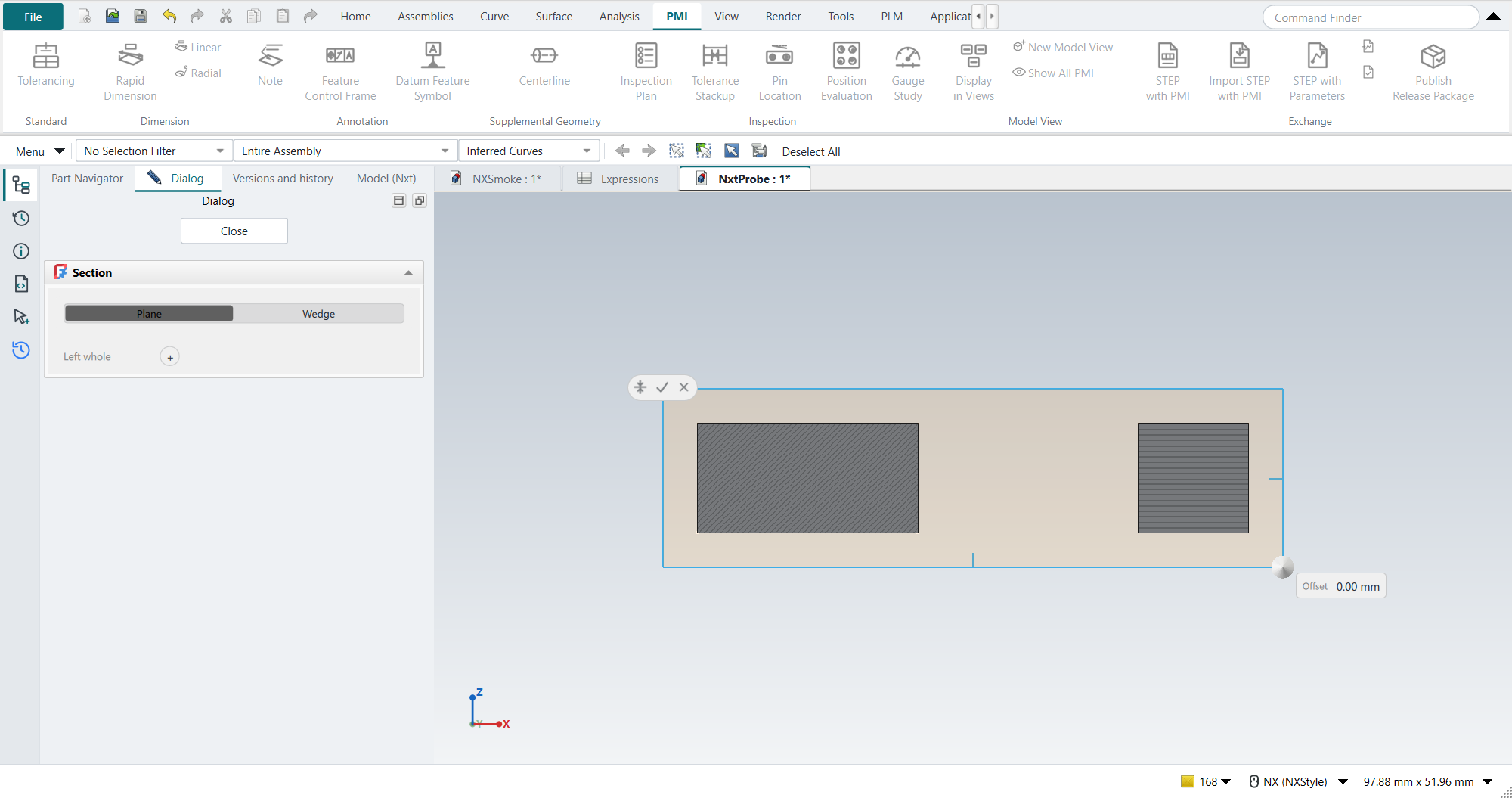
The cut faces are hatched; the plane can be dragged, with an Offset box. |
Quick Mass |
works |
The mass bar appears at the bottom of the graphics window. |
Drag handles with value boxes |
works |
Editing a Pad shows FreeCAD’s two arrows and two taper handles, with Nxt’s Length and Taper boxes beside them. |
Nxt fillet and chamfer |
works |
Opens its task panel and makes an |
Rollback (the Body’s tip) |
works |
Nxt’s panel moves the tip back to the Sketch and forward to the Pad. |
Menu entry |
works |
Menu › View › FreeCAD-Nxt lists Nxt’s commands. |
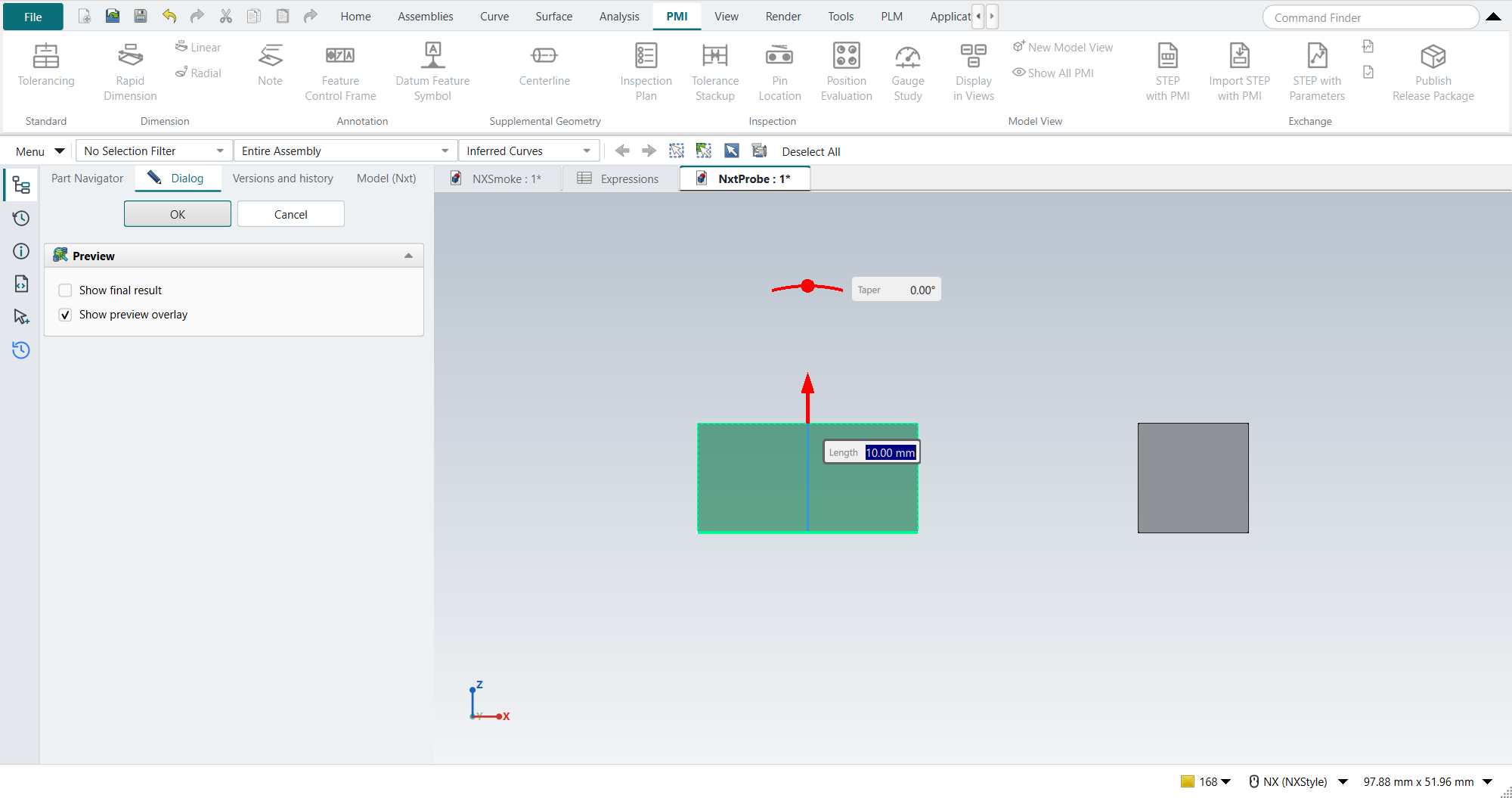
Nxt’s drag handles are FreeCAD’s own ("gizmos"), which FreeCAD 1.1 already has; nothing above needed a FreeCAD 26.x build. Nxt’s author works on FreeCAD 26.3 (Qt 6.11); its context menu uses a Qt 6.8 feature, which FreeCAD 1.1.4 ships. Not exercised yet: drag reorder, dependency arrows, the detail strip, face snapping and the context menu, which need real mouse work in Nxt’s Qt Quick panel; they come with the next steps.
The tutorials with Nxt on
Nxt is not ready to be on by default: with it on, NX-Style’s own Extrude and Revolve dialogs lose what is typed into them. All 48 tutorial replays were run with Nxt off and on, each group of tutorials in a fresh FreeCAD 1.1.4.
| Steps run | FAILED | Steps not run after a failure | |
|---|---|---|---|
Nxt off |
771 |
6 |
0 |
Nxt on |
742 |
25 |
40 |
The six with Nxt off fail with Nxt on too, the same way, and have nothing to do with Nxt (three Ctrl+S save checks, an Orient View, and two steps of the Carbon tutorial that tutorial AN runs). The regressions with Nxt on:
-
Extrude and Revolve values are lost (tutorials AE, AF, AJ: an End of 20 or 60 mm gives FreeCAD’s default 10 mm; AO: Revolve takes none of the 10 picked curves). Nxt replaces FreeCAD’s Pad, Pocket and Revolve parameter boxes with its own cards; with that replacement removed, tutorial AE replays as with Nxt off, while switching off only Nxt’s floating value boxes does not help. Revolve’s box is replaced the same way; that AO fails for the same reason is likely but was not tested on its own. Nxt has no setting for the replacement yet.
-
Offset Curve in a sketch (tutorial I): the Add offset constraint option does not take, so the offset loop stays where the click put it (14.6 mm instead of 15). It repeats; the cause is not yet known.
-
Datum Plane, Datum Axis and Hole (tutorial AN): a typed offset reads 0, the datum axis stays unattached, and the Hole’s sketch does not start. The cause is not yet known.
The other tutorials (A to H, J to Z, AA to AD, AG, AH, AK, AP to AY) replay as with Nxt off.
Where it meets NX-Style
Measured with the self-test, Nxt on against Nxt off:
| Where | What happens with Nxt on |
|---|---|
Space in the graphics window |
Nxt takes it: it hides or shows the feature behind the pick (a Pad, not its Body).
FreeCAD’s own Space command (Show/Hide, |
Home, End in Nxt’s panel |
While Nxt’s panel has the keyboard focus, Nxt keeps them for its own list; they do not turn the view to Trimetric and Isometric. In the graphics window they keep their NX meaning. |
F2 |
In the Part Navigator it still opens the name editor. |
Toolbars |
Nxt adds a toolbar of its own (Nxt Fillet/Chamfer) when Part Design starts. It shows above the ribbon, where NX-Style hides FreeCAD’s toolbars. |
Model panel |
Nxt tabs its panel beside FreeCAD’s Model dock, so the Part Navigator, Dialog and Versions strip gains a Model (Nxt) tab. |
Colours |
Nxt takes its colours from the window around it: background |
Drag-handle preferences |
On its first run Nxt sets two FreeCAD preferences that no FreeCAD page shows: a plain drag moves in fine steps and Ctrl gives coarse ones (FreeCAD: coarse first, Shift for fine). Nxt records what it replaced and puts it back when it is disabled or removed. |
Sketch profiles |
Nxt’s sketch repair is on, and changes the sketch without asking: a Pad on a rectangle with a 0.01 mm gap, which fails with Nxt off, is valid with Nxt on, because Nxt added a Coincident constraint. It offers Undo afterwards. |
Task dialogs |
Nxt replaces the parameter boxes of FreeCAD’s Pad, Pocket and Revolve dialogs, which NX-Style’s Extrude and Revolve drive (see the tutorials above). |
Turning it off again
Leave out --nxt, or set "nxt": false (the default).
Nxt’s own settings stay in the NX profile’s user.cfg under Mod/Nxt; they do nothing while Nxt is off.
Licence
FreeCAD-Nxt is LGPL-2.1-or-later, as NX-Style is, and included unmodified. Changes it needs go to its own repository.