Tutorial C: Rod-Guide
| Book |
Shih, Parametric Modeling with Siemens NX, ch. 9 |
| You learn |
Datum planes (At Angle, offset), Hole on a datum plane, Edge Blend |
| Sizes |
A 76.2 × 50.8 × 19.05 mm block (the book’s 3.00 × 2.00 × 0.75 in) with four holes. The book’s sizes appear only in figures; these are NotebookLM’s reading of them. |
In short
-
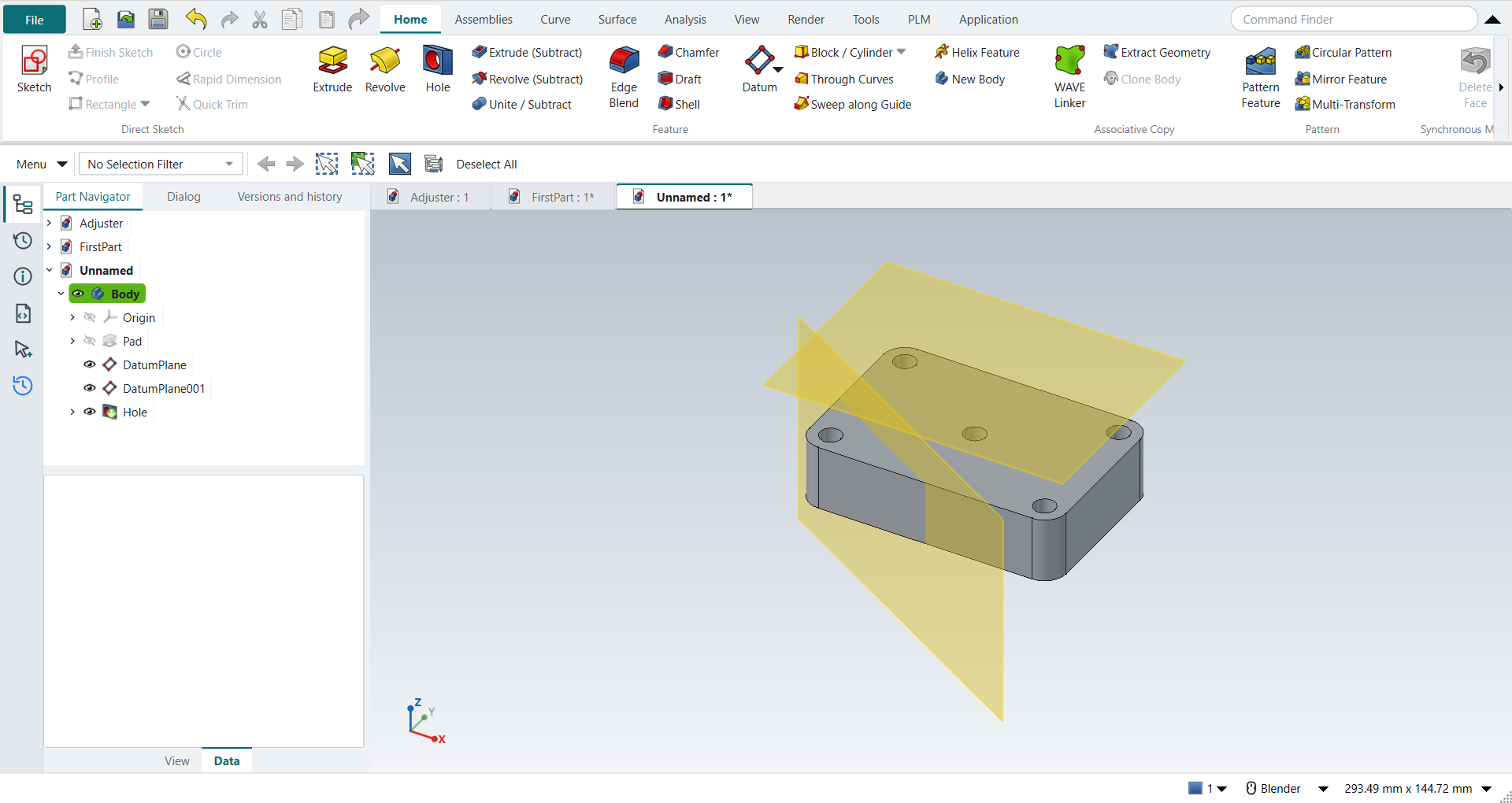
The block by Extrude; four holes; Edge Blend on the corners.
-
Feature › Datum › Datum Plane at an angle to a face, then one offset from it.
-
Select the offset datum plane, click Hole: a sketch opens on the plane; place the centre, Ctrl+Q, and the Hole dialog opens.
The angled upper block (C9) is skipped: its profile is in a figure only.
Step by step
| # | In the book (NX) | In FreeCAD NX-Style | Result | Notes |
|---|---|---|---|---|
C1 |
File > New (Ctrl+N), Model template |
Ctrl+N |
same |
|
C2 |
Extrude (X), pick the XY plane |
X key, plane row + MB2 |
same |
picked XY-plane (Base plane) |
C3 |
Rectangle ® by 2 points around the origin |
R key + 2 MB1 clicks + MB2 |
same |
tool True; 4 curves; ended True |
C4 |
Sketch Fillet (F), R0.25 on the four corners |
F key; corners applied as values |
differs |
F starts FreeCAD’s sketch fillet; the radius is typed after picking, not before as in NX |
C5 |
Circle (O): four Ø0.25 circles on the arc centres, Equal Radius |
O key; values applied |
same |
Equal constraint exists in both |
C6 |
Finish Sketch, Extrude 0.75, OK |
Ctrl+Q, 'lengthEdit' = 19.05 mm, MB2 = OK |
same |
volume 70669.2 mm^3, expected 70669.2; 1 solid(s) |
C7 |
Datum Plane, At Angle: front face |
select face + ribbon 'Home > Datum > Datum Plane' |
same |
the datum is attached to the face; FreeCAD’s attachment dialog opens |
C8 |
Angle -30° about the vertical axis, OK |
'attachmentOffsetPitch' = -30°, MB2 = OK |
differs |
plane at 30.00° to the face. NX picks the Z axis as hinge; FreeCAD rotates in the attachment offset about the face’s own axes |
C9 |
Extrude the angled upper block on the datum plane (Unite, Symmetric 1.0) |
- |
skipped |
the profile’s dimensions are only in the book’s figures |
C10 |
Datum Plane, At Distance: top face |
select face + ribbon 'Home > Datum > Datum Plane' |
same |
|
C11 |
Distance 0.75, OK |
'attachmentOffsetZ' = 19.05 mm, MB2 = OK |
same |
datum plane at z = 38.10 mm (top face 19.05 + 19.05) |
C12 |
Hole, placed on the offset datum plane |
select plane + ribbon 'Home › Feature > Hole' |
differs |
FreeCAD’s Hole drills at circle centres in a sketch, so Hole starts a sketch on the plane (NX picks the point directly) |
C13 |
Place the hole centre at the WCS origin |
O key + MB1 at the origin + MB2 |
same |
tool True; 1 curves; ended True |
C14 |
Hole: Simple, Ø0.25, Through Body, OK |
dialog open True; 'Diameter' = 6.35 mm, 'Through all', MB2 = OK |
same |
volume 70065.9 mm^3, expected 70065.9; 1 solid(s) |
C15 |
The finished part is shown in the graphics window |
render of the graphics window |
same |
21.6% of the view shows the part |
| Result | Means |
|---|---|
same |
The book’s NX steps work as written. |
differs |
It works, but the FreeCAD way is different; the notes say how. |
limit |
The book’s way fails in FreeCAD itself; a workaround follows in the next steps. |
missing |
FreeCAD has no such function; a stand-in follows. |
skipped |
Not replayed; the notes give the reason. |
FAILED |
Did not work. |