Data management with Strata
NX works with Teamcenter for data management.
NX-Style uses Strata, a FreeCAD add-on by the same author, for that job.
It is on by default and needs git on the PATH; engineers never use Git directly.
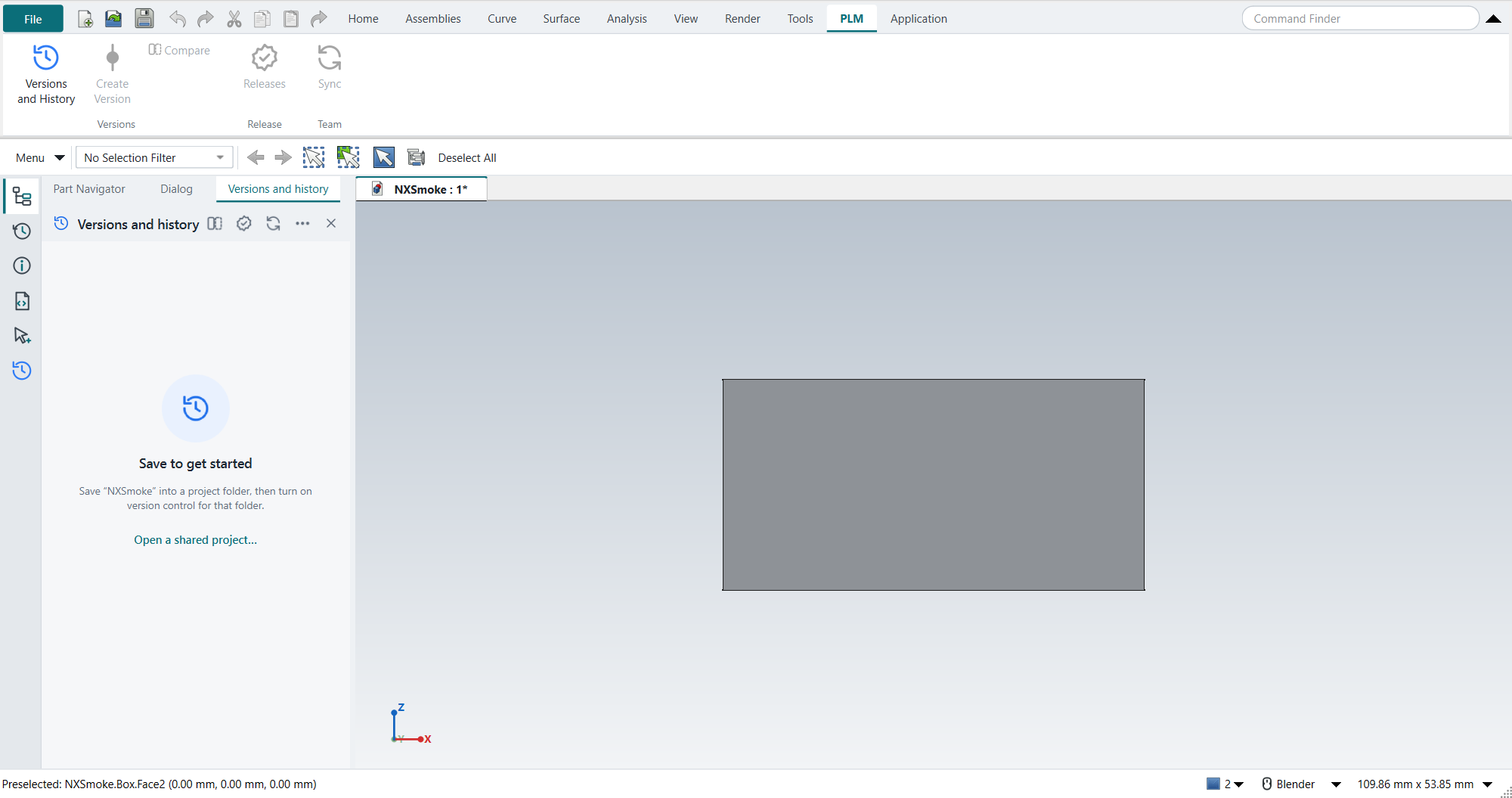
Where it is
-
Resource Bar › Versions and history: Strata’s panel, in the same tab strip as the Part Navigator.
-
The PLM tab on the ribbon: Versions and History, Create Version, Compare, Releases and Sync.
Turning it on for a project
-
Save your parts into one project folder (sub-folders are fine).
-
In Versions and history, click Turn on version control and confirm the folder and your name.
-
Work and save as usual. Every save appears in the history with a plain-language entry, such as Edited Base plate: Length 10 mm → 12 mm.
What it does
| Teamcenter idea | Strata |
|---|---|
Saved revisions |
Every save is a history entry; nobody types messages. |
Named versions |
Create Version: a permanent snapshot of the whole project. |
Alternatives |
Workspaces: separate lines of work. Main stays untouched until you merge. |
Retrieve an old revision |
Open any version or entry as a read-only copy, or Restore it. A restore adds a new entry, so nothing is lost. |
Compare |
Added, deleted and edited features with old → new values, and a 3D before/after overlay with the volume change. |
Release |
Part number and revision letter (A, B … skipping I, O, Q, S, X, Z per ASME Y14.35), an optional approval step, an Obsolete state. |
Shared vault |
Sync through a network folder, a synced drive or any Git server. Works offline. |
Assemblies |
All documents in a project folder are versioned together, so an assembly and its parts always match. |
The history is kept in a hidden .strata folder in the project; the .FCStd files stay ordinary FreeCAD files.
Keys
Ctrl+Shift+H opens Versions and history, Ctrl+Shift+V is Create Version and Ctrl+Shift+R is Releases. Strata’s own keys for Compare and Sync (Ctrl+Shift+D and Ctrl+Shift+Y) stay NX’s Drafting and Layout here; Compare and Sync are on the PLM tab.
Released parts go on to manufacturing with Publish to Manufacturing (Carbon).
Strata’s own documentation covers merging, releases and sharing in detail.
Without Strata
-
python launch_nx.py --no-stratastarts without it once. -
"plm": "none"in the settings switches it off for good.
A copy cloned without --recursive has no Strata until git submodule update --init (Installation); NX-Style starts without it and the launcher says so.
A Strata installed separately
If Strata is already in the NX profile’s own Mod folder, the launcher does not load the bundled copy as well, so it never loads twice.
A Strata from freecad-strata 1f71005 on joins the NX layout through its embedding API (Development); an older one runs beside it with its own toolbar and panel.