Tutorial AC: Title block and revision block from the release
| Books |
Drake, Dimensioning and Tolerancing Handbook, ch. 4 (title block, revision block); Wünsch, Pilz and Vajna, Siemens NX für Einsteiger, 6.3 (Titelfeld ausfüllen) |
| Standards |
ISO 7200 (title block fields), ISO 5457 (sheet sizes and frame) |
| You learn |
Drafting › Populate Title Block, the revision block from the release history |
| Runs first |
The guide bush was released as BUSH-100 revision A, then changed (ECO-001: the bore became F7) and released as revision B. Its drawing should say so, without anyone retyping the PLM record.
Step by step
1. The drawing
Ctrl+Shift+D switches to Drafting, and the sheet from tutorial T is selected. It uses FreeCAD’s default template, which has no title block.
2. Populate Title Block
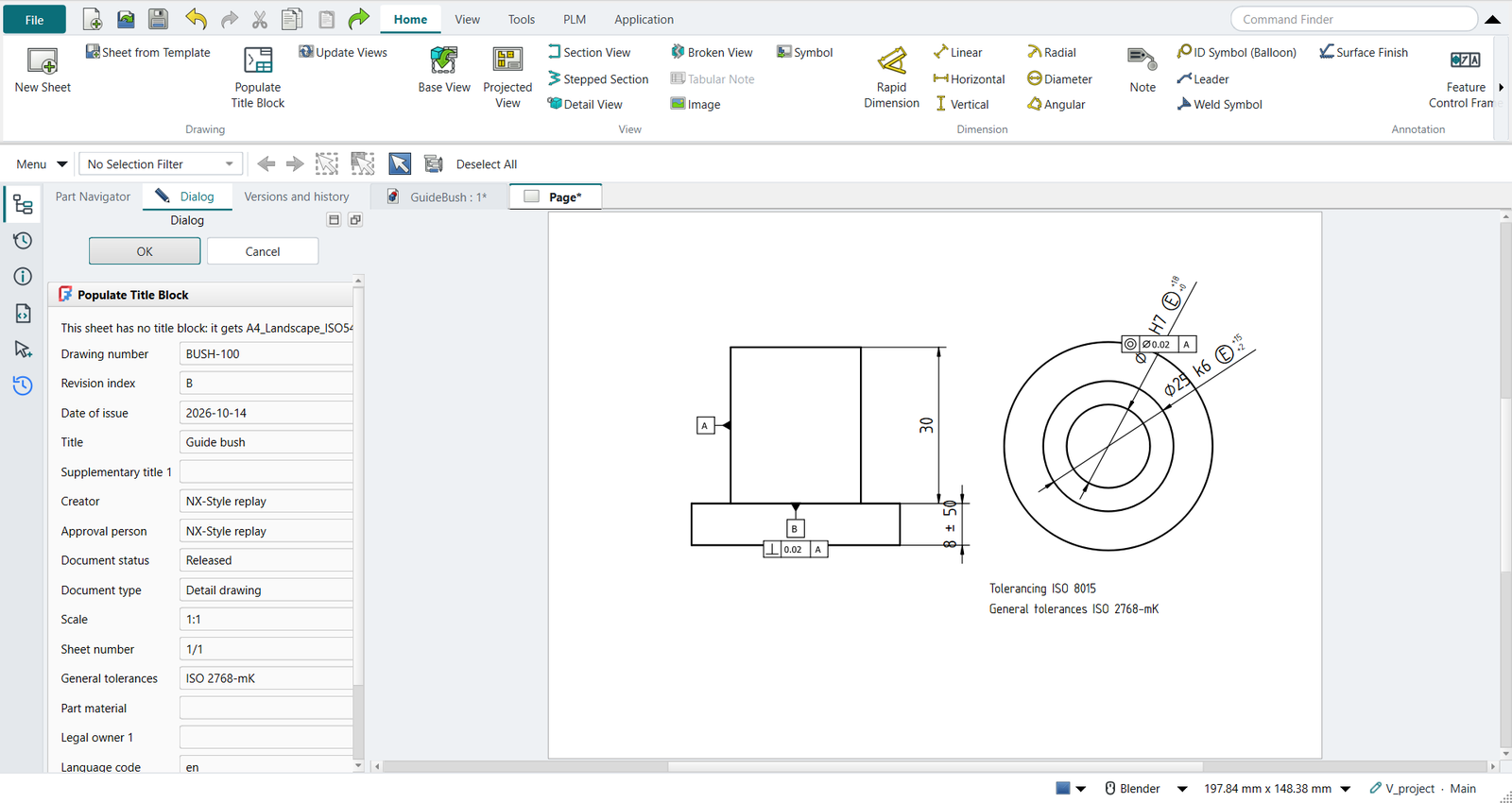
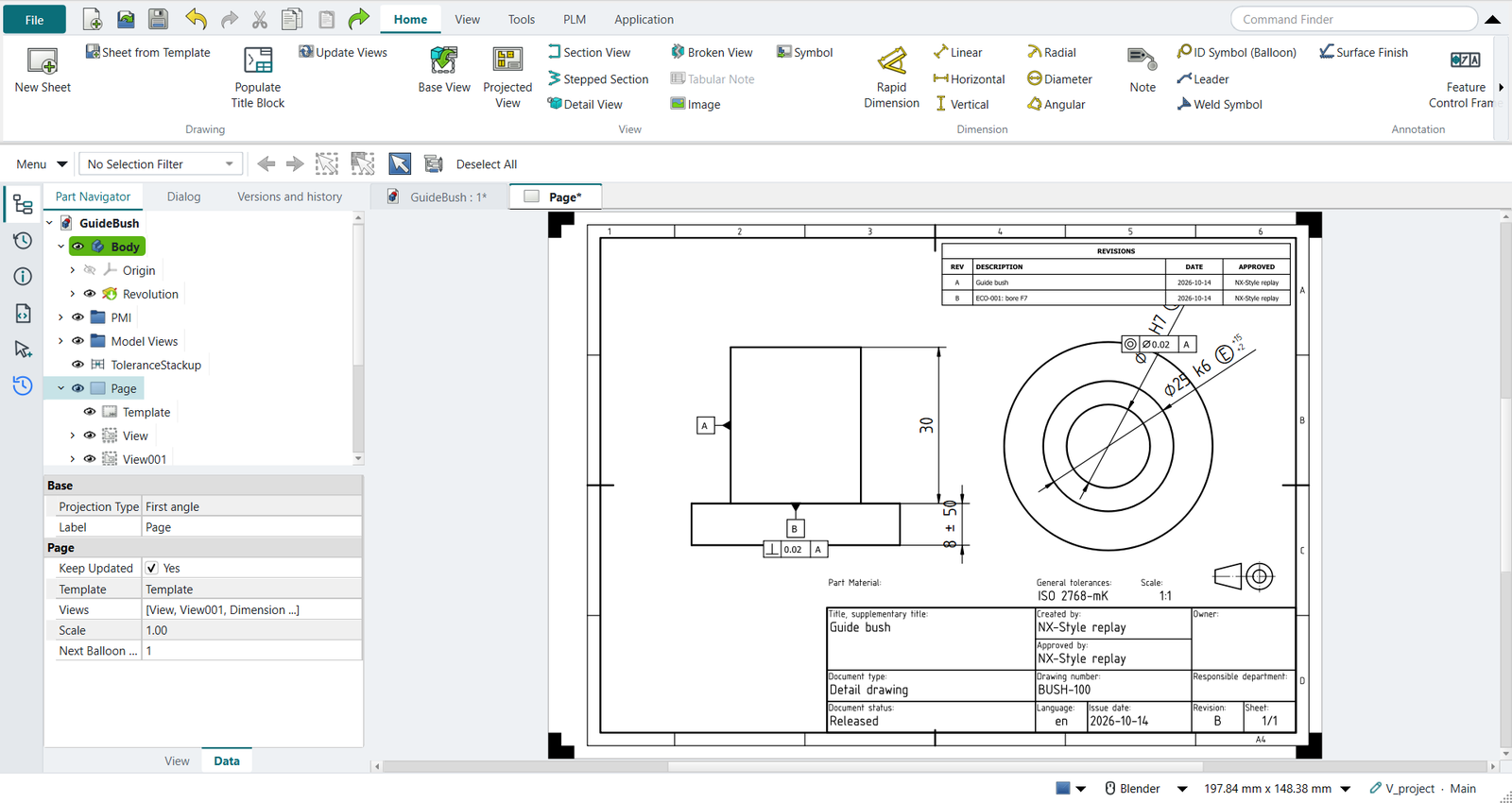
Home › Drawing › Populate Title Block. The sheet has no title block, so the dialog gives it the A4 ISO 5457 template with an ISO 7200 title block. The fields come filled:
-
drawing number
BUSH-100and revisionB, from release B; -
the title
Guide bush, which is what release A called the part; -
the status
Released, who released it and the date; -
the general tolerances from the PMI:
ISO 2768-mK. The tolerancing note that Inherit PMI put on the sheet in tutorial T goes, because the title block states it now; -
the scale and the sheet, from the drawing.
Revision block is ticked: one row for A and one for B, each with what changed.
The replay
| # | In the book (NX) | In FreeCAD NX-Style | Result | Notes |
|---|---|---|---|---|
AC1 |
The guide bush’s drawing (tutorial T) in Drafting |
Ctrl+Shift+D; the sheet selected in the Part Navigator |
same |
template Default_Template_A4_Landscape.svg: FreeCAD’s default sheet has no title block |
AC2 |
Drafting > Populate Title Block: from release B, the revision block from the releases |
ribbon 'Home › Drawing > Populate Title Block'; the fields come filled; 'Revision block' ticked; OK button |
differs |
dialog: {'drawing_number': 'BUSH-100', 'revision_index': 'B', 'title': 'Guide bush', 'general_tolerances': 'ISO 2768-mK'}; sheet: number BUSH-100, rev B, Released, by NX-Style replay, tolerancing 'ISO 2768-mK'; revision block rows [('A', 'Guide bush', '2026-10-26', 'NX-Style replay'), ('B', 'ECO-001: bore F7', '2026-10-26', 'NX-Style replay')]. NX: Populate Title Block from DB_PART_NO and DB_PART_REV (Teamcenter); here from Strata |
| Result | Means |
|---|---|
same |
The book’s NX steps work as written. |
differs |
It works, but the FreeCAD way is different; the notes say how. |
limit |
The book’s way fails in FreeCAD itself; a workaround follows in the next steps. |
missing |
FreeCAD has no such function; a stand-in follows. |
skipped |
Not replayed; the notes give the reason. |
FAILED |
Did not work. |
What differs from NX
-
NX fills the title block from Teamcenter attributes such as
DB_PART_NOandDB_PART_REV; here they come from Strata’s release record, or from the same attributes in the document’sMeta. -
NX’s revision table is a tabular note that you fill in. NX-Style draws it from the releases.
-
Zones (the revision’s place on the sheet grid) are not recorded.