Laser Cut
Application › Laser Cut opens an application for parts cut from sheet, such as plywood, MDF or acrylic, on a laser cutter or a CNC router.
NX has no such application. Its features come from LCInterlocking (execuc, LGPL-2.1), which NX-Style bundles in vendor/LCInterlocking and the launcher loads.
The bundled copy is a fork with two fixes for FreeCAD 1.1, described under FreeCAD 1.1 (Qt 6).
NX-Style gives it a ribbon with NX-style names. The add-on’s own command name is shown in each button’s tooltip (FreeCAD: Slots under Tabs and Slots).
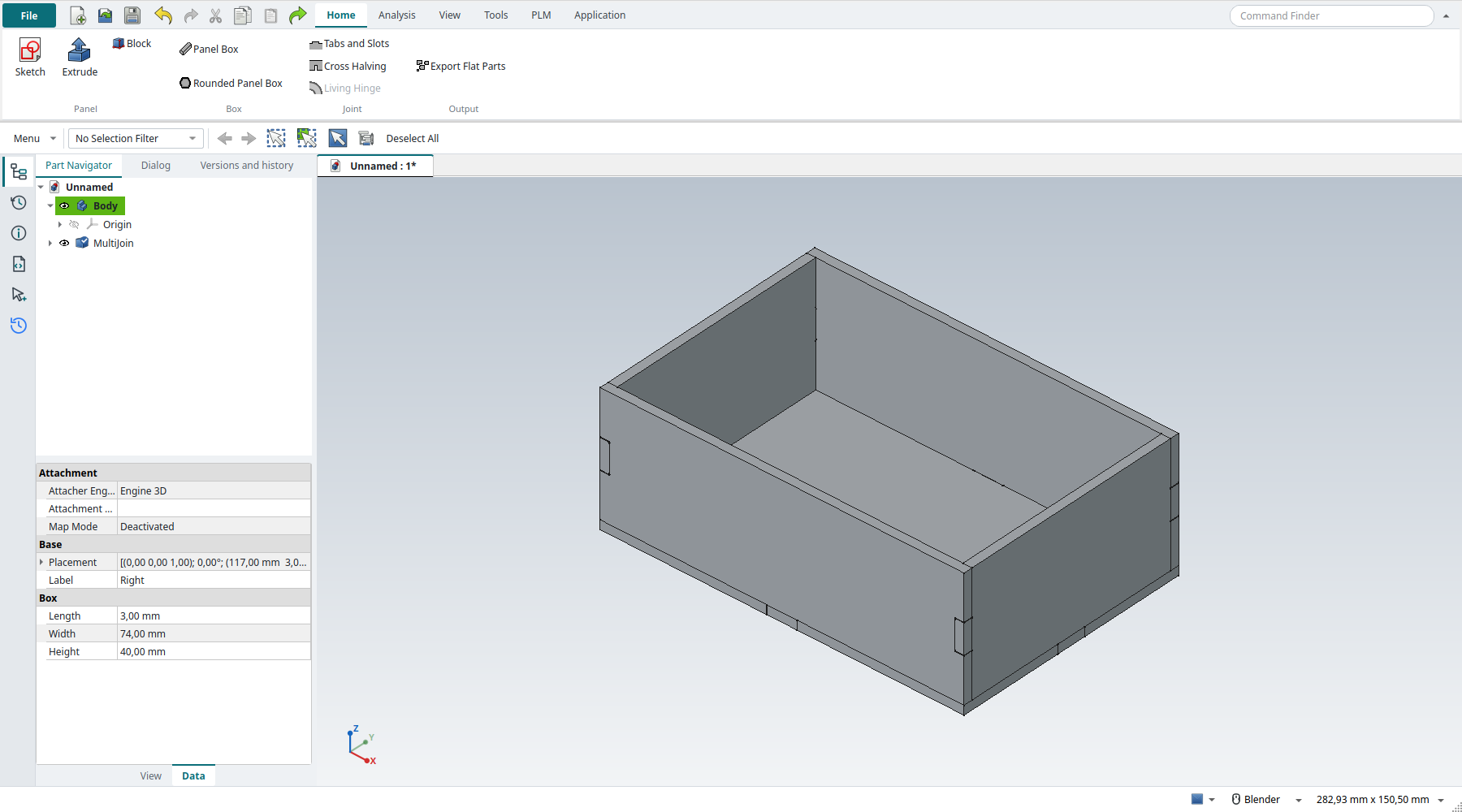
The Home tab
| Button | Add-on command | Does |
|---|---|---|
Sketch, Extrude, Block |
Sketcher, Part Extrude, Part Box |
The panels: a sketched outline extruded by the sheet’s thickness, or a block. |
Panel Box |
Box |
The six panels of a box (four sides, top and bottom) from its sizes and the thickness, not yet joined. |
Rounded Panel Box |
Rounded box |
The panels of a many-sided box, ready for living hinges at its corners. |
Tabs and Slots |
Slots |
Joins panels that meet: a face of one panel gets tabs, and the panel it touches gets the slots. Each joint’s type is Tab, Screw (a T-slot for a screw and nut) or Continuous (finger joints along the whole edge). It sets the number, width and position of the tabs, dog bones and the kerf. |
Cross Halving |
Crosspiece |
Two panels that cross each other, each slotted halfway (egg-crate joints). |
Living Hinge |
Living hinges |
Joins panels round a curved corner into one flat part with a pattern of cuts there, so the sheet bends. |
Export Flat Parts |
Export |
A new document with the selected parts laid flat side by side, and their outlines as 2D views. Export these with File › Export as (flattened) SVG or DXF. |
The Analysis, View, Tools, PLM and Application tabs are those of Modeling.
How a joint is made
-
Model each panel as its own solid, with the sheet’s thickness. Panels that meet must touch: one panel’s face lies on the other’s.
-
Tabs and Slots. In the task panel, select the panels and click Add parts. The add-on finds each panel’s thickness from its two largest faces.
-
Select the faces that carry the tabs, choose the joint type, and click Add faces. Select a joint in the list to set its tabs. Preview shows the result in a separate document.
-
OK, or MB2. The joined parts are new solids (
<panel>_tab). The original panels are kept, hidden, in a group, and Edit on the MultiJoin brings the panel back. -
Select the joined parts, Export Flat Parts, then File › Export the outlines.
Each tab comes out wider than its slot by the kerf (Laser beam diameter, thickness ÷ 15 by default), so the parts press-fit once the laser has burnt that much away. Tutorial AD joins a five-panel tray this way, checks every joined part, and exports the outlines.
Switching it off
python launch_nx.py --no-lcinterlocking, or "laser_cut": "none" in nxstyle.json, starts without the add-on, and Laser Cut is then not offered.
An LCInterlocking already installed in the NX profile’s Mod folder is used instead of the bundled one, never both.
FreeCAD 1.1 (Qt 6)
Upstream LCInterlocking 1.5.1 has two errors on FreeCAD 1.1, which uses Qt 6:
The bundled fork fixes both in panel/treepanel.py (its qt6-fixes branch, offered upstream as pull request 82).
If you install upstream LCInterlocking into the NX profile with the Addon Manager instead, NX-Style applies the same two fixes when the add-on’s task panel code loads (nxstyle/lcinterlocking.py), without changing its files.
Limits
-
Make the panels as Part solids (Block, Extrude from the Part tools, imported STEP). The add-on ignores a PartDesign Body’s own placement, so a moved Body is joined in the wrong place (issue 38).
-
The add-on’s icons are 16-pixel bitmaps, so its ribbon buttons are small ones.